
Smart Printer: Mobile Print
ADSUM - ICH BIN BEREIT Tools In-app purchases Contains ads
Print documents, photos, emails & web pages from phone to any printer.
- Downloads
- 178K+
- on Google Play
- Price
- Free
- In-app purchases
- Updated
- Oct 2
- 2026
Screenshots


About Smart Printer: Mobile Print
Smart Printer: Mobile Print
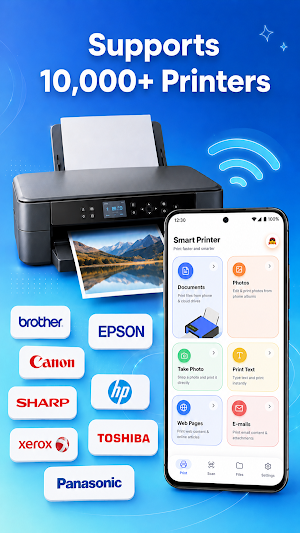
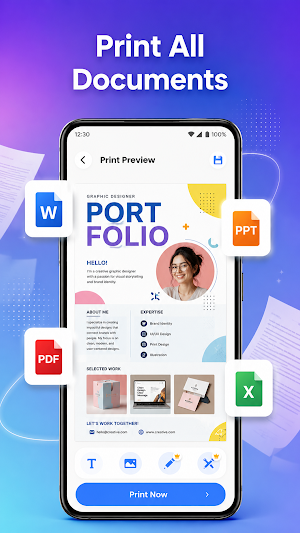
Smart Printer: Mobile Print helps you print documents, photos, web content, and other supported files directly from your mobile device. Connect to compatible printers through Wi-Fi, Bluetooth, Wi-Fi Direct, or USB and manage your printing tasks in a few simple steps.
Whether you need to print work documents, study materials, photos, or personal files, the app provides convenient tools for everyday printing and file management.
🖨️ MOBILE PRINTING
Print supported files directly from your phone or tablet:
• PDF documents
• Word documents (DOC, DOCX)
• Excel spreadsheets (XLS, XLSX)
• PowerPoint presentations (PPT, PPTX)
• Text files (TXT)
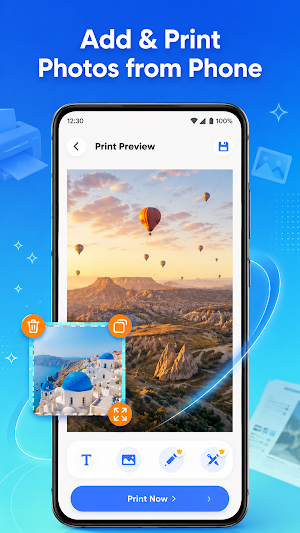
• Photos and images from your gallery
• Email content and supported attachments
• Web pages and saved online content
📄 DOCUMENT SCANNER
Create digital copies of your documents before printing:
• Scan documents and save as PDF
• Detect document edges automatically
• Scan ID cards and other paper documents
• Convert image text into editable text using OCR
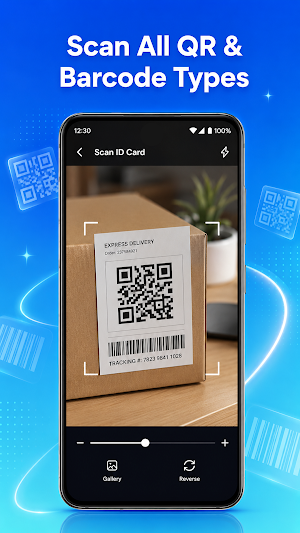
• Scan QR codes for quick access to linked content
📱 PRINTER CONNECTION OPTIONS
Connect to compatible printers using:
• Wi-Fi networks
• Wi-Fi Direct
• Bluetooth
• USB connections (supported devices only)
The app supports a wide range of printer models from popular manufacturers.
🗂️ FILE MANAGEMENT
Keep your files organized and ready to print:
• Save files as PDF or image formats
• Sort and manage documents in one place
• Search files quickly
• Share documents and images with others
⚙️ PRINT SETTINGS
Customize print jobs with useful options:
• Select paper sizes
• Adjust print copies
• Manage page orientation
• Configure available printer settings
✨ KEY FEATURES
• Mobile document printing
• Photo printing
• PDF printing
• Built-in document scanner
• OCR text extraction
• QR code scanning
• File organization tools
• Multiple printer connection methods
PREMIUM FEATURES
Premium access provides additional tools and an ad-free experience. Subscription options may include advanced features and expanded functionality. Available features may vary by version.
Subscriptions renew automatically unless canceled before the renewal date. You can manage subscriptions through your Google Play account settings.
Disclaimer:
Smart Printer: Mobile Print is an independent application and is not affiliated with, endorsed by, or sponsored by any printer manufacturer. Brand names are used solely for compatibility and identification purposes.
Smart Printer: Mobile Print helps you print documents, photos, web content, and other supported files directly from your mobile device. Connect to compatible printers through Wi-Fi, Bluetooth, Wi-Fi Direct, or USB and manage your printing tasks in a few simple steps.
Whether you need to print work documents, study materials, photos, or personal files, the app provides convenient tools for everyday printing and file management.
🖨️ MOBILE PRINTING
Print supported files directly from your phone or tablet:
• PDF documents
• Word documents (DOC, DOCX)
• Excel spreadsheets (XLS, XLSX)
• PowerPoint presentations (PPT, PPTX)
• Text files (TXT)
• Photos and images from your gallery
• Email content and supported attachments
• Web pages and saved online content
📄 DOCUMENT SCANNER
Create digital copies of your documents before printing:
• Scan documents and save as PDF
• Detect document edges automatically
• Scan ID cards and other paper documents
• Convert image text into editable text using OCR
• Scan QR codes for quick access to linked content
📱 PRINTER CONNECTION OPTIONS
Connect to compatible printers using:
• Wi-Fi networks
• Wi-Fi Direct
• Bluetooth
• USB connections (supported devices only)
The app supports a wide range of printer models from popular manufacturers.
🗂️ FILE MANAGEMENT
Keep your files organized and ready to print:
• Save files as PDF or image formats
• Sort and manage documents in one place
• Search files quickly
• Share documents and images with others
⚙️ PRINT SETTINGS
Customize print jobs with useful options:
• Select paper sizes
• Adjust print copies
• Manage page orientation
• Configure available printer settings
✨ KEY FEATURES
• Mobile document printing
• Photo printing
• PDF printing
• Built-in document scanner
• OCR text extraction
• QR code scanning
• File organization tools
• Multiple printer connection methods
PREMIUM FEATURES
Premium access provides additional tools and an ad-free experience. Subscription options may include advanced features and expanded functionality. Available features may vary by version.
Subscriptions renew automatically unless canceled before the renewal date. You can manage subscriptions through your Google Play account settings.
Disclaimer:
Smart Printer: Mobile Print is an independent application and is not affiliated with, endorsed by, or sponsored by any printer manufacturer. Brand names are used solely for compatibility and identification purposes.
What’s new
Updated October 2, 2026
Initial release Download supported videos to your device Built-in video player for offline viewing Download history and file management tools HD video playback support Performance and stability improvements
Alternatives to Smart Printer: Mobile Print
Looking for apps like Smart Printer: Mobile Print? Here are 6 similar Android apps on Google Play. The highest rated is Transfer All Data - PhoneClone (4.2/5), and all 6 are free to download.
-
HP 4.1
-
RawBT inkless print service 3.9
-
DOCX Editor: PDF, DOC, XLSX 3.1
-
Transfer All Data - PhoneClone 4.2
-
HP Print Service Plugin 4.1
-
PDF Reader(KDAN PDF): Edit PDF 3.8
| App | Rating | Price | Installs | Last updated | Compare |
|---|---|---|---|---|---|
| Smart Printer: Mobile Print | – | Free | 100,000+ | Oct 2, 2026 | |
| HP | 4.1 / 5 | Free | 100,000,000+ | Oct 8, 2026 | Compare |
| RawBT inkless print service | 3.9 / 5 | Free | 5,000,000+ | Apr 26, 2025 | Compare |
| DOCX Editor: PDF, DOC, XLSX | 3.1 / 5 | Free | 5,000,000+ | Mar 4, 2026 | Compare |
| Transfer All Data - PhoneClone | 4.2 / 5 | Free | 10,000,000+ | Aug 29, 2026 | Compare |
| HP Print Service Plugin | 4.1 / 5 | Free | 1,000,000,000+ | Jun 11, 2026 | Compare |
| PDF Reader(KDAN PDF): Edit PDF | 3.8 / 5 | Free | 10,000,000+ | Aug 5, 2026 | Compare |
Similar apps on Google Play
- HP
- RawBT inkless print service
- DOCX Editor: PDF, DOC, XLSX
- Transfer All Data - PhoneClone
- HP Print Service Plugin
- PDF Reader(KDAN PDF): Edit PDF
- Epson iPrint
- PDF Merge: Scan, Sign & Edit
- PDF Editor – Edit Everything!
- ScreenMaster:Screenshot Markup
- pdfFiller Edit, fill, sign PDF
- Samsung Print Service Plugin
- Me QR: QR Code Generator
- Automatic Scroll
- All Document Reader: PDF, Word
- Nelko
- Clear Scan - PDF Scanner App
- Private Screenshots
- Invoice Maker - Easy Invoice
- Brother Mobile Connect
- SignNow: Sign & Fill PDF Docs
- Smart Connect
- Total Commander - file manager
- PDF Scanner Plus - Doc Scanner
- Tiny Scanner - PDF Scanner App
- QR Scanner: Barcode Scanner
- PDF Scanner - Document Scanner
- PDF Scanner app - TapScanner
- Image to PDF - PDF Maker
- PhotoScan by Google Photos
- RICOH Smart Device Connector
- Dropbox: Secure Cloud Storage
- iScanner - PDF Scanner App
- WeTransfer : File Transfer
- Mobi PDF・Editor・Scanner・Reader
- Invoice Maker - InvoiceBase
- Mobile Inventory: Scan & Count
- Mobile Scanner App - Scan PDF
- AirDroid: File & Remote Access
- Screen Mirroring: Phone to TV
- ScanMaster for ELM327 OBD-2
- MobiOffice: Word, Sheets, PDF
- ACE Scanner - PDF Scanner App
- PDF Scanner - Document Scanner
- iLovePDF: PDF Editor & Scanner
- Infocar - OBD2 ELM Scanner
- FAX App: Send Faxes from Phone
- Aircash
- Automate
- FAX Desk: Send Fax from Phone
- ZUMIMALL
- Easy-PhotoPrint Editor
- Receipt Scanner: Easy Expense
- HerePrint
- Smart Transfer: File Sharing
- NIIMBOT
- OBD2 Car Scanner - EOBD Facile
- PDF Reader App - PDF Viewer
- WPS Office-PDF, Word, Sheet
- Docusign - Upload & Sign Docs
- PDF Reader App: Read All PDF
- Document Reader - PDF Editor
- File Manager
- Photo to PDF Maker & Converter
- Storage Analyzer & Disk Usage
- V380 Pro
- Simple Invoice Manager
- CamCard AI Scanner, Transcribe
- myPhonak
- Carista OBD2 Car Scanner
- Invoice Maker - Simple Invoice
- V380
- Print Master
- Mutsapper - Chat App Transfer
- QR & Barcode Scanner
- Munbyn Print
- Genius Scan - PDF Scanner
- Google Lens
- PDF AI: Podcast, Notes, Slides
- ScreenStream
- Ring - Always Home
- SCRIBZEE®
- Data Transfer - MobileTrans
- ConnectLife
- Resume Builder, CV Maker & AI
- OBDocker - OBD2 Car Scanner
- WaStat - WatchApp tracker
- Link to Windows
- Phomemo
- AI Resume Builder CV Maker PDF
- GHome - GHome Smart
- Super File Manager Explorer
- BizConnect - Card Scanner
- Poster Maker AI Flyer maker
- Zeelool - Eyewear For Everyday
- Car Scanner ELM OBD2
- Google Docs
- Invoice Generator - Zoho
- Cast for Chromecast & TV Cast
- WhatisRemoved+
- Microsoft 365 Admin
- Myprotein: Fitness & Nutrition
- CS PDF Reader - PDF Editor
- Cards - Mobile Wallet
- SmartThings
- PDF Reader - PDF Editor
- UniFi
- PDF Reader Zone
- PingID
- BimmerCode for BMW and MINI
- ONLYOFFICE Documents
- Regula Document Reader
- Check-Chat - Last Seen
- SmartLife- Smart Living
- Collage Maker - Selfie Camera
- UPDF - AI-Powered PDF Editor