
Smart Switch - Data Transfer
Productivity In-app purchases Contains ads
Effortlessly copy my data for secure phone clone between devices with seconds.
- Downloads
- 100K+
- on Google Play
- Price
- Free
- In-app purchases
- Updated
- Aug 18
- 2026
Screenshots
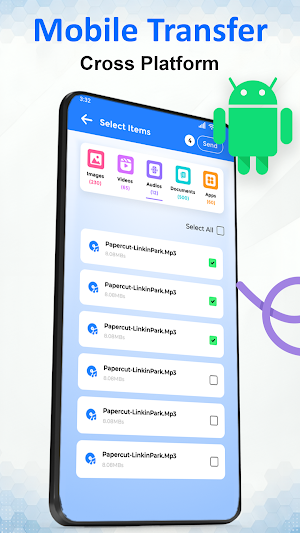


About Smart Switch - Data Transfer
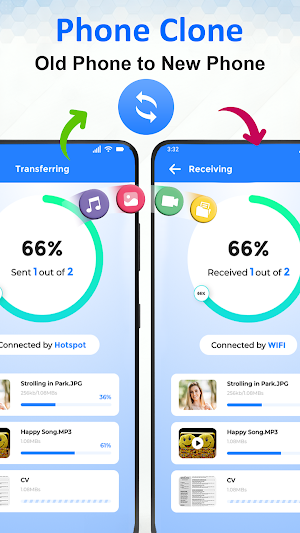
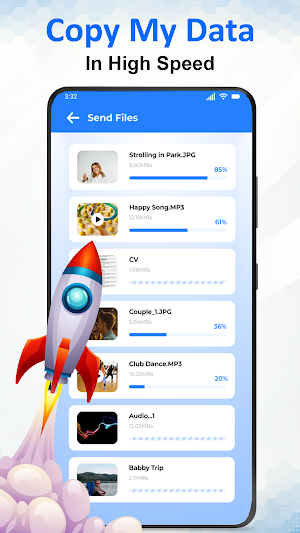
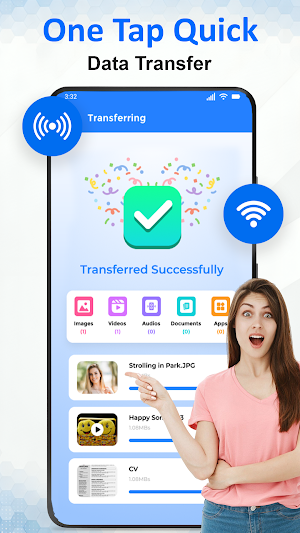
Data migration and phone setup are simple with Copy My Data: Mobile Transfer, allowing users to transfer their data between devices while keeping apps, files, and media secure. The data transfer app supports sending and receiving files seamlessly and lets users transfer my data without losing important content. Phone clone features make switching mobile devices smooth, and hotspot connections enable fast mobile transfer. The file transfer log organizes operations clearly, and notifications track activity efficiently.
Main Features of Copy My Data: Mobile Transfer:
● Send and Receive Files – transfer my data quickly and securely.
● Hotspot Sender & Receiver – supports phone clone without internet.
● Content Library – manage all transfers using the data transfer app.
● Dark Mode – interface enhanced with smart transfer app features.
● Clean Transfer & Receive History – maintain privacy while performing mobile transfer.
Smart File Transfer:
The clone app moves content across devices reliably while keeping files intact. Users switch mobile phones without losing data. Every file transfer is recorded for easy review, and content transfer happens securely. Phone transfer keeps apps and media accessible, and smart share connects devices instantly.
Seamless Connectivity and Management:
WiFi or a hotspot enables a smooth mobile transfer offline. Users manage files easily with the data transfer app. Content transfer logs help track past activity. Dark mode improves usability, and notifications keep users updated during every phone transfer.
Phone Migration Experience:
Smooth phone transfer is possible using a reliable hotspot and WiFi connections. Switching mobile devices is simple and secure. The smart transfer app interface allows full control over data migration. Content transfer management keeps all files organized and accessible after moving to a new device.
Benefits of Copy My Data: Mobile Transfer:
● Quick and reliable mobile transfer
● Organized content transfer library
● Track data transfer logs efficiently
● Phone clone support for seamless operations
● Easy-to-use smart transfer app interface
● Smart share enables instant connections
Privacy & Disclaimer:
Copy My Data: Mobile Transfer app is not affiliated with any brand. All operations are independent and secure.
Download the Copy My Data: Mobile Transfer app now to manage your phone transfer experience effortlessly. Also, safely copy my data between devices within seconds.
Main Features of Copy My Data: Mobile Transfer:
● Send and Receive Files – transfer my data quickly and securely.
● Hotspot Sender & Receiver – supports phone clone without internet.
● Content Library – manage all transfers using the data transfer app.
● Dark Mode – interface enhanced with smart transfer app features.
● Clean Transfer & Receive History – maintain privacy while performing mobile transfer.
Smart File Transfer:
The clone app moves content across devices reliably while keeping files intact. Users switch mobile phones without losing data. Every file transfer is recorded for easy review, and content transfer happens securely. Phone transfer keeps apps and media accessible, and smart share connects devices instantly.
Seamless Connectivity and Management:
WiFi or a hotspot enables a smooth mobile transfer offline. Users manage files easily with the data transfer app. Content transfer logs help track past activity. Dark mode improves usability, and notifications keep users updated during every phone transfer.
Phone Migration Experience:
Smooth phone transfer is possible using a reliable hotspot and WiFi connections. Switching mobile devices is simple and secure. The smart transfer app interface allows full control over data migration. Content transfer management keeps all files organized and accessible after moving to a new device.
Benefits of Copy My Data: Mobile Transfer:
● Quick and reliable mobile transfer
● Organized content transfer library
● Track data transfer logs efficiently
● Phone clone support for seamless operations
● Easy-to-use smart transfer app interface
● Smart share enables instant connections
Privacy & Disclaimer:
Copy My Data: Mobile Transfer app is not affiliated with any brand. All operations are independent and secure.
Download the Copy My Data: Mobile Transfer app now to manage your phone transfer experience effortlessly. Also, safely copy my data between devices within seconds.
What’s new
Updated August 18, 2026
📲 Transfer data from old phone to new phone easily 📸 Share photos, videos, contacts & apps 📡 Wireless transfer – no cables needed ⚡ Fast & secure data sharing 📂 Simple & easy-to-use interface 🔒 Safe & reliable transfer process
Alternatives to Smart Switch - Data Transfer
Looking for apps like Smart Switch - Data Transfer? Here are 6 similar Android apps on Google Play. The highest rated is File Sharing - InShare (4.6/5), and all 6 are free to download.
-
Samsung Smart Switch Mobile 3.9
-
Transfer All Data - PhoneClone 4.2
-
OPPO Clone Phone 3.6
-
Smart Transfer: File Sharing 3.6
-
File Sharing - InShare 4.6
-
EasyShare 3.7
| App | Rating | Price | Installs | Last updated | Compare |
|---|---|---|---|---|---|
| Smart Switch - Data Transfer | – | Free | 100,000+ | Aug 18, 2026 | |
| Samsung Smart Switch Mobile | 3.9 / 5 | Free | 1,000,000,000+ | Sep 3, 2026 | Compare |
| Transfer All Data - PhoneClone | 4.2 / 5 | Free | 10,000,000+ | Aug 29, 2026 | Compare |
| OPPO Clone Phone | 3.6 / 5 | Free | 10,000,000+ | Oct 14, 2026 | Compare |
| Smart Transfer: File Sharing | 3.6 / 5 | Free | 10,000,000+ | Oct 27, 2026 | Compare |
| File Sharing - InShare | 4.6 / 5 | Free | 100,000,000+ | Sep 22, 2026 | Compare |
| EasyShare | 3.7 / 5 | Free | 1,000,000,000+ | Sep 29, 2026 | Compare |
Similar apps on Google Play
- Samsung Smart Switch Mobile
- Transfer All Data - PhoneClone
- OPPO Clone Phone
- Smart Transfer: File Sharing
- File Sharing - InShare
- EasyShare
- Phone Clone App: Switch data
- ShareMe: File sharing
- Telz: International Calling
- QR & Barcode Scanner
- Pushbullet: SMS on PC and more
- Link to Windows
- Xiaomi Home
- AppDash: App Manager & Backup
- Samsung My Files
- Autosync - File Sync & Backup
- 2nd Phone Number - Call & Text
- Ring - Always Home
- Swift Backup
- AirDroid: File & Remote Access
- spacedesk - USB Display for PC
- MYTECNO
- LocalSend: Transfer Files
- FreeTone Calls & Texting
- Lenovo
- Smart Connect
- Dropbox: Secure Cloud Storage
- My Data Manager: Data Usage
- My Spectrum
- Send Anywhere (File Transfer)
- WeTransfer : File Transfer
- Connecteam Team Management App
- Send files to TV
- MobiDrive Cloud Storage & Sync
- Galaxy Wearable
- Mutsapper - Chat App Transfer
- DAVx⁵ – CalDAV CardDAV WebDAV
- SmartLife: Smart Living
- MySudo - Identity Protection
- SmartThings
- Samsung Email
- Duo Mobile
- Data Transfer - MobileTrans
- Smart Tutor for SAMSUNG Mobile
- Parental Control App- FamiSafe
- TeamViewer Remote Control
- Xiaomi Community
- Qustodio Parental Control App
- TeamViewer QuickSupport
- Text Me: Second Phone Number
- Nest
- iLink
- DeskIn Remote Desktop
- SMS Virtual - Receive SMS
- Onoff Numbers
- SHAREit Premium: Pure Share
- Nextplus: Phone # Text + Call
- Smart Home Manager
- IronVest - Security & Privacy
- OurFamilyWizard Co-Parent App
- Protection 360®
- Quick Settings app
- Wyze - Never Wonder
- ConnectLife
- Call Recorder - Auto Recording
- Yahoo Mail: Email & Planner
- Wearfit Pro
- Samsung Members
- Rocketbook
- 2nd Line - Second Phone Number
- Dr.Fone: Photo & Data Recovery
- File Manager
- Multiple Accounts - Assist
- Verizon Home
- Microsoft Authenticator
- Move to iOS
- TP-Link Tapo
- International Calling・Talk360
- Pulse SMS (Phone/Tablet/Web)
- UKG Pro
- Content - Workspace ONE
- Explorer
- realme Link
- Total Drive - Cloud Storage
- Google Fi Wireless
- HP
- SafeInCloud 1
- FlashGet Kids:parental control
- Mi Fitness (Xiaomi Wear)
- DevCheck Device & System Info
- DMSS
- Microsoft SharePoint
- Tuya: Smart Life, Smart Living
- Storage Analyzer & Disk Usage
- Yesim: eSIM & Mobile Data
- AirDroid Parental Control
- Spectrum TV
- Quo (formerly OpenPhone)
- HappyLighting
- FitCloudPro
- WePhone: WiFi Phone Call &Text
- Samsung Print Service Plugin
- Zoho Mail - Email and Calendar
- Parental Control App Blocker
- Screen Mirroring: Phone to TV
- HP Print Service Plugin
- OnePlus Community
- Keeper Password Manager
- Text Free: Second Phone Number
- Phone Call App & WiFi Call Any
- Xfinity
- Messages Lite - Text Messages
- ReSound Smart 3D
- Clone App-Parallel Dual Space
- File Manager
- VeryFit
- Cloaked: Protect your privacy
- Remote Mouse
- Hubspace
- Microsoft Intune
- Homey — A better smart home
- GroupMe
- Bitdefender Mobile Security
- Virtual SIM
- Epson iPrint
- Digital Wellbeing
- GlassWire Data Usage Monitor
- eWeLink - Smart Home
- Messages - SMS Texting App
- Samsung Health
- Home + Control
- Call Recorder - Talker ACR
- Multiple Accounts: Dual Space
- Phone Dialer & Contacts: drupe