Handwriting to Text: AI OCR
Convert handwriting to text with AI. Scan notes, translate & export as PDF.
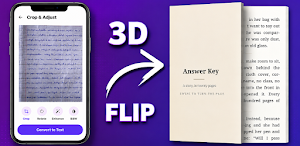
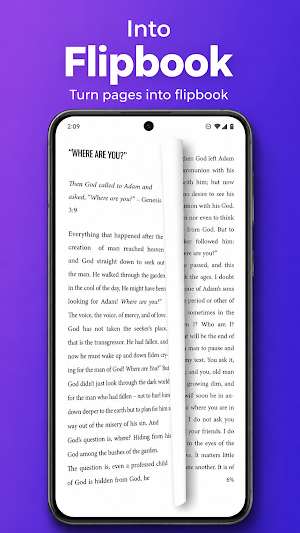
About Handwriting to Text: AI OCR
Turn any page of handwriting into clean, editable text in seconds. Handwriting to Text uses advanced AI OCR to read handwritten notes, notebooks, journals, whiteboards, and printed documents — then lets you edit, translate, save as PDF, and share anywhere.
Whether you are a student digitising lecture notes, a teacher grading assignments, or a professional capturing meeting minutes, this app removes the pain of retyping. Point your camera, tap once, and your handwriting becomes typed text you can actually use.
✨ WHY YOU WILL LOVE IT
• Powerful AI OCR — powered by Google Gemini for high accuracy on real, everyday handwriting, not just neat print
• Works for handwriting AND printed text — notebooks, letters, receipts, forms, textbooks, whiteboards
• Batch scan multiple pages — capture up to 20 pages at once and let the app organise them into a single folder in scan order
• Convert notes to PDF — export any scan or full folder as a clean, shareable PDF
• Translate on-device — translate recognised text into 20+ languages using offline Google ML Kit models, so it works without internet after one-time download
• Auto-detect language — the app identifies the language of your scan and suggests the right translation target
• Edit anything — every recognised text is fully editable before you save, copy, or share
• Folders + trash — organise multi-page batches, restore deleted scans within 30 days
• Backup & restore — export all your notes and folders as a JSON file to Google Drive or any storage
📚 BUILT FOR REAL USE CASES
• Students → convert lecture notes, assignments and past-year notebooks into searchable text
• Teachers → digitise handwritten worksheets, grade faster, share typed feedback
• Writers → turn handwritten drafts and diaries into editable manuscripts
• Office workers → capture meeting notes and whiteboards without retyping
• Anyone → decipher old letters, recipes, prescriptions, and family archives
🌍 20+ LANGUAGES SUPPORTED
English, Hindi, Spanish, French, German, Arabic, Chinese, Japanese, Korean, Russian, Portuguese, Bengali, Urdu, Tamil, Telugu, Marathi, Gujarati, Italian, Dutch, Turkish — and more via on-device translation.
🚀 HOW IT WORKS
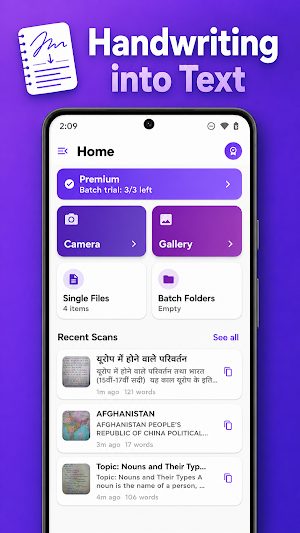
1. Tap Camera or Gallery and capture your handwritten page
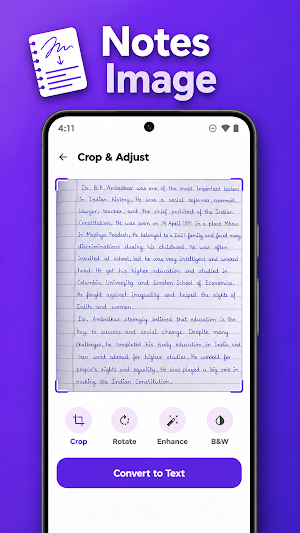
2. Crop and enhance if needed — the app auto-detects the document edges
3. Tap Convert — AI recognises the text, you edit it, then copy, translate, or save as PDF
🔒 PRIVACY YOU CAN TRUST
• Your images are processed in real-time and are NOT stored on our servers
• No account required — no name, email, phone number, contacts, or location collected
• No ads, no third-party trackers, no advertising ID
• All communication is encrypted with HTTPS
• Full details in our Privacy Policy inside the app
💎 PRICING
Free — 5 lifetime scans, 1 PDF export per day, single-page scan, translation included
Premium (one-time purchase) — Unlimited single scans, unlimited PDF export, 3 batch scan trials, folders for those batches, priority support
Pro (one-time purchase) — Everything in Premium plus unlimited batch scanning and unlimited folders — best for teachers, students in exam season, and heavy note-takers
No subscriptions. No hidden charges. One-time payment, lifetime access.
🌐 WORKS ONLINE + PARTIALLY OFFLINE
Text recognition needs internet (the AI runs in the cloud). Translation runs on your device and works offline once you download the language pack.
⭐ WHAT MAKES US DIFFERENT
• AI accuracy tuned specifically for handwriting, not just printed text
• Batch capture → auto-folder workflow saves time on multi-page notes
• Clean, distraction-free design — no dark patterns, no upgrade pop-ups mid-scan
• Regular updates and fast bug fixes
📩 SUPPORT & FEEDBACK
Have a question, feature request, or bug report? We reply personally.
Email: [email protected]
Your feedback drives every update. Try Handwriting to Text today and turn every notebook you own into searchable, editable, shareable text.
Similar Apps
EdrawMind: AI Mind map & Note
Unlock your mind's potential with AI-powered mind mapping
Table Notes - Mobile Excel
The simplest Excel-style app. Make tables, manage data, no laptop needed.
PDF Merge: Scan, Sign & Edit
Merge, Scan, and Sign PDFs 100% Offline. Your data never leaves your phone.

Knowt: AI Flashcards & Notes
Snap & Solve Questions, AI Summarizers, and Live Lecture Note Taker
pdfFiller Edit, fill, sign PDF
PDF editor: edit, sign, annotate & convert docs, fill forms, create templates
Nested Folder Notes - Folino
Unlimited Subfolders and Hierarchy