
WatsGo - Phone Transfer
Tools In-app purchases
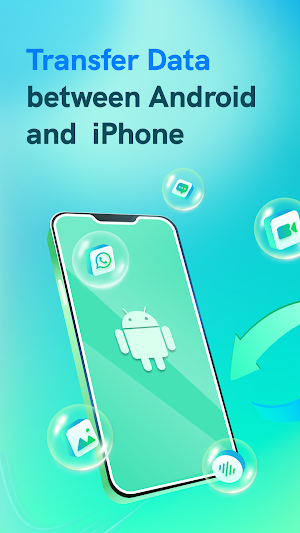
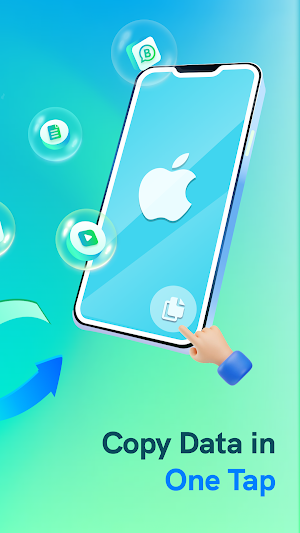
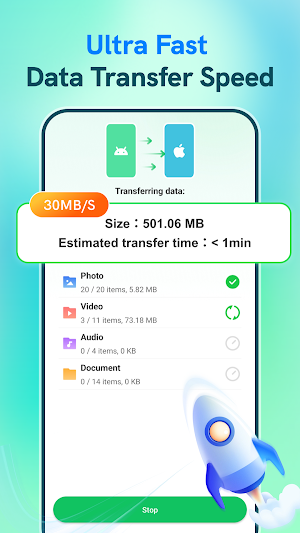
Transfer Data from Android to iPhone, including WhatsApp, photos, videos, etc.
- Downloads
- 100K+
- on Google Play
- Price
- Free
- In-app purchases
- Updated
- Feb 8
- 2026 · v3.1.13.09
Screenshots


About WatsGo - Phone Transfer
🌟 WatsGo - Phone Transfer is a powerful phone transfer app designed to make switching devices simple, safe, and stress-free. This mobile data transfer app ensures all your essential files, messages, and media are copied securely. With WatsGo, you can also transfer WhatsApp/WhatsApp Business to a new phone in just a few clicks, making it the perfect phone data transfer app for anyone upgrading their device.
🚀 Key Features of WatsGo – Mobile Transfer App
1. Transfer WhatsApp data:
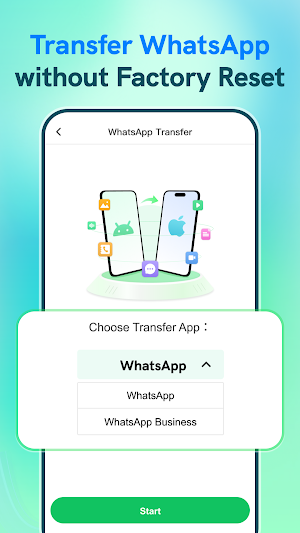
Seamlessly move your complete WhatsApp/WhatsApp Business chat history—including images, videos, voice messages, documents, and stickers—to your new iPhone.
If you are looking for a reliable app transfer solution or wondering how to copy my data from Android to iPhone, WatsGo provides the most seamless way to migrate data from Android to iPhone.
2. Complete phone data transfer:
Quickly transfer data from Android, including important photos, videos, audio, and documents, to your new iPhone with this smart clone phone experience.
3. Multiple transfer methods:
· Use an OTG cable for a stable and high-speed transfer to WhatsApp experience.
· Or scan a QR code to transfer photos, videos, audio, and documents wirelessly.
No computer is required—this smart transfer app allows you to move data from Android directly.
4. Fast and efficient performance:
Enjoy high-speed data transfer at an average of 35MB/s, so you don’t have to waste time waiting.
5. No internet required:
WatsGo performs data mobile transfers through a local hotspot or OTG cable, with no mobile data usage and zero network costs.
6. Private and secure data transfer:
Since content transfer doesn’t use the internet, your data remains completely private and cannot be accessed or misused by anyone.
7. No reset required:
You don’t need to reset your iPhone before transferring. WatsGo safely copies data while keeping your existing content intact, making it a hassle-free move iOS solution.
8. Wide compatibility with Android brands:
Whether you use Samsung, Huawei, OPPO, vivo, Xiaomi, Redmi, Pixel, Motorola, or others, WatsGo ensures a smooth Android transfer and supports nearly all major Android brands.
No matter which brand you’re switching from, this phone transfer app makes migration to iPhone effortless.
🙋 Why choose WatsGo for your data transfer?
· Move data from Android to iPhone in minutes.
· Works as a professional mobile transfer tool for WhatsApp, photos, videos, and more.
· Provides a faster and safer alternative to Move to iOS, especially when handling WhatsApp chats.
If you are asking, “How can I transfer my data securely?”, WatsGo is the answer. With this powerful phone data sharing app, you can easily copy data from phone to phone or migrate WhatsApp history—safe, fast, and worry-free. Download WatsGo now for a seamless switch.
💡 Note:
With the data transfer from Android, WatsGo requires “All Files Access” permission to read and migrate your data. Your information is encrypted during the process and never stored by us.
✉️ Contact us anytime: [email protected]
🚀 Key Features of WatsGo – Mobile Transfer App
1. Transfer WhatsApp data:
Seamlessly move your complete WhatsApp/WhatsApp Business chat history—including images, videos, voice messages, documents, and stickers—to your new iPhone.
If you are looking for a reliable app transfer solution or wondering how to copy my data from Android to iPhone, WatsGo provides the most seamless way to migrate data from Android to iPhone.
2. Complete phone data transfer:
Quickly transfer data from Android, including important photos, videos, audio, and documents, to your new iPhone with this smart clone phone experience.
3. Multiple transfer methods:
· Use an OTG cable for a stable and high-speed transfer to WhatsApp experience.
· Or scan a QR code to transfer photos, videos, audio, and documents wirelessly.
No computer is required—this smart transfer app allows you to move data from Android directly.
4. Fast and efficient performance:
Enjoy high-speed data transfer at an average of 35MB/s, so you don’t have to waste time waiting.
5. No internet required:
WatsGo performs data mobile transfers through a local hotspot or OTG cable, with no mobile data usage and zero network costs.
6. Private and secure data transfer:
Since content transfer doesn’t use the internet, your data remains completely private and cannot be accessed or misused by anyone.
7. No reset required:
You don’t need to reset your iPhone before transferring. WatsGo safely copies data while keeping your existing content intact, making it a hassle-free move iOS solution.
8. Wide compatibility with Android brands:
Whether you use Samsung, Huawei, OPPO, vivo, Xiaomi, Redmi, Pixel, Motorola, or others, WatsGo ensures a smooth Android transfer and supports nearly all major Android brands.
No matter which brand you’re switching from, this phone transfer app makes migration to iPhone effortless.
🙋 Why choose WatsGo for your data transfer?
· Move data from Android to iPhone in minutes.
· Works as a professional mobile transfer tool for WhatsApp, photos, videos, and more.
· Provides a faster and safer alternative to Move to iOS, especially when handling WhatsApp chats.
If you are asking, “How can I transfer my data securely?”, WatsGo is the answer. With this powerful phone data sharing app, you can easily copy data from phone to phone or migrate WhatsApp history—safe, fast, and worry-free. Download WatsGo now for a seamless switch.
💡 Note:
With the data transfer from Android, WatsGo requires “All Files Access” permission to read and migrate your data. Your information is encrypted during the process and never stored by us.
✉️ Contact us anytime: [email protected]
What’s new
Version 3.1.13.09 · Updated February 8, 2026
Fixed known issues.
User reviews

super

phone transfer best app

good

bahut badhiya app hai very nice ✨

Best App And Other Society And Wanted To Know That I Have A Great Day And Wanted Lage App

super app
Alternatives to WatsGo - Phone Transfer
Looking for apps like WatsGo - Phone Transfer? Here are 6 similar Android apps on Google Play. The highest rated is Parental Control App- FamiSafe (4.3/5), and all 6 are free to download.
-
Mutsapper - Chat App Transfer 3.6
-
Data Transfer - MobileTrans 3.8
-
Smart Transfer: File Sharing 3.6
-
Phone Clone Tool: Switch data 3.8
-
Transfer All Data - PhoneClone 4.1
-
Parental Control App- FamiSafe 4.3
| App | Rating | Price | Installs | Last updated | Compare |
|---|---|---|---|---|---|
| WatsGo - Phone Transfer | – | Free | 100,000+ | Feb 8, 2026 | |
| Mutsapper - Chat App Transfer | 3.6 / 5 | Free | 5,000,000+ | Oct 20, 2026 | Compare |
| Data Transfer - MobileTrans | 3.8 / 5 | Free | 10,000,000+ | Sep 23, 2026 | Compare |
| Smart Transfer: File Sharing | 3.6 / 5 | Free | 10,000,000+ | Oct 27, 2026 | Compare |
| Phone Clone Tool: Switch data | 3.8 / 5 | Free | 1,000,000+ | Sep 24, 2026 | Compare |
| Transfer All Data - PhoneClone | 4.1 / 5 | Free | 10,000,000+ | Aug 29, 2026 | Compare |
| Parental Control App- FamiSafe | 4.3 / 5 | Free | 5,000,000+ | Oct 7, 2026 | Compare |
Similar apps on Google Play
- Mutsapper - Chat App Transfer
- Data Transfer - MobileTrans
- Smart Transfer: File Sharing
- Phone Clone Tool: Switch data
- Transfer All Data - PhoneClone
- Parental Control App- FamiSafe
- Dr.Fone: Photo & Data Recovery
- Swift Backup
- CrookCatcher • Anti-Theft
- Qustodio Parental Control App
- AirDroid Parental Control
- Smart Switch - File Transfer
- Pushbullet: SMS on PC and more
- RICOH Smart Device Connector
- WeTransfer : File Transfer
- ScreenStream
- Multiple Accounts - Assist
- Move to iOS
- Linksys
- Parental Control App Blocker
- WhatisRemoved+
- 1Password: Password Manager
- AirDroid: File & Remote Access
- Parental Control - Kidslox
- UltData: Photo & Data Recovery
- Send Anywhere (File Transfer)
- RoboForm Password Manager
- IronVest - Security & Privacy
- Private Screenshots
- Nextcloud
- OPPO Clone Phone
- Super File Manager Explorer
- Passwords & passkeys-Safe
- Enpass Password Manager
- MobiSaver: Data&Photo Recovery
- RawBT inkless print service
- SumUp: Payments and POS
- File Sharing - InShare
- Virtual SIM
- AlfredCamera Home Security app
- LastPass Password Manager
- Samsung Smart Switch Mobile
- TeamViewer Remote Control
- Keeper Password Manager
- All Recovery: Photo Video
- Material Files
- TapSlide
- Nedis SmartLife
- pCloud: Cloud Storage
- QR Code Scanner - Barcode Scan
- Onoff Numbers
- MediaFire
- NetShare - no-root-tethering
- Free2move | Car Share & Rental
- Second Phone Number - 2Number
- VicoHome: Smart Home Camera
- Explorer
- File Manager
- One Key: password manager
- Canon Camera Connect
- Whatauto - Auto Reply
- Wabi - Virtual Phone Number
- AnyDesk Remote Desktop
- ME-QR: QR Code Generator
- ADV Screen Recorder
- Xiaomi Community
- Xurrent IMR(formerly Zenduty)
- Smart Connect
- ISO Today
- SafeInCloud 1
- ScreenMaster:Screenshot Markup
- LockTrip
- Viva Engage
- Lenovo
- LockMyPix Safe Photo Vault
- Multi App-Space
- EasyShare
- Floating Apps (multitasking)
- App Usage - Manage/Track Usage
- TeamViewer QuickSupport
- Home V
- Screen Recorder Unlimited
- LocalSend: Transfer Files
- Dropbox: Secure Cloud Storage
- Quick Settings app
- Computer Launcher Pro
- NetShare+ Wifi Tether
- Constant Contact Marketing App
- Screen Mirroring: Cast to TV
- MobiDrive Cloud Storage & Sync
- Touch Lock Screen Touch Photo
- Mobile Security & Antivirus
- Clone App-Parallel Dual Space
- Homey — A better smart home
- realme Community
- SHAREit Premium: Pure Share
- MERCUSYS
- Airzone Cloud
- Blynk IoT
- ShareMe: File sharing
- Notisave - Notification Log
- Restore My Old Deleted Photos
- FlexiRoam: eSIM & Data Plans
- Quo (formerly OpenPhone)
- Mobile Security Camera (FTP)
- F-Secure Mobile Security
- Anti Spy Detector - Spyware
- spacedesk - USB Display for PC
- Connecteam Team Management App
- SmartThings
- Life360: Stay Connected & Safe
- GSMArena
- Hik-Connect - for End User
- Fanytel - Virtual Phone Number
- Viidure-Dashcam Viewer
- WaStat - WatchApp tracker
- Check-Chat - Last Seen
- Don't Touch My Phone: Alarm
- Parallel App - Dual App Cloner
- Google Fi Wireless
- Google Cloud
- Accessibility Scanner