
Open Frame: Samsung Frame TV
Raylytics Tools In-app purchases
Upload your photos to Samsung Frame TV Art Mode. Private, no cloud, no account.
- Downloads
- 110+
- on Google Play
- Price
- Free
- In-app purchases
- Updated
- Sep 6
- 2026 · v1.4.4
Screenshots


About Open Frame: Samsung Frame TV
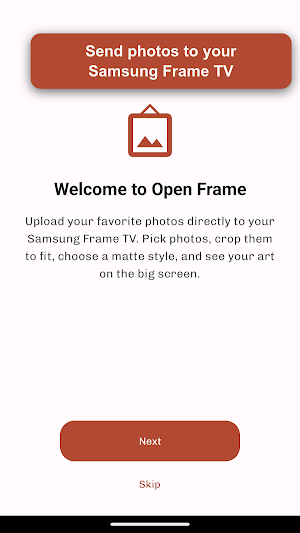
Turn your Samsung Frame TV into a personal art gallery.
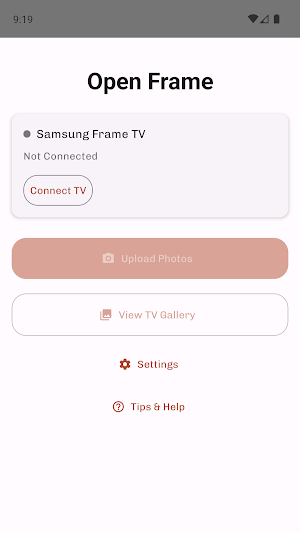
Open Frame is an independent app for uploading your own photos to Samsung Frame TV Art Mode over your home WiFi — with no cloud account, and nothing ever leaving your local network.
If you've been looking for a simple, private way to get your personal photos onto your Frame TV, this is for you.
WHAT YOU CAN DO
• Upload photos from your phone directly to your Samsung Frame TV
• Crop and resize automatically to match the TV's 4K display
• Choose from the TV's built-in matte styles and colors (modern, shadowbox, flexible, panoramic, triptych, and more)
• Preview how your photo will look with each matte before uploading
• Rotate and adjust portrait or landscape photos for the best fit
• Browse and manage what's already on your TV — select or delete uploaded images
• HEIC, JPEG, and PNG photos all supported (HEIC is converted automatically)
WHY PEOPLE USE OPEN FRAME
• Private — your photos travel only between your phone and your TV on your local WiFi; they are never sent to any server
• No account required — just open the app and connect to your TV
• No tracking, no analytics — your photo library is your business
• Works with the Samsung Frame TV you already own
HOW IT WORKS
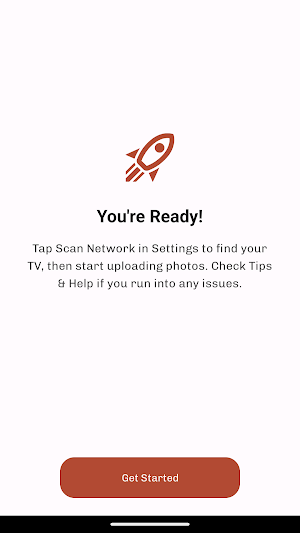
Open Frame automatically scans your home WiFi to find your Samsung Frame TV on first launch. From there, pick a photo, pick a matte, and send it straight to your TV's Art Mode gallery. It's that simple.
SUPPORTING THE APP
Open Frame is free to install and free to use — uploads are never gated or interrupted. A small banner ad appears on a few screens, and a one-time $1.99 purchase removes it forever. Either way, your photos go directly from your phone to your own TV; ads are served separately and never see your photos.
REQUIREMENTS
• A Samsung Frame TV (tested on 2021 and newer models)
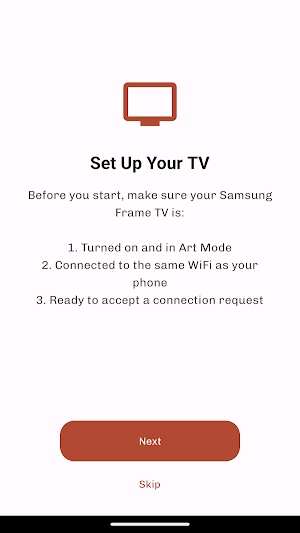
• Your phone and your TV on the same WiFi network
• Art Mode enabled on your TV
HAVE FEEDBACK?
Open Frame is actively developed. Use the built-in "Report a Bug" option to send suggestions or issues directly to the developer.
---
Open Frame is an independent app. It is not affiliated with, endorsed by, sponsored by, or otherwise associated with Samsung Electronics Co., Ltd. "Samsung", "The Frame", and "Samsung Art Mode" are trademarks of their respective owners and are used here only to describe compatibility with Samsung products that Open Frame works with.
Open Frame is an independent app for uploading your own photos to Samsung Frame TV Art Mode over your home WiFi — with no cloud account, and nothing ever leaving your local network.
If you've been looking for a simple, private way to get your personal photos onto your Frame TV, this is for you.
WHAT YOU CAN DO
• Upload photos from your phone directly to your Samsung Frame TV
• Crop and resize automatically to match the TV's 4K display
• Choose from the TV's built-in matte styles and colors (modern, shadowbox, flexible, panoramic, triptych, and more)
• Preview how your photo will look with each matte before uploading
• Rotate and adjust portrait or landscape photos for the best fit
• Browse and manage what's already on your TV — select or delete uploaded images
• HEIC, JPEG, and PNG photos all supported (HEIC is converted automatically)
WHY PEOPLE USE OPEN FRAME
• Private — your photos travel only between your phone and your TV on your local WiFi; they are never sent to any server
• No account required — just open the app and connect to your TV
• No tracking, no analytics — your photo library is your business
• Works with the Samsung Frame TV you already own
HOW IT WORKS
Open Frame automatically scans your home WiFi to find your Samsung Frame TV on first launch. From there, pick a photo, pick a matte, and send it straight to your TV's Art Mode gallery. It's that simple.
SUPPORTING THE APP
Open Frame is free to install and free to use — uploads are never gated or interrupted. A small banner ad appears on a few screens, and a one-time $1.99 purchase removes it forever. Either way, your photos go directly from your phone to your own TV; ads are served separately and never see your photos.
REQUIREMENTS
• A Samsung Frame TV (tested on 2021 and newer models)
• Your phone and your TV on the same WiFi network
• Art Mode enabled on your TV
HAVE FEEDBACK?
Open Frame is actively developed. Use the built-in "Report a Bug" option to send suggestions or issues directly to the developer.
---
Open Frame is an independent app. It is not affiliated with, endorsed by, sponsored by, or otherwise associated with Samsung Electronics Co., Ltd. "Samsung", "The Frame", and "Samsung Art Mode" are trademarks of their respective owners and are used here only to describe compatibility with Samsung products that Open Frame works with.
What’s new
Version 1.4.4 · Updated September 6, 2026
• Fixes connecting to Samsung Frame TVs on newer Android versions. • Fixes applying a different frame to each photo when uploading several at once. • More reliable uploads on unstable Wi-Fi.
Alternatives to Open Frame: Samsung Frame TV
Looking for apps like Open Frame: Samsung Frame TV? Here are 6 similar Android apps on Google Play. All of them are free to download.
-
Innosnow Cloud
-
Sealant Calculator
-
Bela Blok
-
Xelectron Projector Remote
-
MeasureME: Measure & Convert
-
Boring Volume Control
| App | Rating | Price | Installs | Last updated | Compare |
|---|---|---|---|---|---|
| Open Frame: Samsung Frame TV | – | Free | 100+ | Sep 6, 2026 | |
| Innosnow Cloud | – | Free | 10+ | Aug 30, 2026 | Compare |
| Sealant Calculator | – | Free | 1+ | Oct 2, 2026 | Compare |
| Bela Blok | – | Free | 10+ | Oct 2, 2026 | Compare |
| Xelectron Projector Remote | – | Free | 100+ | Aug 31, 2026 | Compare |
| MeasureME: Measure & Convert | – | Free | 1+ | Sep 12, 2026 | Compare |
| Boring Volume Control | – | Free | 50+ | – | Compare |
Similar apps on Google Play
- Innosnow Cloud
- Sealant Calculator
- Bela Blok
- Xelectron Projector Remote
- MeasureME: Measure & Convert
- Boring Volume Control
- CoopCare Poultry Log
- Cosmeatrack
- OctoClient
- GetOrder - Group Coffee Orders
- Safe5
- FlockCare Sheep Log
- Jimbo VPN
- Cloak VPN
- Vankyo Projector App
- Promo Radar
- PDF Scanner - Docs,XLS Reader
- Magic Player
- An Nirwana
- Wakewise
- MalariaX
- Unisto Data Trans
- Open Frame: Samsung Frame TV
- SW GAMES
- dB Ride – Noise Meter & GPS