Xelectron Projector Remote
Connect your compatible Xelectron projector and enjoy convenient remote features
About Xelectron Projector Remote
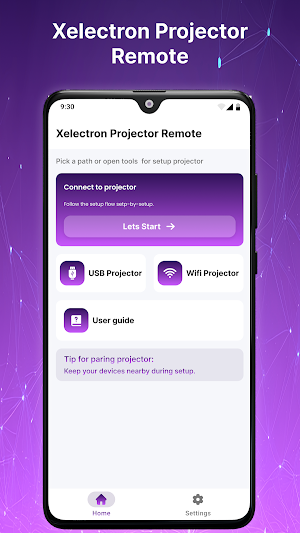
Xelectron Projector Remote is a convenient Android utility that helps users connect with compatible Xelectron projector devices and access supported remote functions from their smartphone. The app is designed to keep projector control simple, organized, and easy to access.
Whether you use your projector for movies, presentations, gaming, learning, or everyday entertainment, this app provides a practical way to manage supported projector functions.
Easy Projector Connection
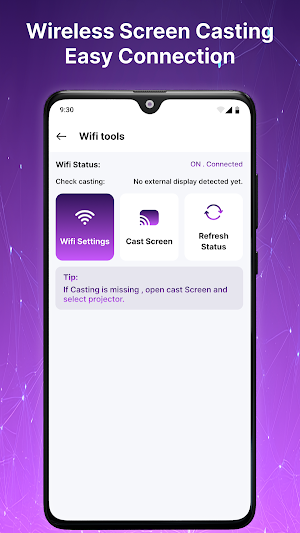
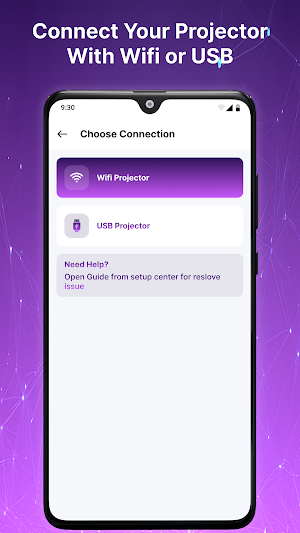
Connect your Android phone with a compatible Xelectron projector using supported wireless connection methods. The straightforward setup helps you find and connect available devices without complicated configuration.
Convenient Remote Controls
Once connected, access supported projector controls from your phone. Depending on your projector model, available options may include navigation, volume adjustment, input selection, playback controls, and basic settings.
Key Features
• Simple Xelectron projector connection
• Easy Bluetooth or Wi-Fi setup where supported
• Projector device discovery
• Convenient remote control functions
• Menu navigation support
• Volume and input controls
• Connection status information
• Easy device reconnection
• Clean and lightweight interface
• Designed for compatible Xelectron projectors
Useful for Different Situations
Use Xelectron Projector Remote when controlling a compatible projector at home, in an office, classroom, meeting room, or entertainment setup. The app keeps commonly available controls within easy reach on your Android device.
Why Use Xelectron Projector Remote?
• Simple smartphone-based projector control
• Easy-to-understand interface
• Quick connection process
• Convenient access to supported controls
• Lightweight Android experience
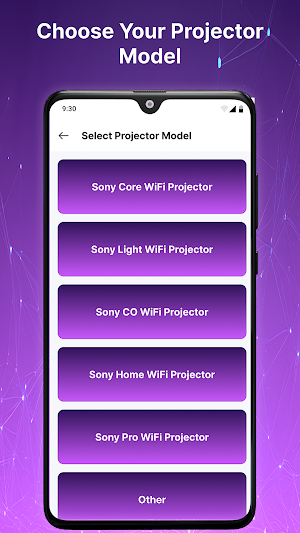
• Suitable for compatible projector models
How It Works
Open Xelectron Projector Remote.
Make sure your compatible projector is powered on.
Enable the required wireless connection.
Search for available projector devices.
Select your compatible projector.
Complete the connection.
Use the available remote controls.
Compatibility
The available functions depend on your projector model, firmware, Android device, and supported connection technology. Some remote features may not be available on every projector.
Disclaimer
Xelectron Projector Remote is an independent third-party utility and is not affiliated with, endorsed by, sponsored by, or officially connected with Xelectron or any projector manufacturer. Xelectron and related product names are trademarks of their respective owners and are used solely for identification and compatibility purposes.
Similar Apps

HealthJoy
The First Stop for All Your Healthcare and Employee Benefits Needs.

Jostle
Stay connected to your workplace with the Jostle mobile app!

IFSTA Instructor 9
Study while on the go with Exam Prep, Audiobook, and Flashcards!
