About drawback AI: Visual Creator
Static sketches are boring. Explaining complex ideas with just a still image is hard.
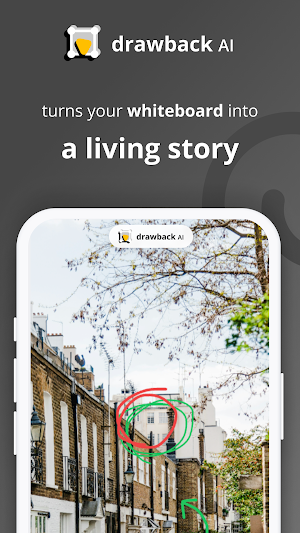
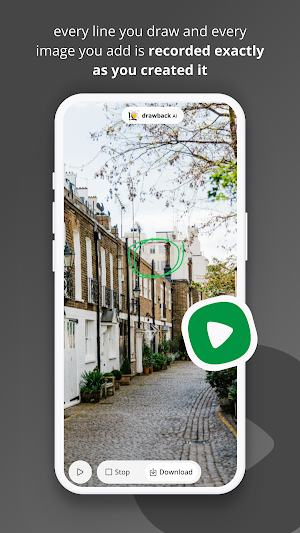
drawback AI turns your whiteboard into a living story. It uses AI to help you record your sketches and turn them into a professional performance for your audience. Every line you draw and every image you add is recorded exactly as you created it.
Whether you're a creator making an explainer video, a teacher sketching a lesson, or a designer brainstorming a new concept, drawback AI lets your audience see your process, not just the result.
🤖 Meet Your AI Export Engine (New!)
drawback AI now comes with a built-in AI export layer that runs entirely on your device:
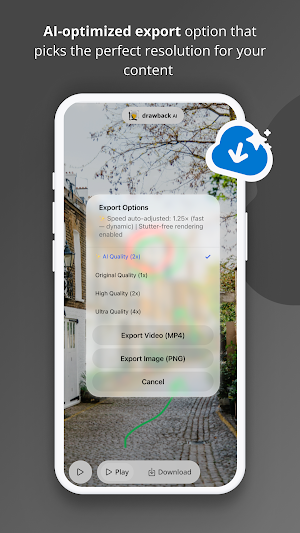
* ✨ AI Quality: A dedicated AI-optimised export option that picks the perfect resolution for your canvas content — not just 1×, 2×, or 4×, but the right balance for what you've drawn.
* ⚡ Smart Playback Speed: The AI automatically adjusts your animation's playback speed before export. Sparse canvases play slower for a dramatic feel; dense canvases play faster to stay dynamic. No setting required.
* 🎞️ Stutter-Free Export: Before recording starts, the app benchmarks your device's rendering speed and silently re-optimises quality if needed, so your exported video is always smooth at 30fps.
🔥 Why use drawback AI?
* Visual Explainer Power: Import any image or photo and draw right on top of it. Perfect for breaking down complex charts, commenting on designs, or explaining a screenshot.
* Unlimited Content Creation: There's no limit to how many "living stories" you can create. One canvas can turn into a dozen different videos for your audience.
* Natural Drawing Feel: Our "Smart Pen" adjusts its thickness based on your speed—just like a real pen on paper.
* Total Playback & Export: Hit play and watch your entire drawing process come to life, with smooth image fade-ins and animated strokes. Export it in seconds as a full-HD MP4 or crisp PNG.
* Camera Recording: Pan and zoom around your infinite canvas. The app records your camera movements too, so you can focus on specific details during playback.
🚀 What's inside:
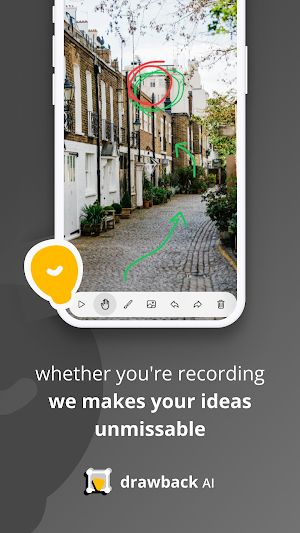
* Infinite Whiteboard: Plenty of space for your biggest ideas.
* Complete Undo/Redo History: Never worry about making a mistake.
* Natural Pen Simulation: Expressive, variable-width strokes.
* ✨ AI Quality Export: Smart resolution tailored to your canvas content.
* ⚡ Auto Playback Speed: AI-adjusted animation timing — dramatic or dynamic, automatically.
* 🎞️ Stutter-Free 30fps Video: On-device benchmark ensures smooth output every time.
* Export-Ready: Built specifically to help you create "Draw My Life" style content or professional educational videos.
Stop drawing static images. Start telling AI-powered stories.
Whether you're recording a visual tutorial or explaining a product feature to a client—drawback AI makes your ideas unmissable.
Download drawback AI and bring your sketches to life.
drawback AI: Visual Creator details
drawback AI: Visual Creator is a free Video Players & Editors app for Android with 10+ installs on Google Play. It was released on February 24, 2026 and last updated on April 18, 2026. It requires Android 7.0 or later. The app contains ads.
- Category
- Video Players & Editors
- Installs
- 10+
- Price
- Free
- In-app purchases
- No
- Ads
- Contains ads
- Current version
- 1.0.14
- Requires Android
- 7.0
- Content rating
- Everyone
- Released
- February 24, 2026
- Last updated
- April 18, 2026
What’s new in drawback AI: Visual Creator
Smoother exports and rock-solid navigation! 🎥🚀 - Export Upgrade: Refined our AI rendering engine for even smoother, high-quality video exports. - Navigation Fixes: Resolved router issues for a seamless flow between drawing and exporting. - Performance Polish: Build optimizations to ensure the app runs flawlessly on more devices. - Stability: General bug fixes to keep your creative process uninterrupted. Ready to tell your story? Update now!
Version 1.0.14 · Updated April 18, 2026
Alternatives to drawback AI: Visual Creator
Looking for apps like drawback AI: Visual Creator? Here are 6 similar Android apps on Google Play. The highest rated is LightCut -AI Auto Video Editor (4.6/5), and all 6 are free to download.
FilmoraHD - AI Video Creator
A video creator for editing creative reel for all creators.
Fotor–AI Photo Editor & Filter
Remove Filter From Photo, Matcha Filter Trend, Photo Enhancer,AI Video Generator

PicMa: AI Video&Photo Enhancer
AI Video & Photo by Seedance, Kiss & Hug, Image 2, Dress Up, Nano Banana
LightCut -AI Auto Video Editor
Pro video editor & vlog maker, video templates: edit videos in minutes
Revive: AI Photo Animator
Make AI videos, face dance, and lip sync. Animate your images to video

PixelFlow: Intro Video maker
Intro maker, outro maker & Logo animation, 2D video intro maker for YT Channel
| App | Rating | Price | Installs | Last updated |
|---|---|---|---|---|
| drawback AI: Visual Creator | – | Free | 10+ | Apr 18, 2026 |
| FilmoraHD - AI Video Creator | 4.6 / 5 | Free | 50+ | – |
| Fotor–AI Photo Editor & Filter | 4.3 / 5 | Free | 10,000,000+ | – |
| PicMa: AI Video&Photo Enhancer | 4.3 / 5 | Free | 5,000,000+ | Sep 17, 2026 |
| LightCut -AI Auto Video Editor | 4.6 / 5 | Free | 500+ | – |
| Revive: AI Photo Animator | 4.5 / 5 | Free | 10,000+ | – |
| PixelFlow: Intro Video maker | 4.1 / 5 | Free | 5,000,000+ | Jan 5, 2026 |
