
DocSafe
Dmitry Duka Tools
Offline encrypted vault for your private documents. No internet, no accounts.
- Downloads
- 10+
- on Google Play
- Price
- Free
- No in-app purchases
- Updated
- Aug 28
- 2026 · v1.0.15
Screenshots


About DocSafe
Everything stays on your device. DocSafe declares NO internet permission whatsoever, so Android itself physically prevents the app from opening any network connection — this isn't just a promise, it's enforced by the operating system. You're free to check for yourself: look at the app's permissions, or read the source code. Your documents can't be uploaded, synced, or leaked to a server. No accounts, no ads, no trackers, no analytics.
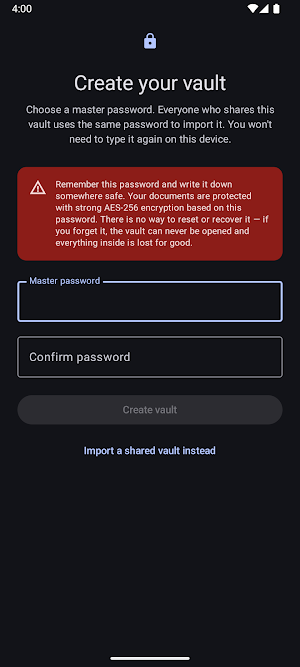
Your data is protected with strong, modern encryption: every file is encrypted with AES-256-GCM. Your master password is turned into the encryption key using Argon2id — a deliberately slow, memory-heavy process whose only job is to make password guessing extremely expensive. So even if someone got hold of your vault file, brute-forcing your password would be painfully slow and impractical. The vault is locked behind your fingerprint, face, or PIN, and re-locks automatically when you leave the app. Sensitive screens are kept out of screenshots and the recent-apps preview.
FEATURES
• Strong encryption — AES-256 for every attachment, with Argon2id turning your password into the key.
• Truly offline — no internet permission, so nothing ever leaves your device.
• Biometric or PIN unlock, with automatic locking.
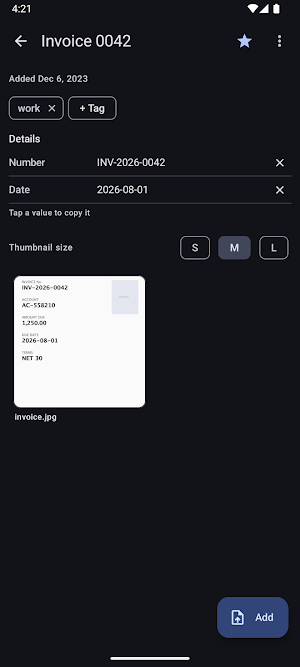
• Capture with your camera's document scanner, or add photos, PDFs, and any file type.
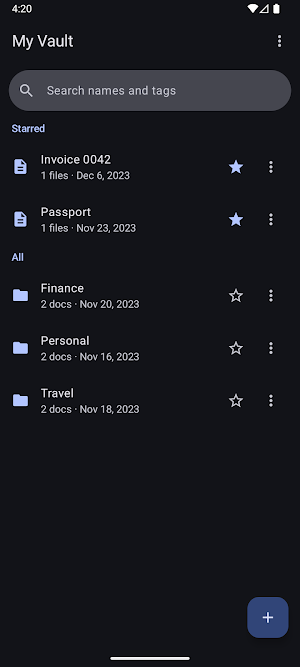
• Organize with folders, tags, favorites, and fast search.
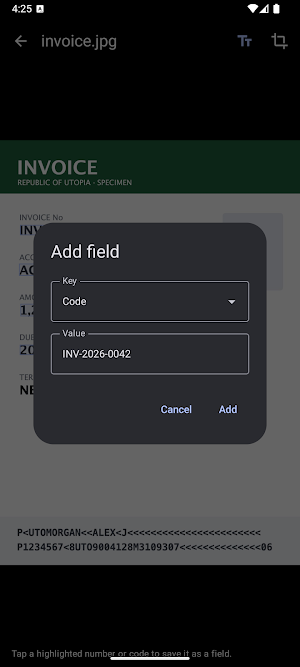
• On-device OCR — extract text and key details (numbers, dates, codes) from scans into searchable fields, without sending anything anywhere.
• Multiple vaults — keep separate vaults (for example personal and family) and switch between them after a single unlock.
• Copy or move documents and folders between vaults, or merge whole vaults.
• Full-screen image viewer with zoom, plus high-quality PDF previews.
• Back up and transfer — export a vault, or just selected folders, to a single encrypted file you can store safely or move to another device, and import it with its password.
• Change your master password anytime.
• Available in 17 languages.
PRIVACY BY DESIGN
Your master password is never stored and never leaves your device. If you forget it, not even DocSafe can recover your data — and that is exactly the point.
OPEN SOURCE — VERIFY IT YOURSELF
DocSafe's full source code is public: https://github.com/dmitryduka/docsafe Every published build is produced directly from that repository, and builds are reproducible. You're free to follow the build instructions there, compile the app yourself, and install your own build instead of trusting ours — and to confirm for yourself that it has no internet access.
DocSafe — your documents, encrypted, on your device, and nowhere else.
What’s new
Version 1.0.15 · Updated August 28, 2026
Android 15 and 16 compatibility: • Fixed content being drawn under the status bar and gesture bar on the setup and unlock screens • Correct spacing around the keyboard, display cutouts and system bars throughout the app • Removed a leftover portrait lock, so the app behaves properly on tablets and foldables • Replaced display APIs that no longer work on Android 15 No changes to your vaults, files or encryption.
Alternatives to DocSafe
Looking for apps like DocSafe? Here are 6 similar Android apps on Google Play. The highest rated is PRIVARY Secure Photo Vault (4.4/5), and all 6 are free to download.
-
Memento Database 4.4
-
OnePageCRM - Simple CRM System 4.3
-
KiWi Vault: Hide Photos, Video
-
Listok: To do list & Notes 4.1
-
PRIVARY Secure Photo Vault 4.4
-
LastPass Password Manager 3.8
| App | Rating | Price | Installs | Last updated | Compare |
|---|---|---|---|---|---|
| DocSafe | – | Free | 10+ | Aug 28, 2026 | |
| Memento Database | 4.4 / 5 | Free | 1,000,000+ | – | Compare |
| OnePageCRM - Simple CRM System | 4.3 / 5 | Free | 10,000+ | – | Compare |
| KiWi Vault: Hide Photos, Video | – | Free | 10,000+ | Sep 28, 2026 | Compare |
| Listok: To do list & Notes | 4.1 / 5 | Free | 100,000+ | Aug 18, 2026 | Compare |
| PRIVARY Secure Photo Vault | 4.4 / 5 | Free | 1,000,000+ | Sep 29, 2026 | Compare |
| LastPass Password Manager | 3.8 / 5 | Free | 10,000,000+ | Oct 28, 2026 | Compare |
Compare DocSafe with the top alternatives: ratings, updates, ASO score and keyword gaps →
Similar apps on Google Play
- Memento Database
- OnePageCRM - Simple CRM System
- KiWi Vault: Hide Photos, Video
- Listok: To do list & Notes
- PRIVARY Secure Photo Vault
- LastPass Password Manager
- One Key: password manager
- Nested Folder Notes - Folino
- Notesnook Secure Private Notes
- Zenze- Block Apps,Stay Focused
- PDK Access by ProdataKey
- IronVest - Security & Privacy
- Smartsheet: Projects & Teams
- Deleted Photo & Video Recovery
- LockTrip
- 1Password: Password Manager