

Network Toolkit: WiFi IP Tools
Tools In-app purchases Contains ads
Ping, DNS, Port Scan, WiFi Analyzer, Speed Test & 8 more network tools. Free.
- Downloads
- 1.5K+
- on Google Play
- Price
- Free
- In-app purchases
- Updated
- Aug 26
- 2026 · v1.2.0
Screenshots


About Network Toolkit: WiFi IP Tools
A complete set of network diagnostic tools built for IT professionals, developers, network administrators, and home users. No account required. No subscription.
──────────────────────────────────────
12 BUILT-IN NETWORK TOOLS
──────────────────────────────────────
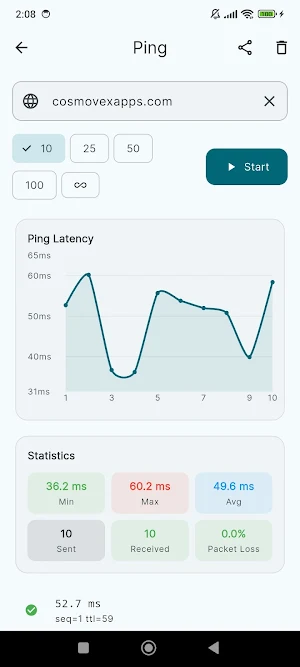
📶 Ping
Send ICMP packets to any host or IP address. Monitor latency, packet loss, and round-trip time in real time. Supports continuous ping with live statistics — minimum, maximum, and average response times.
🔍 DNS Lookup
Query DNS records for any domain — A, AAAA, MX, NS, TXT, CNAME, and SOA. View record values, TTL, and response times. Useful for diagnosing DNS propagation issues and verifying domain configuration.
🔌 Port Scanner
Scan TCP ports on any host or IP address. Choose from common port presets or define a custom range. Identify open, closed, and filtered ports along with the service name associated with each port.
🌐 WHOIS Lookup
Look up domain registration details including registrar, creation date, expiry date, name servers, and registrant organization for any domain worldwide.
📍 IP Info
Look up geolocation and network details for any IP address — country, city, region, ISP, ASN, organization, and timezone. Also displays your current public IP and network information.
🧮 Subnet Calculator
Calculate network address, broadcast address, usable host range, wildcard mask, and subnet mask from any CIDR notation. Supports all subnet sizes from /0 to /32. Useful for network planning and IP address management.
📡 WiFi Info
View detailed information about your current WiFi connection — SSID, BSSID, signal strength in dBm, frequency band (2.4 GHz / 5 GHz), channel, link speed, gateway, DNS servers, and DHCP lease information.
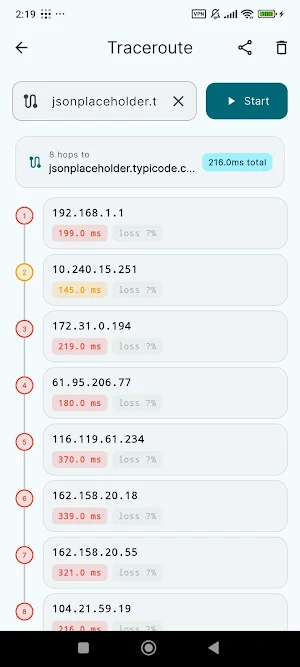
🗺️ Traceroute
Trace the network path to any destination. Identifies each hop along the route with IP address, hostname, and latency. Useful for diagnosing routing issues and measuring latency at each network segment.
⚡ Speed Test
Measure your internet connection's download speed, upload speed, ping, and jitter. Works over both WiFi and mobile data connections.
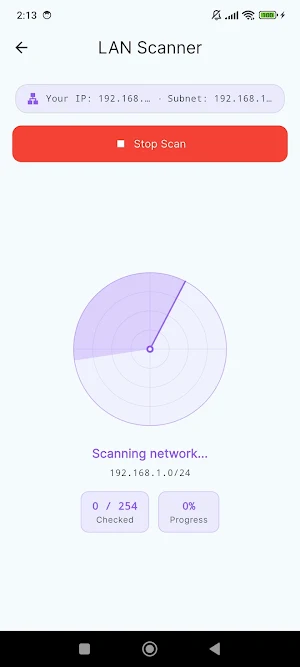
🖥️ LAN Scanner
Discover all active devices on your local network. Displays IP addresses, hostnames, and response times. Identifies your own device among the results.
💤 Wake-on-LAN
Send magic packets to power on any WoL-enabled computer, server, or network device remotely. Enter the MAC address and optionally a broadcast address to wake devices on your local network.
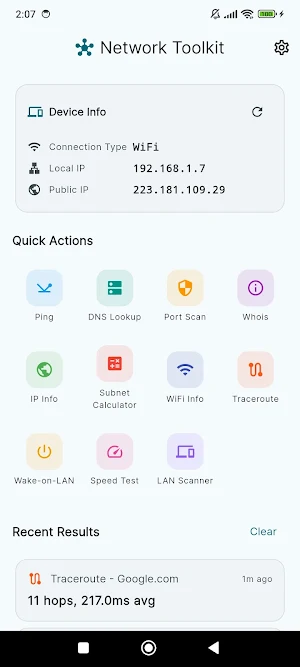
📱 Device Info
View your device's complete network configuration — local IP address, public IP, MAC address, network type, and connection state.
──────────────────────────────────────
WHO IS THIS FOR
──────────────────────────────────────
• Network administrators managing home or enterprise networks
• Developers testing APIs, DNS resolution, and port availability
• Students learning networking hands-on
• Home users who want to know what devices are on their WiFi
• IT professionals diagnosing connectivity and routing issues
──────────────────────────────────────
APP HIGHLIGHTS
──────────────────────────────────────
✔ 12 tools in one app — ping, DNS, port scanner, WHOIS, IP info, subnet calculator, WiFi info, traceroute, speed test, LAN scanner, Wake-on-LAN, device info
✔ Works on WiFi and mobile data
✔ No account or login required
✔ Clean interface with dark mode support
✔ Results can be shared and exported
✔ Supports 15 languages
Network Toolkit by Cosmovex.
What’s new
Version 1.2.0 · Updated August 26, 2026
• New Console — type one host and run DNS, ping, ports, whois, TLS and HTTP together, into a single readable log you can copy or send as a file. • It remembers: run the same target again and it shows what changed since last time — a certificate losing days, a port opening, latency climbing. • New tools: TLS certificate check, HTTP headers with the full redirect chain, and MAC address vendor lookup that works offline. • Fewer interruptions when moving between tools.
Alternatives to Network Toolkit: WiFi IP Tools
Looking for apps like Network Toolkit: WiFi IP Tools? Here are 6 similar Android apps on Google Play. All of them are free to download.
-
Markdown Editor & MD Viewer
-
JavaScript Editor — React IDE
-
Python Editor & Code Runner
-
WebEva: Build Websites & Code
-
XML Viewer & Editor
-
HTML Viewer & Editor - Code
| App | Rating | Price | Installs | Last updated | Compare |
|---|---|---|---|---|---|
| Network Toolkit: WiFi IP Tools | – | Free | 1,000+ | Aug 26, 2026 | |
| Markdown Editor & MD Viewer | – | Free | 10,000+ | Sep 27, 2026 | Compare |
| JavaScript Editor — React IDE | – | Free | 5,000+ | Sep 29, 2026 | Compare |
| Python Editor & Code Runner | – | Free | 10,000+ | Sep 29, 2026 | Compare |
| WebEva: Build Websites & Code | – | Free | 10,000+ | – | Compare |
| XML Viewer & Editor | – | Free | 10,000+ | Oct 11, 2026 | Compare |
| HTML Viewer & Editor - Code | – | Free | 10,000+ | Oct 20, 2026 | Compare |