About WiseTab
Protect your device, restrict access for children, and manage screen time.
Take control of your digital life with WiseTab — the smart, simple app that helps you manage screen time and secure your device. Perfect for parents, families, and anyone looking to reduce phone addiction and build healthier digital habits.
For Parents: Effortless Device Management
Safeguard your children's and teens’ digital experiences. WiseTab helps you restrict access to your device, ensuring safe and balanced screen time. It’s the ideal tool to prevent overuse and encourage engagement with the real world.
For Everyone: Reclaim Your Time & Focus
Break free from screen addiction. WiseTab raises awareness of your device usage, helping you manage long screen sessions, prevent overuse, and maintain a healthy digital balance.
Key Features:
🔒 Enhanced Device Protection
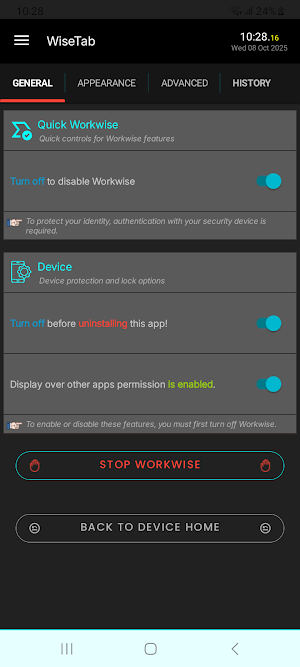
Adds an extra layer of security by working alongside your device’s standard lock screen to prevent unauthorized access.
👨👩👧👦 Smart Controls
Easily limit device access for children, teens, or other users through an intelligent locking system.
📊 Usage Insights
Understand your screen time patterns and take steps toward a more balanced lifestyle.
🔋 Optimized Performance
Runs efficiently in the background with minimal battery impact, ensuring continuous protection.
📞 Non-Intrusive Operation
Automatically pauses during phone calls or keypad use to avoid any interference.
🛡️ Your Privacy, Guaranteed
WiseTab keeps your device secure without collecting, storing, or sharing any personal data.
Why Choose WiseTab?
WiseTab is built for simplicity, safety, and peace of mind. By promoting conscious device use, it helps families and individuals develop healthier digital habits while keeping their devices private and secure.
Download WiseTab today and take the first step toward a healthier relationship with your technology.
Accessibility Disclosure
WiseTab uses the AccessibilityService API to deliver its screen control and digital wellbeing features.
This permission allows WiseTab to:
Detect when the screen is active or idle
Control screen lock events
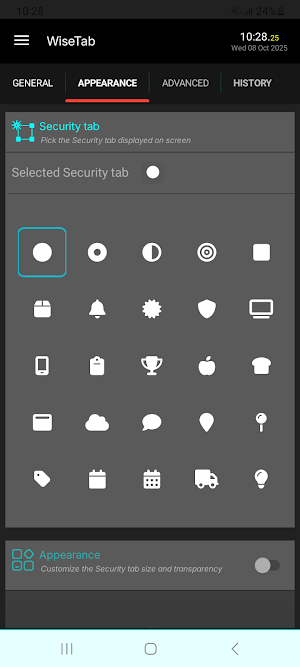
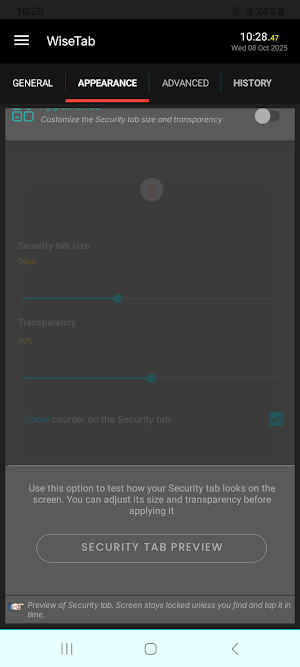
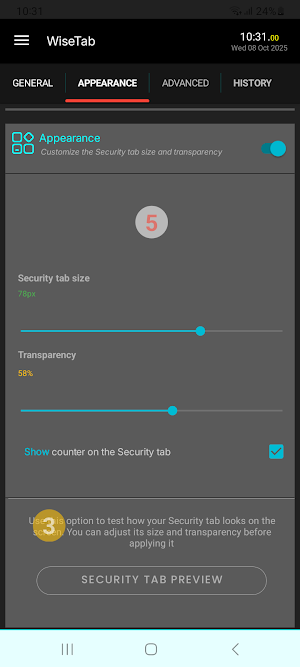
Hide or show the security tab appropriately (e.g., when using the phone keypad)
Assist users in managing screen time safely
The AccessibilityService is only used for these functional purposes.
WiseTab does not collect, share, or store any personal or sensitive data via this API.
Users must manually enable the service in:
Settings → Accessibility → WiseTab, and can disable it at any time.
This permission is not used to:
Change system settings
Record audio or video
Access private data
Perform any deceptive or hidden actions
WiseTab’s use of Accessibility strictly aligns with Google Play policy and is essential for core functionality.
Demonstration Video:
🎥 https://youtu.be/Z7Bgo9u5Cy8
Feature Graphic Attribution
The feature graphic used in this app was created using Hotpot.ai.
Learn more at https://hotpot.ai/art-generator
.
Similar Apps
Screen Time for Focus -Blockin
Blockin prevents smartphone addiction and improves concentration.
App Lock: Fingerprint, Pattern
Protect & lock my apps. Applock with Fingerprint, PIN, Pattern.
YourHour : Screen Time Control
Block Reels & Shorts. App Blocker. Reduce Screen Time. Stay Focused.

Quikshort: Shortcut Creator
Create custom home screen shortcuts and quick setting tiles for anything.

LeadMeNot: Porn & Site Blocker
Block sites, apps & distractions. Parental control, digital detox & screen time
Enpass Password Manager
Password management with storage you control, multiple vaults, layered security
