Sentinel: Parental care app
Parental controls for screen time, app limits and family device location.
About Sentinel: Parental care app
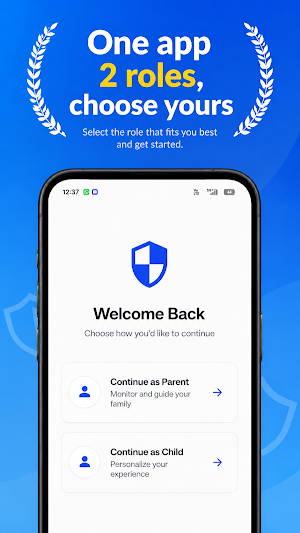
Sentinel helps parents and legal guardians manage a child’s Android device through clear, consent-based parental controls.
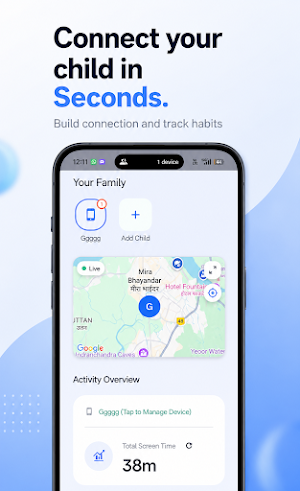
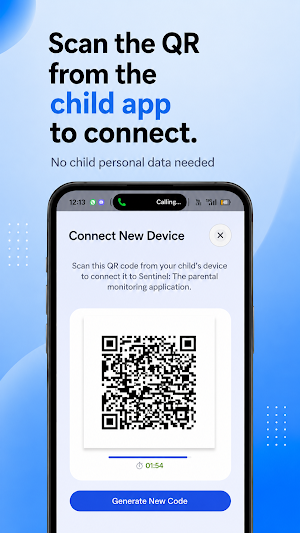
Connect parent and child devices using secure QR-code pairing, then manage screen time, review app usage and configure restrictions from the parent dashboard.
KEY FEATURES
• Screen-time insights
Review daily and weekly app-usage information from a connected child device.
• App limits and blocking
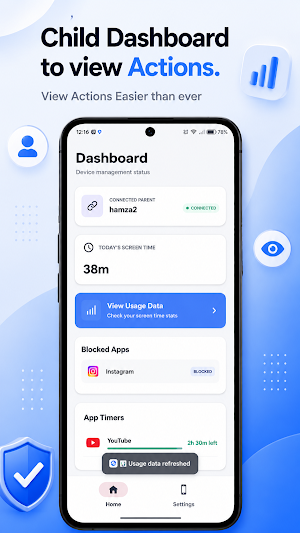
Set usage limits and restrict selected apps when necessary.
• Focus modes
Create presets that reduce access to distracting apps during study, sleep or family time.
• Family device location
View the connected child device’s location when location sharing and the required permissions are enabled.
• Installed-app visibility
Review apps installed on the connected child device and select which apps should have limits or restrictions.
• Parent and child dashboards
Use dedicated experiences for managing controls and viewing the child device’s current status.
• QR-code pairing
Connect a child device to an authorised parent account using a temporary QR code.
IMPORTANT PERMISSIONS
Sentinel’s child-device features require clear setup and permission approval. Depending on the features enabled, the app may request:
• Accessibility Service, used to observe page views and taps in app and other actions to detect when restricted apps are opened and enforce parent-selected blocking and screen-time rules.
• Usage Access, used to calculate app usage and screen time.
• Location permission, used to share the child device’s location with its linked parent.
• Camera permission, used only to scan the parent’s QR pairing code.
• Notifications and background operation permissions, used to keep parental-control features active and report their status.
Sentinel does not use Accessibility Service to collect passwords, payment details, private messages, typed text, or unrelated screen content.
RESPONSIBLE USE
Sentinel is intended only for lawful and transparent parental-control use. A parent or legal guardian must be authorised to manage the connected child device and should provide age-appropriate notice to the child.
Android permissions can be reviewed or disabled through device settings. Some features may be affected by device manufacturer battery restrictions, connectivity or permission changes.
Privacy policy:
https://www.monarchlabs.online/sentinel/privacy-policy
Account and data deletion:
https://www.monarchlabs.online/sentinel/delete-account
Support:
[email protected]
Similar Apps

Family Cash
Turn chores into pocket money and family motivation.

Legebanken
Find games and plan games for children 0-6 years old linked to pedagogical curricula

Homent Family
Family companion for schedules, pickups, medicine, todos & notices.

VisualActivity
VisualActivity Mobile App for Instructors and Parents

Teaching Self-Government
Take your parenting journey to the next level with TSG in your pocket!

Lock Valix
Parental controls, child location, safety alerts, and device protection.


