Watcher Kids: Parental Care
Family-safety monitoring for your child's device, with clear on-device notice.
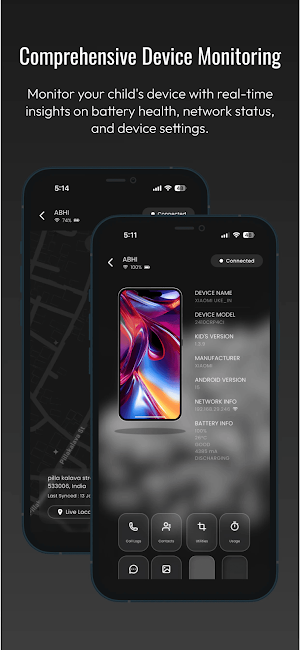
About Watcher Kids: Parental Care
Watcher Kids is the child-device app for the Watcher parental-monitoring and
family-safety system. A parent or guardian installs Watcher Kids on their child's
Android phone or tablet and pairs it with the separate Watcher parent app. All
monitoring is then viewed and controlled from the parent app — Watcher Kids is
not used on its own.
WHAT YOU CAN DO (from the paired parent app)
• Location: See the child device's current and recent location on a map, so you
know your child is where they should be.
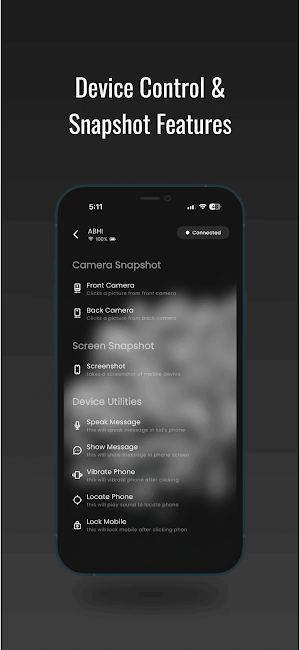
• Live camera: Open a real-time view from the child device's front or back
camera, or take a photo, when you start it from the parent app.
• Live audio: Listen to live sound from the child device's microphone when you
start it from the parent app.
• Screen view: See what is currently on the child device's screen. The child
device confirms Android's screen-share request for each session.
• Notification monitoring: See notifications that arrive on the child device from
messaging and social apps.
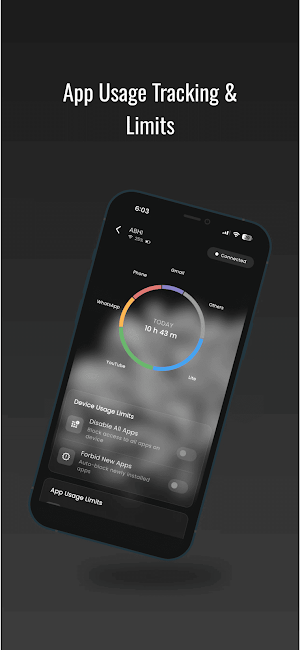
• App limits & activity: See which apps are used and for how long, set daily time
limits, or block specific apps. When a blocked app is opened, a block screen is
shown on the child device.
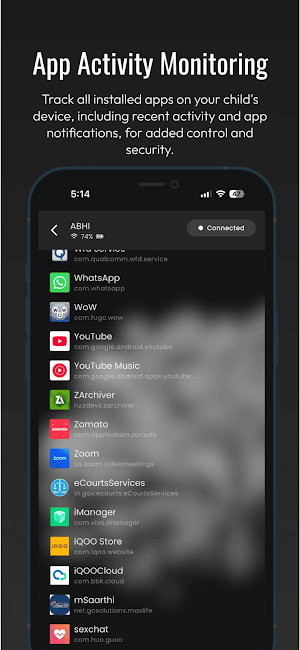
• Installed apps: See the list of apps installed on the child device.
HOW TO SET IT UP
1. Install Watcher Kids on the child's device.
2. Follow the guided setup. It explains each permission — why it is needed and
how it is used — and asks you to confirm you are authorized to monitor the
device.
3. Pair the device with the Watcher parent app using your account.
4. Monitor and manage the device from the parent app.
TRANSPARENT BY DESIGN
While monitoring is active, Watcher Kids always shows a "Parental Monitoring
Active" notification on the child device, and Android's own camera and microphone
indicators appear whenever those are in use. A clear disclosure is shown on first
run before any permission is requested.
WHAT THIS APP DOES NOT DO
It does not read SMS or text messages, call logs, or contacts; it does not record
phone or app calls; it does not access your photo gallery or browse your files;
and it does not remotely uninstall apps, lock the device, or change device
settings such as brightness, volume, or wallpaper.
REQUIREMENTS & RESPONSIBLE USE
• Requires the separate Watcher parent app and a paired account. Some features may
require a subscription.
• Install only on a device you own, or a device belonging to a child for whom you
are the parent or legal guardian, and only where you have the legal right and
any required consent to monitor. You are responsible for using the app lawfully.
Do not use it to monitor anyone you do not have the legal right to monitor.
Questions or data requests: [email protected]
Privacy Policy: https://one89.in/kids/playstore/privacy
Terms of Use: https://one89.in/kids/playstore/terms
Similar Apps

AirDroid: File & Remote Access
A one-stop solution for everything

Philips Avent Baby Monitor+
An eye on your baby, anywhere

Joon: Behavior Improvement App
Child-friendly game (ages 6-12) to motivate kids to build routines and habits
Alli360 by Kids360
It is a screen time management tool for games and mobile applications

Parental Control App Blocker
Comprehensive Parental Control & Child Safety — Hear & Protect Your Child World

CuboAi Smart Baby Monitor
Ease Your Mind, Journey On
