About Two Point Height
Quickly measure the heights of buildings, trees, stomp rocket flights, etc., by first pointing the camera at one end of the object and then the other.
Other height-measuring apps may require you to enter the distance to the object ahead of time, or to tap first on the base of the object and then the tip, which makes them not work well for all applications (e.g., stomp rocket flight height measurement). Two Point Height lets you select the two points in either order, and to enter the distance afterwards for greater precision.
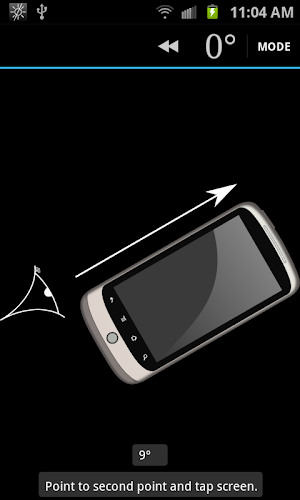
You can also sight along the side of the phone, which is useful on sunny days as well as for viewing rockets and other small things that are hard to see in the sky.
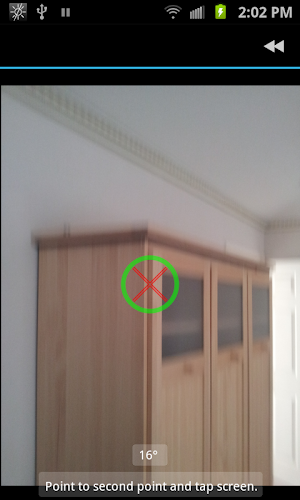
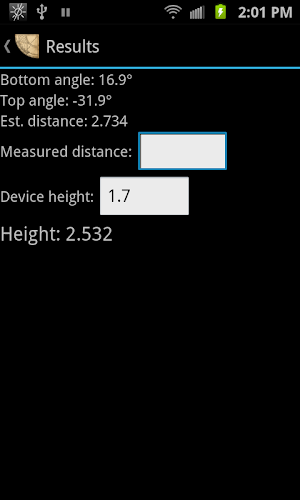
Quick instructions for two-point mode: Point at bottom of object, tap on screen. Point to top of object, tap on screen. Enter distance to the object and the height at which you are holding your phone (i.e., a little less than your height).
One point mode: Point at bottom of object. Tap on screen. Enter how high off the ground the phone is. One point mode only works when the ground is quite flat.
Source code: http://github.com/arpruss/twopointheight
Similar Apps

Interval Timer: Workout, HIIT
Simple all-purpose timer for activities like Fitness, HIIT (High intensity interval training),...

Giant Stopwatch
Sports stopwatch with:• giant digits and adjustable theme (color, font, size, spacing,...

Interval Timer
This app focuses on a minimalistic design as well as an intuitive...

Interval Timer Machine
TimeR Machine is a free interval timer for not just workout and...

WOD Timer
This app includes a standard set of workout templates as well as...

Seconds Interval Timer
Seconds is widely recognised as the best interval timer for HIIT &...