About # Simple Slide AI
# Create Slides Easily with AI
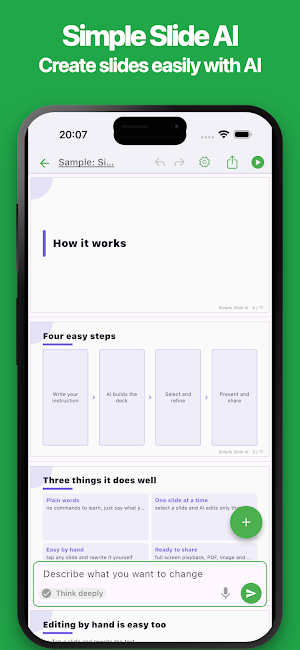
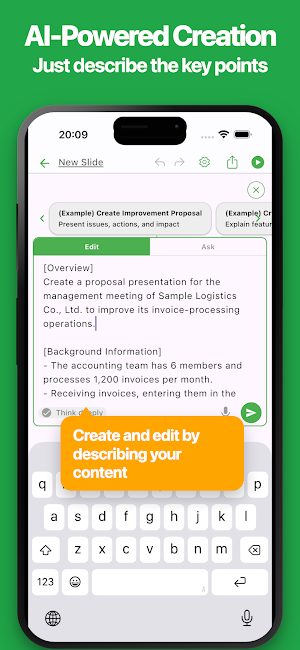
Simple Slide AI is a presentation maker that lets you create slides together with AI by simply describing your topic, ideas, or key points.
Create proposals, business presentations, product introductions, class materials, seminar decks, project reports, and more directly from your phone or tablet.
AI helps generate titles, text, slide structure, and layouts. After your presentation is created, you can refine it by giving AI additional instructions or edit the text and content directly yourself.
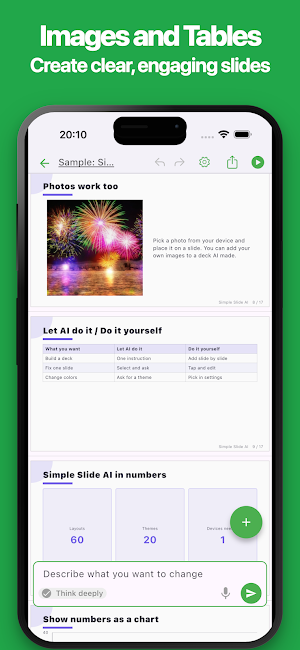
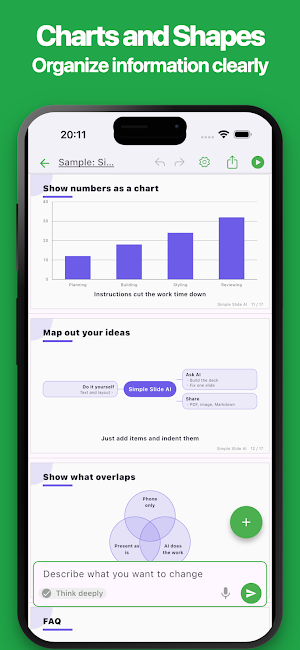
Add images, tables, charts, and shapes to create clear and engaging presentations, all through a smooth interface designed for mobile devices.
## Key Features
### Create Slides with AI
Enter the topic or key points of your presentation, and AI will organize the information and create your slides.
There is no need to plan every sentence or slide from scratch. Simply describe your ideas to start building a presentation.
### Edit with AI Instructions
Ask AI to revise or expand your presentation using natural language.
You can request changes such as “make this shorter,” “add another slide,” or “organize the content more clearly” to quickly improve your presentation.
### Edit Content Directly
You can directly edit the text and content generated by AI.
Rewrite titles, adjust body text, and fine-tune individual details to make every slide match your intentions.
### Designed for Mobile
Simple Slide AI features a clean and intuitive interface optimized for phones and tablets.
Create, edit, and review presentations comfortably while traveling, commuting, or working away from your computer.
### Add Images and Tables
Create visually clear slides using images and tables.
Present information in a format that is easier to understand than text alone.
### Use Charts and Shapes
Visualize numbers, comparisons, processes, and relationships with charts and shapes.
Organize complex information and make your presentation easier to understand at a glance.
### Choose from Multiple Themes
Select from a variety of themes to match the purpose and content of your presentation.
Create designs suitable for business, education, seminars, projects, and other occasions.
### Preview and Present Instantly
Preview your slides immediately while editing.
Once your presentation is complete, start the slideshow directly in the app and present it right away.
### Export to PPT and PDF
Export your presentations as PPT or PDF files.
Continue editing on your computer, share your presentation with others, or print it for meetings, classes, and events.
### Dark Mode
Switch to a darker interface with Dark Mode.
Choose the display that is most comfortable for your environment and preferences.
## Recommended For
• Anyone who wants to create presentations easily with AI
• Anyone who wants to edit AI-generated content directly
• Anyone who wants to create slides comfortably on a phone or tablet
• Anyone who needs to prepare proposals or business presentations quickly
• Anyone who wants to use images, tables, charts, and shapes
• Anyone who wants to export presentations to PPT or PDF
• Anyone who wants to create, edit, review, and present slides while on the go
Turn your ideas into clear and engaging presentations with Simple Slide AI.
Similar Apps

Table Notes - Mobile Excel
The simplest Excel-style app. Make tables, manage data, no laptop needed.

Office Reader - PDF,Word,Excel
Open PDF, Word, Excel, PowerPoint, RTF, TXT, CSV, HTML, MD, and eBook files

2Do - To do List & Reminders
"2Do adapts to my needs, not the other way around. 2Do gets me."- Macstories

UPDF - AI-Powered PDF Editor
Manage PDFs On the Go

AiPPT- AI Presentation Maker
Generate AI slides fast: Templates, pitch decks & PDF/PPT export

eCalendar - Daily Planner
eCalendar is a simple, easy-to-use, focused and efficient calendar application
