

PDF Under: PDF Compressor
Emre KABOGLU Utilities iPhoneiPadiPod touch
PDF Under: PDF Compressor is a free Utilities app for iPhone and iPad by Emre KABOGLU. Requires iOS 17.6. Updated September 25, 2026.
- Price
- Free
- on the App Store
- Size
- 3 MB
- Age 4+
- Updated
- Sep 25
- 2026 · v1.1
Screenshots


About PDF Under: PDF Compressor
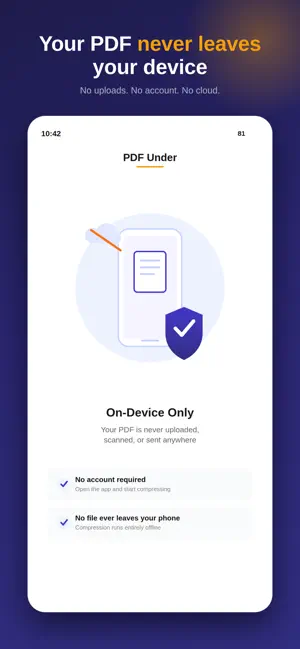
Your PDF is ready. Then the upload form says: file too large. Maybe it needs to be under 10 MB. Or 2 MB. Or even 500 KB. You don't want to learn compression settings, and you definitely don't want to keep guessing—compress, check the size, try again, compress again. You just need the PDF to fit. That's what PDF Under is built for. Tell it the MB or KB you need, and it works toward exactly that number. But making a PDF smaller is only half the problem. It still has to look like your PDF. Some compression methods shrink a file by turning every page into a picture—smaller, yes, but the text is no longer selectable, and the document never quite looks right again. PDF Under does it differently. Whenever possible, it keeps your text and vector content untouched, and compresses only the embedded images that were taking up the space in the first place. Smaller file. Same document. You choose the number. 500 KB, 1 MB, 2 MB, 5 MB, 10 MB, or a custom target of your own—no "low, medium, high" guessing games, just the size you were actually asked for. And before you save or share anything, you see the result first: the final size, the finished pages, exactly what you're about to send. Where does this happen? On your phone. Not on a server somewhere. Your PDF is never uploaded, which matters more than usual when the document you're shrinking is the one you'd rather not hand to a random compression website in the first place. No account. No sign-in. Just your file, compressed, still yours. Now, the honest part. Not every target is reachable. A fifty-page scanned document doesn't become 500 KB without something giving—that's just how file size and image quality work, and PDF Under won't pretend otherwise. When your target is more aggressive than the document can survive, it tells you plainly, shows you the smallest version that's still readable, and lets you decide from there. No silent damage. No surprises when you open the file later. This is the app for the moment a portal, a form, an inbox, or a government website hands you a number and expects you to hit it—job applications, school submissions, legal filings, an email that keeps bouncing back because the attachment is too big. Select the PDF, set the target, compress, check the result, send it. Five steps, and you're done. PDF Under is free to try—your first three compressions cost nothing. After that, a Weekly, Yearly, or Lifetime plan unlocks unlimited use, so you're never stuck mid-deadline wondering if today's the day you run out. Subscriptions renew automatically unless canceled at least 24 hours before the current period ends, and you can manage or cancel anytime in your Apple Account settings. Full pricing is shown in the app before you're asked to pay anything. Because when a website tells you your PDF is too large, you shouldn't have to become a compression expert just to send a document. You should just be able to get it under the limit. By downloading, you agree to the Standard Apple End User License Agreement: https://www.apple.com/legal/internet-services/itunes/dev/stdeula/
What’s new
Version 1.1 · Updated September 25, 2026
Better compression. Smoother results. We’ve improved PDF compression and overall reliability to make it easier to reach your target file size. Thanks for using PDF Under!
App privacy
The developer, Emre KABOGLU, reported these privacy practices to Apple.
Data Not Collected
The developer does not collect any data from this app.
Alternatives to PDF Under: PDF Compressor
Looking for apps like PDF Under: PDF Compressor? Here are 6 similar apps on the App Store. The highest rated is PDF Squeeze: PDF Compressor (5.0/5), and all 6 are free to download.
-
 Compress PDF: Shrink File
-
 PDF Compressor: Reduce PDF
-
 ExactPress: Compress to Size
-
 PDF Squeeze: PDF Compressor
5.0
PDF Squeeze: PDF Compressor
5.0
-
 PDFPress - PDF Compressor
-
 PDF Compressor: Resize file
| App | Rating | Price | Last updated | Compare |
|---|---|---|---|---|
| PDF Under: PDF Compressor | – | Free | September 25, 2026 | |
| Compress PDF: Shrink File | – | Free | Oct 20, 2026 | Compare |
| PDF Compressor: Reduce PDF | – | Free | Sep 26, 2026 | Compare |
| ExactPress: Compress to Size | – | Free | Jun 10, 2026 | Compare |
| PDF Squeeze: PDF Compressor | 5.0 / 5 (1) | Free | Oct 15, 2026 | Compare |
| PDFPress - PDF Compressor | – | Free | Oct 7, 2026 | Compare |
| PDF Compressor: Resize file | – | Free | Aug 24, 2026 | Compare |