

PadLink Remote
Socheat Rath Utilities iPhoneiPadiPod touch
PadLink Remote is a free Utilities app for iPhone and iPad by Socheat Rath. Requires iOS 16.0. Updated September 22, 2026.
- Price
- Free
- on the App Store
- Size
- 16 MB
- Age 4+
- Updated
- Sep 22
- 2026 · v1.0.0
Screenshots



About PadLink Remote
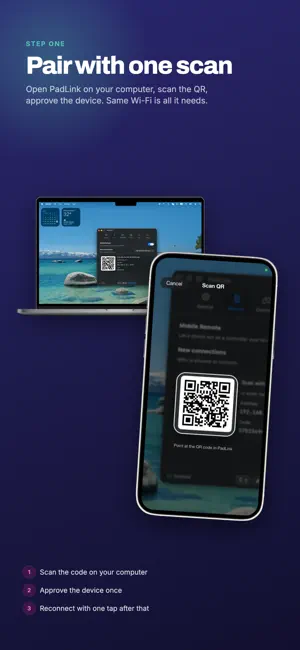
PadLink Remote turns your phone into a wireless game controller for your computer. Play with an on-screen gamepad, a full racing cockpit, or a touchpad mouse — over your local Wi-Fi, with no cables and no account. HOW IT WORKS 1. Install the free PadLink desktop app on your computer. 2. Open PadLink Remote and pair in seconds — scan the QR code or type the pairing code. 3. Start playing. PadLink presents your phone as a standard gamepad your games already recognize (or as keyboard & mouse). CONTROL SURFACES • Gamepad — dual thumbsticks, D-pad, face buttons, shoulder buttons, analog triggers, and menu buttons, laid out like a real controller. • Car Driving cockpit — a steering wheel with tilt (gyro) steering, gas and brake pedals with cruise-lock, a sequential gear shifter, and a handbrake. Built for racing games. • Touchpad mouse — use your phone as a trackpad whenever you need a pointer. FEATURES • Low-latency input over your local network — no internet connection needed for gameplay. • Easy pairing by QR code, manual code, or one-tap reconnect to a known computer. • Customizable layout — move, resize, and set the opacity of every control to fit your hands and your screen. Free for everyone. • Haptic feedback on button presses and triggers. • Automatic reconnect if your Wi-Fi drops mid-session. • Designed for landscape play. REQUIREMENTS • The free PadLink desktop app, available for Windows and macOS. • Your phone and computer on the same Wi-Fi / local network. • No sign-in and no account — your controller input goes only to your own computer. FREE & PRO PadLink Remote is free to download and play. The Car Driving cockpit becomes available when the computer you connect to is running PadLink Pro or its free trial — it is a capability of the desktop app. While connected to a computer on the free plan, a small banner ad appears during play. PRIVACY Your controller input is sent only to your own computer over your local network. The camera is used solely to scan the pairing QR code, on your device. Turn the phone in your pocket into the controller your games have been waiting for.
What’s new
Version 1.0.0 · Updated September 22, 2026
• Fixed the app rotating back to portrait when the connection stuttered. • Steadier reconnection after a brief Wi-Fi drop.
App privacy
The developer, Socheat Rath, reported these privacy practices to Apple.
Data Used to Track You
The following data may be used to track you across apps and websites owned by other companies:
- Identifiers: Device ID
- Usage Data: Product Interaction, Advertising Data
- Diagnostics: Crash Data, Performance Data
Data Linked to You
The following data, which may be collected and linked to your identity, may be used for the following purposes:
- Identifiers: Device ID
- Usage Data: Product Interaction, Advertising Data
- Diagnostics: Crash Data, Performance Data
Used for: Third-Party Advertising, Analytics, App Functionality
Alternatives to PadLink Remote
Looking for apps like PadLink Remote? Here are 6 similar apps on the App Store. The highest rated is Phone Controller (5.0/5), and all 6 are free to download.
-
 Phone Controller
5.0
-
 TouchNow Remote
-
 Gamepad Pro – Remote for PC
-
 V-Pad: Virtual Gamepad
-
 RojX: PC Gaming Controller
3.0
-
 Virtual Steering Controller
4.7
| App | Rating | Price | Last updated | Compare |
|---|---|---|---|---|
| PadLink Remote | – | Free | September 22, 2026 | |
| Phone Controller | 5.0 / 5 (1) | Free | Sep 15, 2026 | Compare |
| TouchNow Remote | – | Free | Oct 18, 2026 | Compare |
| Gamepad Pro – Remote for PC | – | Free | Aug 20, 2026 | Compare |
| V-Pad: Virtual Gamepad | – | Free | Oct 9, 2026 | Compare |
| RojX: PC Gaming Controller | 3.0 / 5 (2) | Free | Oct 10, 2026 | Compare |
| Virtual Steering Controller | 4.7 / 5 (6) | Free | Sep 15, 2026 | Compare |
Compare PadLink Remote with the top alternatives: ratings, updates, ASO score and keyword gaps →