

Gamepad Pro – Remote for PC
Desoline Inc. Utilities iPhoneiPadiPod touch
Gamepad Pro – Remote for PC is a free Utilities app for iPhone and iPad by Desoline Inc. Requires iOS 13.0. Updated August 20, 2026.
- Price
- Free
- on the App Store
- Size
- 18 MB
- Age 4+
- Updated
- Aug 20
- 2026 · v0.41.0
Screenshots


About Gamepad Pro – Remote for PC
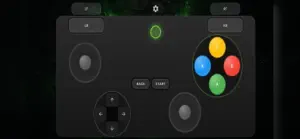
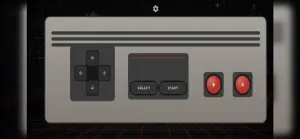
Turn your iPhone into a wireless game controller for your PC. Gamepad Pro connects your phone to your Windows computer over your home Wi-Fi network and turns it into a fully functional gamepad. Your PC sees a real controller — so it works out of the box with thousands of games on Steam, Epic, Game Pass and more. No cables, no Bluetooth pairing headaches, no expensive hardware. GET PLAYING IN THREE STEPS 1. Install the free Gamepad Pro companion app on your PC from gamepad.pro 2. Scan the QR code shown on your PC with your iPhone 3. Pick a layout and play That's it — pairing takes seconds, and your phone reconnects automatically next time. CHOOSE YOUR CONTROLLER - Xbox layout — the classic twin-stick controller with triggers, bumpers, ABXY and D-pad - PlayStation layout — for games and players that feel at home with symmetric sticks - Retro layout — a clean, simple pad for emulators and classic games - Keyboard — send key presses to your PC for games and apps that want a keyboard - Trackpad — control your PC's mouse pointer right from your phone BUILT FOR GAMING - Ultra-low latency: input is streamed over your local Wi-Fi network using a protocol designed for speed - Real controller emulation: your PC recognizes a genuine Xbox 360 controller — maximum game compatibility, zero per-game setup - Landscape, full-screen layouts designed for thumbs, with big comfortable touch zones - Reconnects automatically when you come back - Screen stays awake while you play WHAT YOU NEED - A Windows 10 or 11 PC with the free Gamepad Pro companion app (download at gamepad.pro) - Your iPhone and PC on the same Wi-Fi network Gamepad Pro is perfect for couch gaming on a media PC, emulators, indie games, racing and platformers, or as an instant second controller when a friend drops by and you're one pad short.
What’s new
Version 0.41.0 · Updated August 20, 2026
Build your own controller! This update adds custom layouts — design your perfect controller with the new drag-and-drop editor. • New layout editor: drag, drop, and resize buttons exactly where you want them • Pick your custom layout right from Settings • Vibration toggle — turn haptic feedback on or off • Your PC is now discovered automatically on your network, with manual IP entry as a backup • Clearer connection error messages that tell you what to fix • Stability improvements and bug fixes
App privacy
The developer, Desoline Inc., reported these privacy practices to Apple.
Data Not Collected
The developer does not collect any data from this app.
Alternatives to Gamepad Pro – Remote for PC
Looking for apps like Gamepad Pro – Remote for PC? Here are 6 similar apps on the App Store. The highest rated is Phone Controller (5.0/5), and all 6 are free to download.
-
 V-Pad: Virtual Gamepad
-
 Phone Controller
5.0
Phone Controller
5.0
-
 PadLink Remote
-
 RojX: PC Gaming Controller
3.0
RojX: PC Gaming Controller
3.0
-
 MyGBA-Retro Game Emulator
5.0
MyGBA-Retro Game Emulator
5.0
-
 Virtual Steering Controller
4.5
Virtual Steering Controller
4.5
| App | Rating | Price | Last updated | Compare |
|---|---|---|---|---|
| Gamepad Pro – Remote for PC | – | Free | August 20, 2026 | |
| V-Pad: Virtual Gamepad | – | Free | Oct 9, 2026 | Compare |
| Phone Controller | 5.0 / 5 (1) | Free | Sep 15, 2026 | Compare |
| PadLink Remote | – | Free | Sep 22, 2026 | Compare |
| RojX: PC Gaming Controller | 3.0 / 5 (2) | Free | Jul 21, 2026 | Compare |
| MyGBA-Retro Game Emulator | 5.0 / 5 (2) | Free | Sep 9, 2026 | Compare |
| Virtual Steering Controller | 4.5 / 5 (4) | Free | Sep 15, 2026 | Compare |