

ScanNest: PDF Scanner & OCR
Disha Thummar Productivity iPhoneiPadiPod touch
ScanNest: PDF Scanner & OCR is a free Productivity app for iPhone and iPad by Disha Thummar. Requires iOS 13.0. Updated June 18, 2026.
- Price
- Free
- on the App Store
- Size
- 84 MB
- Age 4+
- Updated
- Jun 18
- 2026 · v1.0
Screenshots
About ScanNest: PDF Scanner & OCR
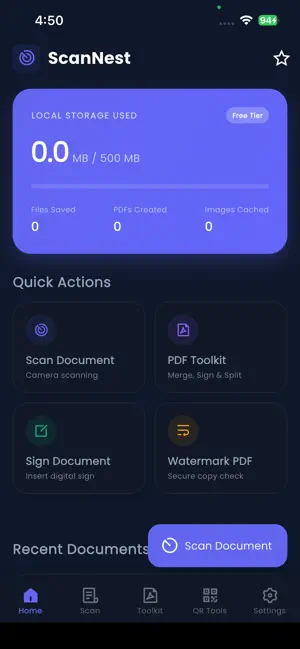
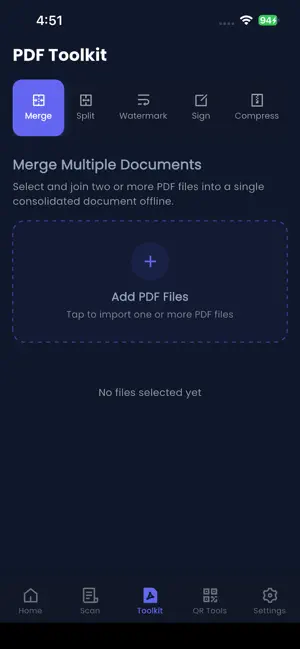
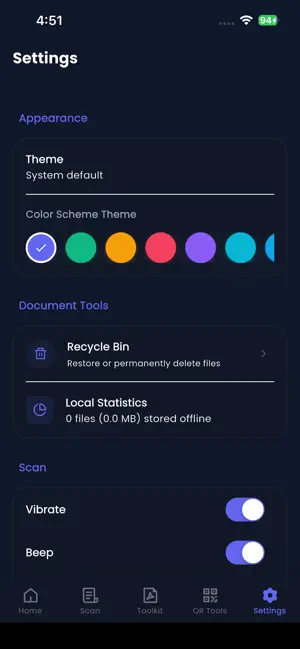
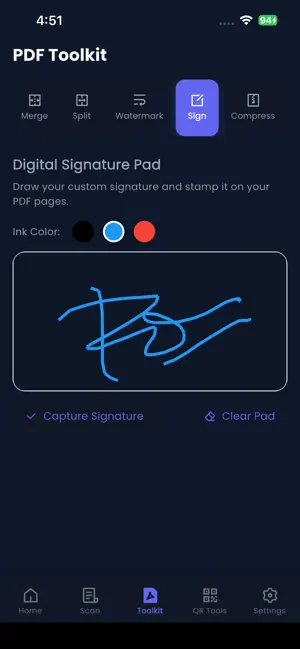
ScanNest: PDF Scanner & OCR is your all-in-one pocket scanner, document manager, and QR code toolkit. Turn your smartphone into a powerful portable scanner to effortlessly digitize paperwork, receipts, notes, and IDs into high-quality PDFs or images. Whether you are a student, professional, or small business owner, ScanNest helps you keep your physical documents organized in a secure, digital format. SMART DOCUMENT SCANNER • Quickly scan single or multiple pages with high precision. • Auto-edge detection and perspective correction ensure perfectly aligned scans. • Apply professional filters (Original, Grayscale, B&W, Enhanced) to make text crisp and easy to read. • Save scans directly as PDF or JPEG files. OCR TEXT EXTRACTION • Extract text from scanned documents or images using advanced optical character recognition (OCR). • Copy, share, or save the extracted text for quick editing. • Perfect for pulling information from receipts, business cards, and printed articles. COMPLETE PDF TOOLKIT ScanNest doesn't just scan; it gives you the tools to manage your PDFs right from your device: • Merge: Combine multiple PDF files into a single document. • Split: Extract specific pages from a large PDF. • Compress: Reduce file sizes for easy sharing without losing quality. • Sign: Draw your digital signature and stamp it on your documents. • Watermark: Add custom text watermarks to protect your files. QR & BARCODE SCANNER + GENERATOR • Scan any QR code or barcode instantly via your camera or gallery. • Automatically open URLs, connect to Wi-Fi networks, add contacts, or send emails. • Generate your own custom QR codes and barcodes for websites, phone numbers, and more. • Save your scanned and created codes to your history for quick access. • Organize your files with custom categories and tags. • Built-in PDF reader with a dark mode option for comfortable reading. • Search for documents by name, category, or even text found inside the document. • Safely restore accidentally deleted files using the Recycle Bin. • Export files directly to your device downloads or share them via email. PRIVACY FIRST Your documents belong to you. Core scanning, PDF manipulation, and QR code generation are processed locally on your device to ensure maximum privacy and security. Simplify your paperwork and boost your productivity. Download ScanNest today and carry a complete digital office in your pocket!
App privacy
The developer, Disha Thummar, reported these privacy practices to Apple.
Data Used to Track You
The following data may be used to track you across apps and websites owned by other companies:
- Usage Data: Advertising Data
Data Not Linked to You
The following data, which may be collected but is not linked to your identity, may be used for the following purposes:
- Usage Data: Advertising Data
Used for: Third-Party Advertising, App Functionality
Alternatives to ScanNest: PDF Scanner & OCR
Looking for apps like ScanNest: PDF Scanner & OCR? Here are 6 similar apps on the App Store. The highest rated is PDF Scanner: Scan Sign OCR (5.0/5), and all 6 are free to download.
-
 PDF Scanner: Scan Sign OCR
5.0
PDF Scanner: Scan Sign OCR
5.0
-
 Prep the day
-
 Snap Scanner Docs
-
 Evacheckin
-
 SnapDoc PDF - AI Scanner
-
 SnapDoc: PDF Scanner & Editor
| App | Rating | Price | Last updated | Compare |
|---|---|---|---|---|
| ScanNest: PDF Scanner & OCR | – | Free | June 18, 2026 | |
| PDF Scanner: Scan Sign OCR | 5.0 / 5 (1) | Free | Sep 28, 2026 | Compare |
| Prep the day | – | Free | Jun 3, 2026 | Compare |
| Snap Scanner Docs | – | Free | Jun 9, 2026 | Compare |
| Evacheckin | – | Free | Apr 3, 2025 | Compare |
| SnapDoc PDF - AI Scanner | – | Free | Oct 20, 2026 | Compare |
| SnapDoc: PDF Scanner & Editor | – | Free | Aug 26, 2026 | Compare |