
Scanner: Scan Documents to PDF
Cricket Live Line Productivity iPhoneiPadiPod touch
Scanner: Scan Documents to PDF is a free Productivity app for iPhone and iPad by Cricket Live Line. Requires iOS 17.0. Updated October 3, 2026.
- Price
- Free
- on the App Store
- Size
- 22 MB
- Age 4+
- Updated
- Oct 3
- 2026 · v1.1.0
Screenshots
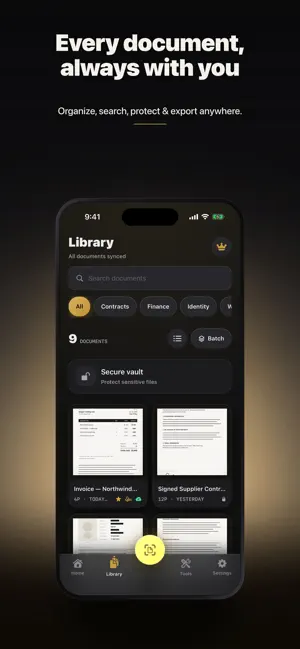
About Scanner: Scan Documents to PDF
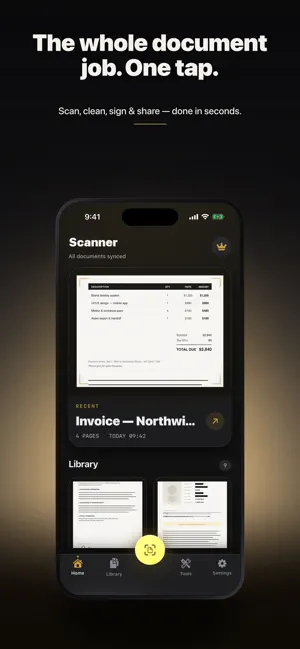
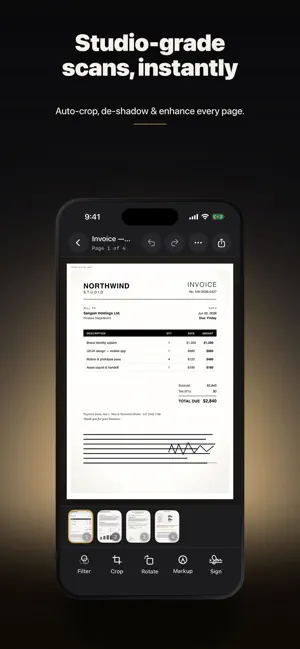
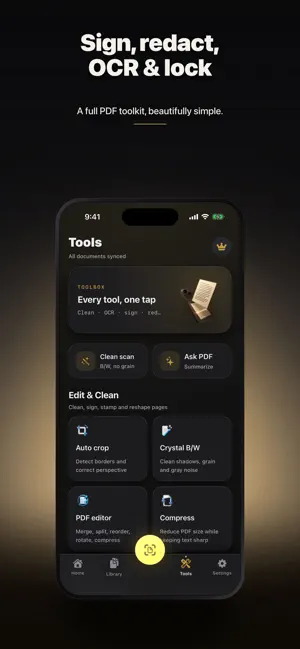
Ask your documents anything. Scanner turns any page into a crisp, searchable PDF — then actually reads it for you. Ask a question and get an instant answer, pull a summary in seconds, solve the math step-by-step, proofread before you send, and translate offline. The AI runs on your device, so your documents stay private. PRIVATE AI BUILT IN • Ask this document — chat with any scan and get instant answers • Summaries in seconds — skip the long read • Math solver — snap a problem and see every step • Rewrite & Proofread — fix tone and typos before you share • Translate — read foreign documents offline • Read aloud — hear any page hands-free • Live Text — copy text straight off the page • Table to CSV — turn a photo of a table into a clean spreadsheet • Auto-name — files named for you, no busywork A SERIOUS SCANNER UNDERNEATH • Scan to PDF or JPG in sharp, true-to-page quality • OCR in 100+ languages — every PDF is searchable • Auto edge detection, crop, de-skew and color cleanup • Blur & lens-smudge check catches a bad shot before you lose it • Batch scan multi-page documents in one pass EVERY KIND OF DOCUMENT • Receipts and expenses • ID cards and passports • Business cards • Books and multi-page notes • QR codes • On-page measure SIGN, PROTECT & SHARE • e-Sign and fill — sign with your finger, add dates and text • Stamp and watermark • Redact sensitive details for good • Password-protect and lock PDFs • Compress, merge and reorder pages • Share as PDF anywhere, or export the text START FREE Scan, organize and export for free. Upgrade to Scanner Pro for unlimited AI and advanced tools. YOUR DOCUMENTS, YOUR DEVICE Scanner is private by design — the AI is processed on your device and you never need an account to scan, so your documents stay yours. Questions or feedback? [email protected] Terms of Use (EULA): https://arioapps.com/terms Privacy Policy: https://arioapps.com/privacy
What’s new
Version 1.1.0 · Updated October 3, 2026
Combine multiple images, PDFs and saved scans into one document. Read individual pages, change their order, rotate, remove and undo edits with accurate previews. Preserve original PDF content where supported. Safer import cancellation and clearer file errors. Improved Ario Pass membership feedback.
App privacy
The developer, Cricket Live Line, reported these privacy practices to Apple.
Data Not Linked to You
The following data, which may be collected but is not linked to your identity, may be used for the following purposes:
- User Content: Other User Content
Used for: App Functionality
Alternatives to Scanner: Scan Documents to PDF
Looking for apps like Scanner: Scan Documents to PDF? Here are 6 similar apps on the App Store. The highest rated is Scanmint: PDF Document Scanner (5.0/5), and all 6 are free to download.
-
 Scanmint: PDF Document Scanner
5.0
Scanmint: PDF Document Scanner
5.0
-
 ScanMate: PDF Scanner
5.0
ScanMate: PDF Scanner
5.0
-
 PDF Creator : Read,Scan & Sign
5.0
PDF Creator : Read,Scan & Sign
5.0
-
 PDF Scanner: OCR Scanner
-
 Papeza: Private PDF Scanner
5.0
Papeza: Private PDF Scanner
5.0
-
 ScanOCR - Documents
| App | Rating | Price | Last updated | Compare |
|---|---|---|---|---|
| Scanner: Scan Documents to PDF | – | Free | October 3, 2026 | |
| Scanmint: PDF Document Scanner | 5.0 / 5 (1) | Free | Jun 23, 2026 | Compare |
| ScanMate: PDF Scanner | 5.0 / 5 (1) | Free | Oct 20, 2026 | Compare |
| PDF Creator : Read,Scan & Sign | 5.0 / 5 (4) | Free | Oct 3, 2026 | Compare |
| PDF Scanner: OCR Scanner | – | Free | Aug 25, 2026 | Compare |
| Papeza: Private PDF Scanner | 5.0 / 5 (3) | Free | Oct 15, 2026 | Compare |
| ScanOCR - Documents | – | Free | Jul 5, 2026 | Compare |