

PDF Scanner: OCR Scanner
Isinsu Arici Tan Productivity iPhoneiPadiPod touch
PDF Scanner: OCR Scanner is a free Productivity app for iPhone and iPad by Isinsu Arici Tan. Requires iOS 16.0. Updated August 25, 2026.
- Price
- Free
- on the App Store
- Size
- 17 MB
- Age 4+
- Updated
- Aug 25
- 2026 · v1.2
Screenshots
About PDF Scanner: OCR Scanner
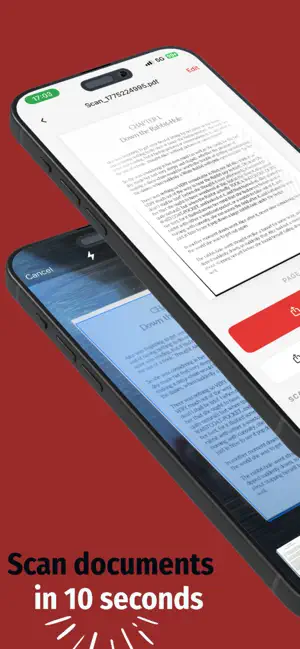
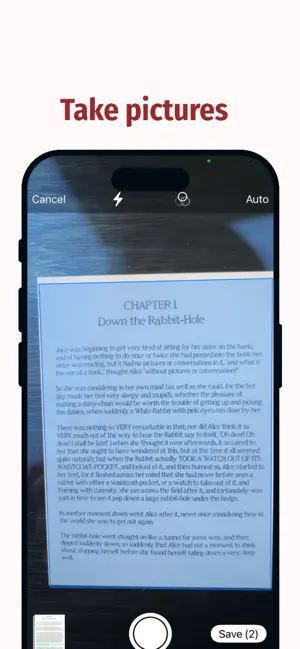
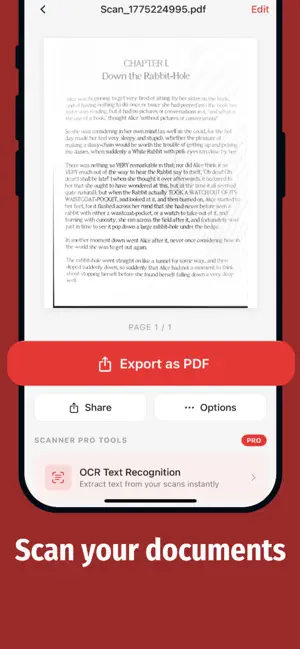
Turn your photos into clean, professional PDFs in seconds. Smart PDF Scanner is a fast, minimal, and powerful document scanner designed to make scanning effortless. Capture documents, enhance them instantly, and convert them into high-quality PDFs — all in just a few taps. Perfect for scanning receipts, notes, contracts, invoices, and more. --- KEY FEATURES • Scan documents instantly using your camera • Automatically enhance and clean your scans • Create multi-page PDFs • Export and share PDFs • Extract text from documents (OCR) • Convert scans into editable text --- FAST & EASY TO USE No complicated tools. Just point, scan, and get a clean result instantly. Designed for speed and simplicity. --- SMART OCR (TEXT RECOGNITION) Easily extract text from your scanned documents. Copy, edit, or export text in seconds. --- FREE & PREMIUM Free Version Enjoy essential scanning features with up to 3 lifetime scans and basic PDF export. Free Trial Start a 3-day free trial and unlock all Premium features with no limitations. Premium • Unlimited scans • Advanced OCR (Text Recognition) • Export text from scanned documents • Ad-free experience --- PRIVACY FIRST All processing happens entirely on your device. Your documents are never uploaded to or stored on external servers. --- Download now and start scanning in seconds. Privacy policy: https://sites.google.com/view/scannerapp-pp Terms of service: https://sites.google.com/view/scannerapp-tos
What’s new
Version 1.2 · Updated August 25, 2026
What's new in version 1.2: • The app now speaks your language! Added French, Spanish, German, Japanese, Hindi, Chinese and Arabic, alongside English. • Switch languages anytime with the new language button on the Home screen. • Full right-to-left layout support for Arabic. • Smoother scanning, sharper filters and general performance improvements. Thanks for using PDF Scanner. If you enjoy the app, a quick review really helps!
App privacy
The developer, Isinsu Arici Tan, reported these privacy practices to Apple.
Data Used to Track You
The following data may be used to track you across apps and websites owned by other companies:
- Usage Data: Advertising Data
Data Not Linked to You
The following data, which may be collected but is not linked to your identity, may be used for the following purposes:
- Usage Data: Advertising Data
Used for: Third-Party Advertising
Alternatives to PDF Scanner: OCR Scanner
Looking for apps like PDF Scanner: OCR Scanner? Here are 6 similar apps on the App Store. The highest rated is PDF Editor: Sign, Fill & Scan (5.0/5), and 5 of the 6 are free to download.
-
 ScanKit - PDF Document Scanner
-
 Snap2Text: OCR Text Scanner
1.5
Snap2Text: OCR Text Scanner
1.5
-
 Unrepost: Repost Remover
4.2
Unrepost: Repost Remover
4.2
-
 PDF Editor: Sign, Fill & Scan
5.0
PDF Editor: Sign, Fill & Scan
5.0
-
 PDF to Text Converter.
4.2
PDF to Text Converter.
4.2
-
 PDF Converter • Photos to PDF
4.3
PDF Converter • Photos to PDF
4.3
| App | Rating | Price | Last updated | Compare |
|---|---|---|---|---|
| PDF Scanner: OCR Scanner | – | Free | August 25, 2026 | |
| ScanKit - PDF Document Scanner | – | 1.99 USD | Aug 19, 2026 | Compare |
| Snap2Text: OCR Text Scanner | 1.5 / 5 (2) | Free | Feb 12, 2026 | Compare |
| Unrepost: Repost Remover | 4.2 / 5 (9) | Free | Oct 15, 2026 | Compare |
| PDF Editor: Sign, Fill & Scan | 5.0 / 5 (3) | Free | Sep 2, 2026 | Compare |
| PDF to Text Converter. | 4.2 / 5 (5) | Free | Aug 6, 2026 | Compare |
| PDF Converter • Photos to PDF | 4.3 / 5 (3) | Free | Apr 16, 2026 | Compare |