

Parex Video Converter
Parex Photo & Video iPhoneiPadiPod touch
Parex Video Converter is a free Photo & Video app for iPhone and iPad by Parex. Requires iOS 18.6. Updated August 6, 2026.
- Price
- Free
- on the App Store
- Size
- 13 MB
- Age 4+
- Updated
- Aug 6
- 2026 · v1.2
Screenshots

About Parex Video Converter
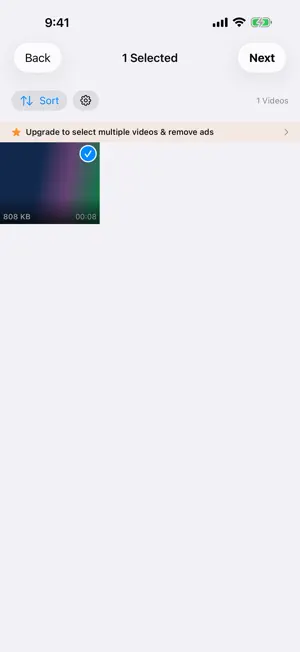
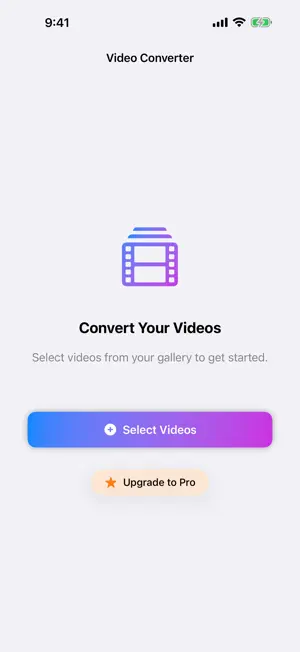
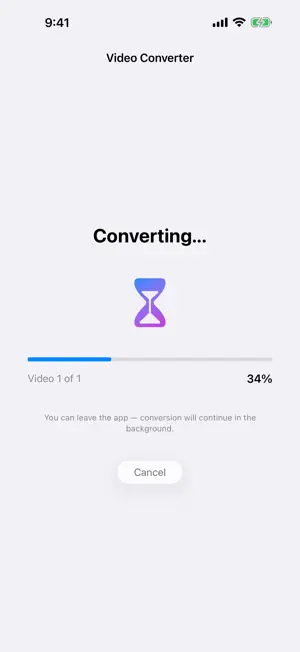
Parex Video Converter shrinks your videos by 50-80% while keeping them looking great - so you can keep every memory without drowning in storage warnings. WHY PAREX VIDEO CONVERTER? Your iPhone shoots gorgeous 4K video - and eats gigabytes doing it. Instead of deleting memories to free up space, compress them. Most videos shrink dramatically with no visible quality loss on a phone screen. HOW IT WORKS 1. Pick videos from your library - sort by size to find the storage hogs first 2. Choose quality: adjust resolution, frame rate, and format 3. Convert - then delete the bulky originals with one tap FEATURES - Smart sorting: instantly surface your largest videos - Resolution scaling: 4K to 1080p or 720p with a simple slider - Frame rate control: 60fps to 30/24fps - half the size, same clarity - Modern codecs: efficient HEVC (H.265) or compatible H.264 - Before/after size preview: know your savings before you convert - One-tap cleanup: reclaim space by removing originals after conversion - Home Screen widget: track your total space saved PRO Go Pro to unlock unlimited batch conversion, full 4K output, no ads, and more. Subscriptions: monthly or annual. Prefer to pay once? Lifetime unlock available. Terms of Use (EULA): https://www.apple.com/legal/internet-services/itunes/dev/stdeula/ Privacy Policy: https://nikepol.github.io/Parex/privacy-policy.html Videos are processed entirely on your device - nothing is uploaded anywhere.
What’s new
Version 1.2 · Updated August 6, 2026
• Guided walkthrough: a quick intro shows you how to pick, tune, and convert on first launch. Replay it anytime from Settings. • Swipe to select: drag your finger across the gallery to pick several videos at once (Pro). • Faster imports: analyzing your videos is quicker, and you can cancel anytime. • Keeps going when locked: conversions no longer stop the moment your screen turns off. • Clearer choices: H.265 and 1080p are now marked as recommended, and the frame-rate default is labeled. • Smarter results: see a confirmation that videos saved to Photos, plus one-tap sharing of the space you saved. • Other bug fixes
App privacy
The developer, Parex, reported these privacy practices to Apple.
Data Used to Track You
The following data may be used to track you across apps and websites owned by other companies:
- Identifiers: Device ID
- Usage Data: Advertising Data
Data Not Linked to You
The following data, which may be collected but is not linked to your identity, may be used for the following purposes:
- Purchases: Purchase History
- Location: Coarse Location
- Identifiers: Device ID
- Usage Data: Advertising Data
Used for: Third-Party Advertising
Alternatives to Parex Video Converter
Looking for apps like Parex Video Converter? Here are 6 similar apps on the App Store. The highest rated is Dig It: Video Keyframes (5.0/5), and 5 of the 6 are free to download.
-
 Forma Video Converter
-
 VideoPress: Video Compressor
-
 Dig It: Video Keyframes
5.0
Dig It: Video Keyframes
5.0
-
 Video Converter Pro - Compress
-
 Video Compressor-Fast Compress
-
 Downsizer: Photo & Video
| App | Rating | Price | Last updated | Compare |
|---|---|---|---|---|
| Parex Video Converter | – | Free | August 6, 2026 | |
| Forma Video Converter | – | Free | May 24, 2026 | Compare |
| VideoPress: Video Compressor | – | Free | Oct 21, 2026 | Compare |
| Dig It: Video Keyframes | 5.0 / 5 (1) | Free | Oct 19, 2026 | Compare |
| Video Converter Pro - Compress | – | 0.39 USD | Aug 20, 2026 | Compare |
| Video Compressor-Fast Compress | – | Free | Apr 20, 2026 | Compare |
| Downsizer: Photo & Video | – | Free | Sep 20, 2026 | Compare |