

Diction: Speech to Text
Ondrej Machala Productivity iPhoneiPadiPod touch
Diction: Speech to Text is a free Productivity app for iPhone and iPad by Ondrej Machala. Rated 4.9/5 from 21 ratings. Requires iOS 17.0.
- Rating
- 4.9
- 21 ratings
- Price
- Free
- on the App Store
- Size
- 105 MB
- Age 4+
- Updated
- Oct 3
- 2026 · v14.0
Screenshots
About Diction: Speech to Text
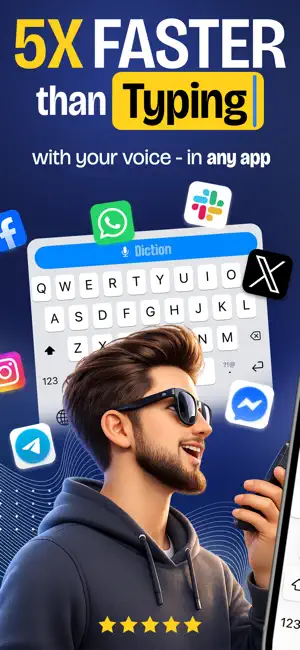
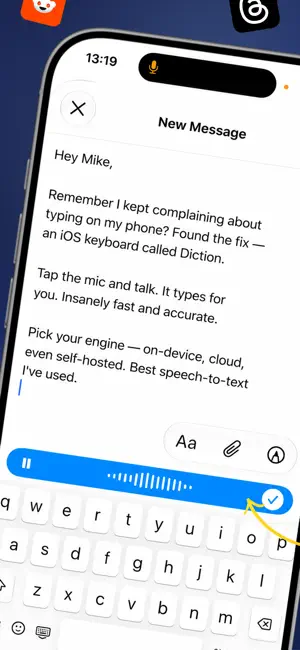
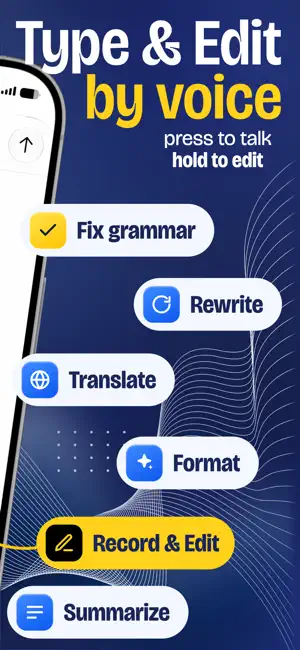
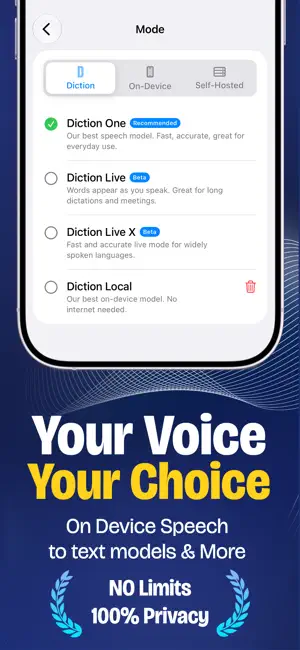
Speech to text keyboard for iPhone. Tap the mic, talk, and watch your words appear in any app. Free to start, private by design, 99 languages. Dictate messages, emails, and notes. Works in any app you type in: Notion, WhatsApp, Slack, and everywhere else. No switching, no copy-pasting. Smart QWERTY keyboard. Autocorrect fixes typos as you type and splits run-together words. Word suggestions appear above the keys. Correct a suggestion back once and Diction stops offering it. Tap-to-fix. Select a word and smart alternatives appear. Spelling fixes, grammar corrections, better phrasing. One tap to accept. Save to My Words. Teach Diction your names and jargon for better accuracy over time. Transcription history with search. Copy, retry, and review past dictations. Failed transcriptions retry automatically so nothing gets lost. The Diction app has zero analytics, zero tracking, and zero data collection. AES-256-GCM encryption. X25519 key exchange. Diction One (paid subscription): highest-accuracy cloud speech models and Writing Tools. Turn natural speech into polished text, edit or rewrite by voice, translate on the fly. Select text and dictate what to change. Free trial included. On-device mode: runs locally on your iPhone with no internet needed. Audio never leaves your device. Self-hosted: run your own speech recognition server. Your network, your data, your models. Pairing is a scan: your server prints a QR code, you point the app at it, and keys rotate themselves after that. Writing Tools works there too, free, because it is your hardware. Open-source server on GitHub. Terms of Use (EULA): https://www.apple.com/legal/internet-services/itunes/dev/stdeula/
Ratings & reviews
4.9
21 ratings
What’s new
Version 14.0 · Updated October 3, 2026
- A much more reliable typing keyboard: fewer wrong keys, and autocorrect that catches far more typos. - New next-word suggestions in English, German, French, Spanish, Italian and Portuguese, worked out on your iPhone. - A cleaner keyboard with three heights and a compact Diction Bar. - Format by voice on Diction One, plus fixes and polish throughout.
App privacy
The developer, Ondrej Machala, reported these privacy practices to Apple.
Data Not Linked to You
The following data, which may be collected but is not linked to your identity, may be used for the following purposes:
- Purchases: Purchase History
- Identifiers: Device ID
- Usage Data: Product Interaction
- Diagnostics: Crash Data, Performance Data, Other Diagnostic Data
Used for: Analytics, App Functionality
Alternatives to Diction: Speech to Text
Looking for apps like Diction: Speech to Text? Here are 6 similar apps on the App Store. The highest rated is SpeakUp Dictation (5.0/5), and all 6 are free to download.
-
 KeyVox: AI Voice Keyboard
4.7
KeyVox: AI Voice Keyboard
4.7
-
 VivaDicta - Speech to Text
4.6
VivaDicta - Speech to Text
4.6
-
 Murmur Keyboard - AI Powered
3.0
Murmur Keyboard - AI Powered
3.0
-
 SpeakUp Dictation
5.0
SpeakUp Dictation
5.0
-
 Dictura: AI Voice Keyboard
-
 Whispr: Voice to Text Keyboard
4.4
Whispr: Voice to Text Keyboard
4.4
| App | Rating | Price | Last updated | Compare |
|---|---|---|---|---|
| Diction: Speech to Text | 4.9 / 5 (21 ratings) | Free | October 3, 2026 | |
| KeyVox: AI Voice Keyboard | 4.7 / 5 (16) | Free | Oct 29, 2026 | Compare |
| VivaDicta - Speech to Text | 4.6 / 5 (23) | Free | Oct 24, 2026 | Compare |
| Murmur Keyboard - AI Powered | 3.0 / 5 (2) | Free | Apr 3, 2026 | Compare |
| SpeakUp Dictation | 5.0 / 5 (3) | Free | Oct 12, 2026 | Compare |
| Dictura: AI Voice Keyboard | – | Free | Apr 28, 2026 | Compare |
| Whispr: Voice to Text Keyboard | 4.4 / 5 (7) | Free | Oct 19, 2026 | Compare |