

Dictura: AI Voice Keyboard
Aviv Miranda Productivity iPhoneiPadiPod touch
Dictura: AI Voice Keyboard is a free Productivity app for iPhone and iPad by Aviv Miranda. Requires iOS 18.6. Updated April 28, 2026.
- Price
- Free
- on the App Store
- Size
- 42 MB
- Age 4+
- Updated
- Apr 28
- 2026 · v1.0.7
Screenshots


About Dictura: AI Voice Keyboard
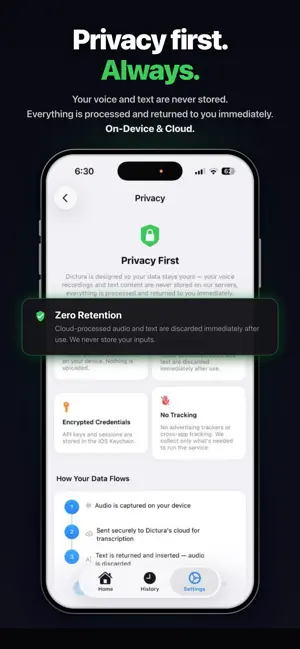
Dictura turns your voice into clean, translated text (if you choose)- right where you need it. Speak in your language and get output in any of 60+ others. Tap the mic on the Dictura keyboard, speak naturally, and get polished text inserted wherever you're typing-Messages, Mail, Notes, Slack, WhatsApp, anywhere. WHY DICTURA? Unlike built-in dictation, Dictura removes filler words, adds punctuation, and optionally translates your speech into 60+ languages- all in one tap. It's voice input that actually understands how you want to sound. • AI-powered cleanup- "um", "uh", "like" removed automatically • Built-in translation to 60+ languages- speak in your native language, output in Spanish, Arabic, Japanese, or any other language • Custom keyboard that works in every app- no copy-pasting, no app switching • On-device or cloud transcription- your choice, your privacy • Personalized style- set your tone, formatting, and preferences • Live Activity on Lock Screen & Dynamic Island for a good customer experience • Full dictation history with word count, WPM, and duration • Works with Shortcuts, Action Button, and Back Tap, or directly from your keyboard. HOW IT WORKS 1. Switch to the Dictura keyboard (globe button) 2. Tap the mic and speak naturally 3. Clean, formatted text appears where you're typing 3× FASTER THAN TYPING The average person types at 40 WPM. With Dictura, speak at 150+ WPM and get polished output instantly. FREE TO START On-device transcription is completely free with no limits. Upgrade to Premium for cloud transcription, AI translation, extended history, and personalized context. Already available on Mac and Windows at dictura.com. EULA: https://www.apple.com/legal/internet-services/itunes/dev/stdeula/ Terms of Service: https://www.dictura.com/terms Privacy Policy: https://www.dictura.com/privacy
What’s new
Version 1.0.7 · Updated April 28, 2026
• Improved language display throughout the app • Added App Store review prompt and related UI enhancements
App privacy
The developer, Aviv Miranda, reported these privacy practices to Apple.
Data Linked to You
The following data, which may be collected and linked to your identity, may be used for the following purposes:
- Purchases: Purchase History
- Contact Info: Email Address, Name
- Identifiers: User ID, Device ID
- Usage Data: Product Interaction
Used for: App Functionality
Data Not Linked to You
The following data, which may be collected but is not linked to your identity, may be used for the following purposes:
- Purchases: Purchase History
- Identifiers: Device ID
- Usage Data: Product Interaction
Used for: Analytics
Alternatives to Dictura: AI Voice Keyboard
Looking for apps like Dictura: AI Voice Keyboard? Here are 6 similar apps on the App Store. The highest rated is Lume Voice: Flow Keyboard AI (5.0/5), and all 6 are free to download.
-
 Lume Voice: Flow Keyboard AI
5.0
Lume Voice: Flow Keyboard AI
5.0
-
 BuzzAI - Voice Keyboard
-
 Whispen: AI Translate Keyboard
-
 Type Now: AI Keyboard Writer
5.0
Type Now: AI Keyboard Writer
5.0
-
 TypeVoice: AI Voice Keyboard
5.0
TypeVoice: AI Voice Keyboard
5.0
-
 Parlate: AI Dictation Keyboard
| App | Rating | Price | Last updated | Compare |
|---|---|---|---|---|
| Dictura: AI Voice Keyboard | – | Free | April 28, 2026 | |
| Lume Voice: Flow Keyboard AI | 5.0 / 5 (1) | Free | Sep 24, 2026 | Compare |
| BuzzAI - Voice Keyboard | – | Free | Oct 11, 2026 | Compare |
| Whispen: AI Translate Keyboard | – | Free | Jul 30, 2026 | Compare |
| Type Now: AI Keyboard Writer | 5.0 / 5 (2) | Free | Oct 10, 2026 | Compare |
| TypeVoice: AI Voice Keyboard | 5.0 / 5 (1) | Free | Jun 4, 2026 | Compare |
| Parlate: AI Dictation Keyboard | – | Free | Sep 15, 2026 | Compare |