

ScreenSort: Screenshot Manager
振 邵 Productivity iPhoneiPadiPod touch
ScreenSort: Screenshot Manager is a free Productivity app for iPhone and iPad by 振 邵. Requires iOS 17.6. Updated March 21, 2026.
- Price
- Free
- on the App Store
- Size
- 14 MB
- Age 12+
- Updated
- Mar 21
- 2026 · v1.0
Screenshots
About ScreenSort: Screenshot Manager
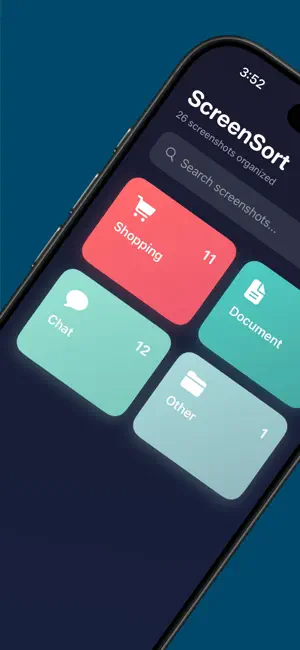
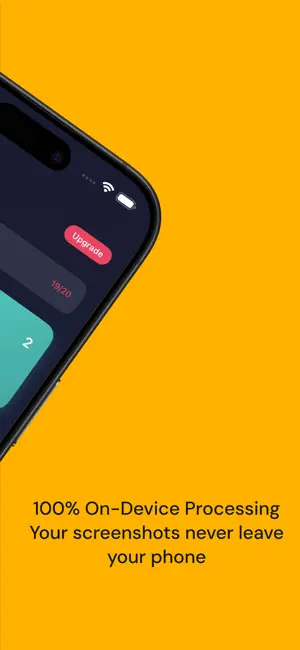
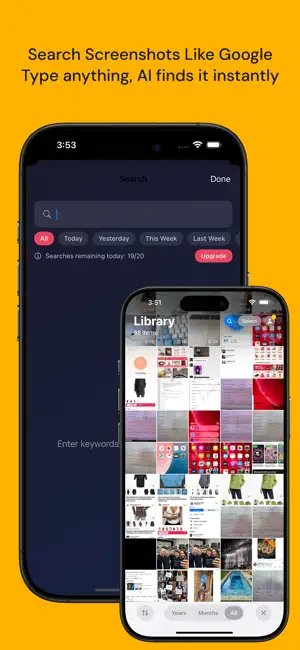
Stop scrolling through hundreds of screenshots. ScreenSort is Google for your screenshots - search ANY text inside images instantly. Type a keyword, AI finds it in 0.1 seconds. Code snippets, chat messages, receipts, notes... everything is searchable. 100% on-device processing. Your screenshots never leave your phone. The only AI search engine that truly reads your screenshots. GOOGLE FOR SCREENSHOTS - The Only AI Search Engine for Your Images Have 500 screenshots and can't find that API documentation from 3 months ago? Remember seeing a restaurant recommendation in a chat screenshot? Need to find a shopping receipt but forgot when you took it? Stop scrolling. Just search. ScreenSort's AI finds it instantly. CORE FEATURE: AI TEXT SEARCH • Search ANY text inside your screenshots - just like Google • Multi-language OCR (English, Chinese, Japanese, Korean, Spanish, French...) • Search thousands of screenshots in 0.1 seconds • Recognizes code, chats, receipts, notes... everything • Smart date filtering for precise results REAL USE CASES: - Search "API key" - Find GitHub screenshots - Search "restaurant" - Find friend's recommendation - Search "order number" - Find all shopping receipts - Search "meeting" - Find work notes 100% PRIVACY GUARANTEED • All AI processing happens ON YOUR DEVICE • Screenshots NEVER uploaded to any server • Zero data collection • No account required • Works completely offline Your screenshots belong to you. We literally can't see them even if we wanted to. SMART AUTO-CATEGORIZATION AI automatically organizes screenshots by type: • Code & Development • Social Media & Messages • Shopping & Receipts • Documents & Notes • Design & Inspiration • And more... No manual work needed. AI does it all. PERFECT FOR: • Developers - Save code snippets and technical docs • Designers - Collect inspiration and references • Students - Organize study notes and materials • Professionals - Manage work docs and meeting notes • Shoppers - Track orders and deals • Anyone with 100+ screenshots WHY SCREENSORT? Other apps: Browse by date or simple categories ScreenSort: Search text content directly That's the difference. We're not a "screenshot manager" - we're a "screenshot search engine." TECHNICAL HIGHLIGHTS • Advanced OCR text recognition • On-device AI model, no internet needed • Recognizes global platforms (Amazon, GitHub, Taobao...) • Optimized search algorithm, millisecond response • Native iOS, buttery smooth GET STARTED 1. Download ScreenSort 2. Grant photo access 3. AI analyzes your screenshots (in background) 4. Start searching instantly! First 20 searches free. Experience the power of AI. PRICING • Free: 20 searches per day • Premium: Unlimited searches + priority processing • Monthly: $2.99 / Annual: $19.99 (save 44%) • Lifetime: $49.99 (one-time payment, own forever) Cancel anytime. Manage in App Store settings. Download now and never lose an important screenshot again! SUBSCRIPTION INFORMATION: • Free version includes 20 searches per day • Premium subscription for unlimited searches • Subscriptions auto-renew unless cancelled 24 hours before period ends • Manage subscriptions in App Store settings Privacy Policy: https://feixiang001.github.io/screensort/privacy.html Terms of Service: https://feixiang001.github.io/screensort/terms.html Support: [email protected]
App privacy
The developer, 振 邵, reported these privacy practices to Apple.
Data Not Collected
The developer does not collect any data from this app.
Alternatives to ScreenSort: Screenshot Manager
Looking for apps like ScreenSort: Screenshot Manager? Here are 6 similar apps on the App Store. The highest rated is Shot Done: Screenshot Inbox (5.0/5), and all 6 are free to download.
-
 Zimby AI Screenshots Organizer
-
 ShotSilo: Screenshot Manager
-
 Screenshot Organizer: ShotKeep
-
 Shot Done: Screenshot Inbox
5.0
Shot Done: Screenshot Inbox
5.0
-
 SortShots AI
-
 Kipp AI: Screenshot Organizer
| App | Rating | Price | Last updated | Compare |
|---|---|---|---|---|
| ScreenSort: Screenshot Manager | – | Free | March 21, 2026 | |
| Zimby AI Screenshots Organizer | – | Free | Jul 22, 2026 | Compare |
| ShotSilo: Screenshot Manager | – | Free | Sep 17, 2026 | Compare |
| Screenshot Organizer: ShotKeep | – | Free | Jul 29, 2026 | Compare |
| Shot Done: Screenshot Inbox | 5.0 / 5 (2) | Free | Sep 10, 2026 | Compare |
| SortShots AI | – | Free | Apr 27, 2026 | Compare |
| Kipp AI: Screenshot Organizer | – | Free | Sep 27, 2026 | Compare |