

Kipp AI: Screenshot Organizer
Yagiz Kaan Kaya Productivity iPhoneiPadiPod touch
Kipp AI: Screenshot Organizer is a free Productivity app for iPhone and iPad by Yagiz Kaan Kaya. Requires iOS 17.0. Updated September 27, 2026.
- Price
- Free
- on the App Store
- Size
- 48 MB
- Age 4+
- Updated
- Sep 27
- 2026 · v1.2.0
Screenshots


About Kipp AI: Screenshot Organizer
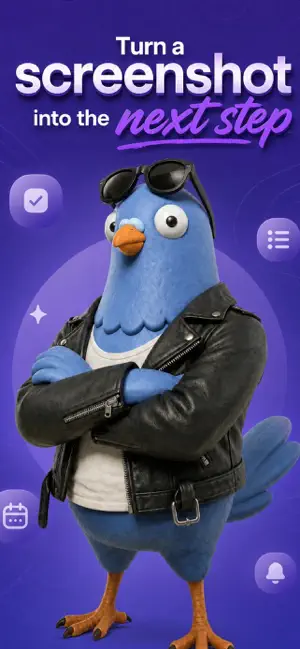
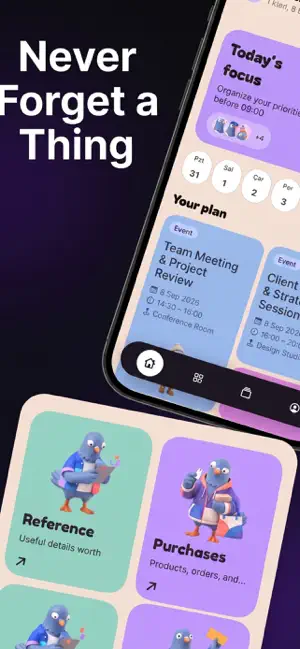
Your screenshots are unfinished actions. Kipp uses AI to find dates, places, products, messages, and tasks in screenshots you choose. It organizes useful details into a searchable inbox and prepares editable next steps. FROM SCREENSHOT TO ACTION • Create editable Calendar events and Reminders. • Open places in Maps and safe links in Safari. • Prepare shares, email drafts, contact forms, or private local notes. • Review evidence and confidence before deciding what to do. SCAN WITHOUT THE BACKLOG • Choose one screenshot, share one to Kipp, or confirm a controlled scan of your screenshot library. • Kipp skips screenshots you have already imported. • Track New, Analyzing, Needs Review, Ready, Done, and Failed items. • Search local results by keyword, category, action, date, or status. • Group related screenshots into Spaces. YOU STAY IN CONTROL Kipp only prepares suggestions. It does not send messages or email, buy products, create events, or delete screenshots automatically. Every native action waits for your review and approval. CLOUD AI, STATED PLAINLY Before the first analysis, Kipp asks for explicit consent. Each screenshot you choose—or include by confirming a library scan—is sent in full through a Firebase Function on Google Cloud to DeepSeek for analysis. Kipp does not permanently store screenshot content or model output on its servers or put them in logs. Results stay locally on your iPhone. DeepSeek is a separate company with its own data-processing terms. Do not send sensitive content or content you do not have the right to have processed by someone else. PLANS Free includes 20 lifetime analyses with no card required. Pro includes 300 analyses every subscription month. Current localized monthly and annual prices appear before purchase. Unused analyses do not roll over, and there are no top-ups. If a subscription ends, your local history, search, and existing actions remain available. TERMS OF USE Terms of Use (EULA): https://www.apple.com/legal/internet-services/itunes/dev/stdeula/
What’s new
Version 1.2.0 · Updated September 27, 2026
• New category and subcategory browsing keeps screenshots easier to find. • Filter by subcategory in Inbox and Search, and correct AI suggestions during review or later in Details. • Approved bulk scans can continue when iOS allows and automatically resume when you return. • A clearer retry flow now shows when analysis is actively running.
App privacy
The developer, Yagiz Kaan Kaya, reported these privacy practices to Apple.
Data Linked to You
The following data, which may be collected and linked to your identity, may be used for the following purposes:
- Identifiers: Device ID, User ID
- Purchases: Purchase History
- User Content: Emails or Text Messages, Photos or Videos
- Usage Data: Product Interaction
- Diagnostics: Performance Data, Other Diagnostic Data
Used for: Analytics, App Functionality, Other Purposes
Data Not Linked to You
The following data, which may be collected but is not linked to your identity, may be used for the following purposes:
- Purchases: Purchase History
- Identifiers: User ID
- Usage Data: Product Interaction
- Diagnostics: Other Diagnostic Data
Used for: Analytics
Alternatives to Kipp AI: Screenshot Organizer
Looking for apps like Kipp AI: Screenshot Organizer? Here are 6 similar apps on the App Store. The highest rated is Colorful Journey Book (5.0/5), and all 6 are free to download.
-
 Bloop — Screenshot Actions
-
 Zimby AI Screenshots Organizer
-
 ShotSilo: Screenshot Manager
-
 ScreenSort: Screenshot Manager
-
 Vibe Note - Photo Notes
-
 Colorful Journey Book
5.0
Colorful Journey Book
5.0
| App | Rating | Price | Last updated | Compare |
|---|---|---|---|---|
| Kipp AI: Screenshot Organizer | – | Free | September 27, 2026 | |
| Bloop — Screenshot Actions | – | Free | Aug 28, 2026 | Compare |
| Zimby AI Screenshots Organizer | – | Free | Jul 22, 2026 | Compare |
| ShotSilo: Screenshot Manager | – | Free | Sep 17, 2026 | Compare |
| ScreenSort: Screenshot Manager | – | Free | Mar 21, 2026 | Compare |
| Vibe Note - Photo Notes | – | Free | Sep 14, 2026 | Compare |
| Colorful Journey Book | 5.0 / 5 (9) | Free | Sep 22, 2024 | Compare |