

LilDisplay
Saeed Garmeh Productivity iPhoneiPadiPod touch
LilDisplay is a free Productivity app for iPhone and iPad by Saeed Garmeh. Requires iOS 15.6. Updated October 10, 2026.
- Price
- Free
- on the App Store
- Size
- 2 MB
- Age 4+
- Updated
- Oct 10
- 2026 · v3.1
Screenshots
About LilDisplay
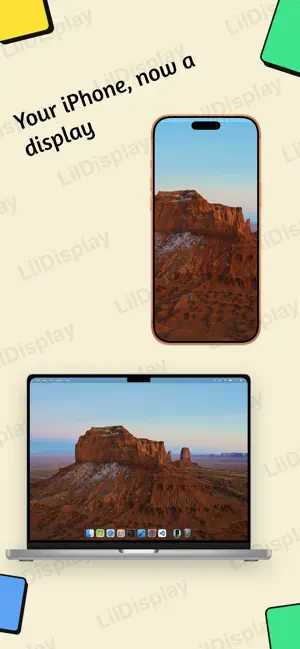
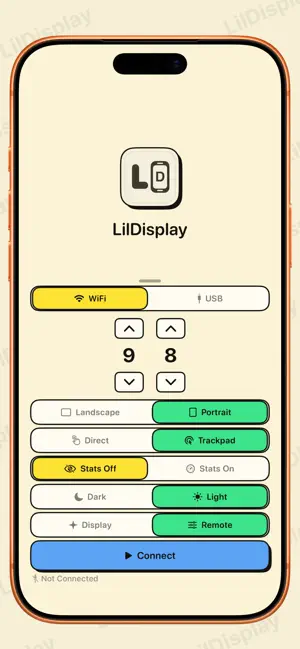
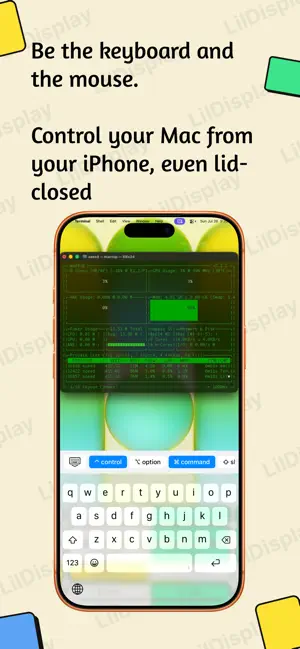
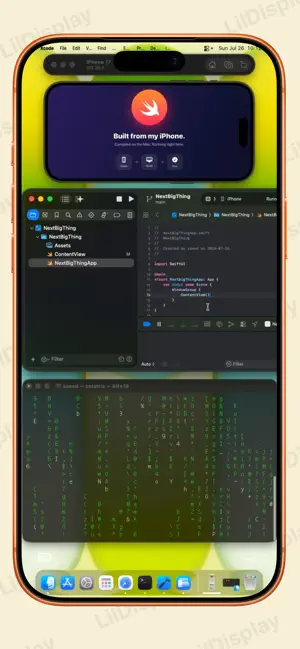
LilDisplay — Turn your iPhone or iPad into a touchscreen Mac display Give your Mac a second screen you can actually touch — and control. No extra hardware, no subscriptions. Just your device, a free Mac app, and you're set. Super-fast — USB for 5–10ms latency, or Wi-Fi for wireless freedom. Touch your Mac — Tap, scroll, and drag right on screen. Take full control — Use your iPhone or iPad as a keyboard and mouse for your Mac. Even run it lid-closed, with your device as the only controller. A true external display — Extend your desktop and run fullscreen apps. Works everywhere — iPhone and iPad, back to iOS 15. FEELS LIKE A MAC TRACKPAD Swipe with three or four fingers to switch Spaces, open Mission Control or App Exposé. Download the free Mac app at lildisplay.app Requires iOS/iPadOS 15+ and macOS 14 (Sonoma) or later.
What’s new
Version 3.1 · Updated October 10, 2026
NEW • Mac trackpad gestures: swipe with 3 or 4 fingers to switch Spaces, open Mission Control or App Exposé; 3-finger tap to Look Up; pinch with thumb and three fingers for Launchpad, spread them to show the desktop. • LilDisplay now tells you when your Mac app needs an update. IMPROVED • Taps register more reliably in Trackpad mode. • Smoother, more responsive video over USB. • Wi-Fi connections recover on their own if the link drops, instead of freezing. • Faster, cleaner reconnect when you rotate your iPhone. • The video now always appears, even on slower Wi-Fi. • Buttons sit at the right height in landscape on every iPhone. FIXED • Pinch-to-zoom no longer fires by accident during 3- and 4-finger swipes. • A tap after a multi-finger gesture no longer opens the right-click menu (requires LilDisplay for Mac 3.1). • Fixed a Wi-Fi pairing issue for some first-time users. • Other stability fixes For the best experience, update LilDisplay for Mac to 3.1 at lildisplay.app.
App privacy
The developer, Saeed Garmeh, reported these privacy practices to Apple.
Data Not Collected
The developer does not collect any data from this app.
Alternatives to LilDisplay
Looking for apps like LilDisplay? Here are 6 similar apps on the App Store. The highest rated is OpenDisplay (4.7/5), and all 6 are free to download.
-
 Any Display: Second Monitor
1.0
Any Display: Second Monitor
1.0
-
 External Display Desktop: XeOS
4.2
External Display Desktop: XeOS
4.2
-
 OpenDisplay
4.7
OpenDisplay
4.7
-
 Connect My Computer
3.5
Connect My Computer
3.5
-
 Duet Air - Remote Desktop
4.3
Duet Air - Remote Desktop
4.3
-
 Duet Display
4.4
Duet Display
4.4
| App | Rating | Price | Last updated | Compare |
|---|---|---|---|---|
| LilDisplay | – | Free | October 10, 2026 | |
| Any Display: Second Monitor | 1.0 / 5 (1) | Free | Oct 12, 2026 | Compare |
| External Display Desktop: XeOS | 4.2 / 5 (18) | Free | Oct 26, 2026 | Compare |
| OpenDisplay | 4.7 / 5 (19) | Free | Oct 2, 2026 | Compare |
| Connect My Computer | 3.5 / 5 (101) | Free | Mar 21, 2025 | Compare |
| Duet Air - Remote Desktop | 4.3 / 5 (1,874) | Free | May 5, 2026 | Compare |
| Duet Display | 4.4 / 5 (48,795) | Free | Oct 21, 2026 | Compare |
Compare LilDisplay with the top alternatives: ratings, updates, ASO score and keyword gaps →