
Framia: Camera Composition
Photography In-app purchases
Pose better. Shoot better. Simple photography posing guides.
- Downloads
- 191+
- on Google Play
- Price
- Free
- In-app purchases
- Updated
- Sep 16
- 2026 · v1.0.2
Screenshots
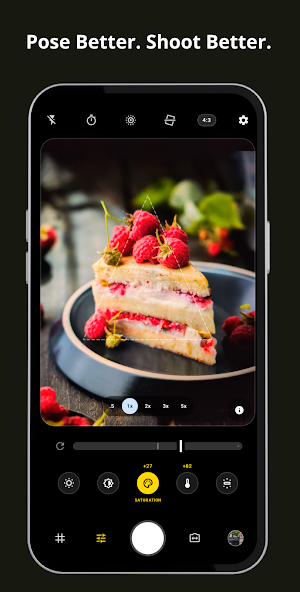
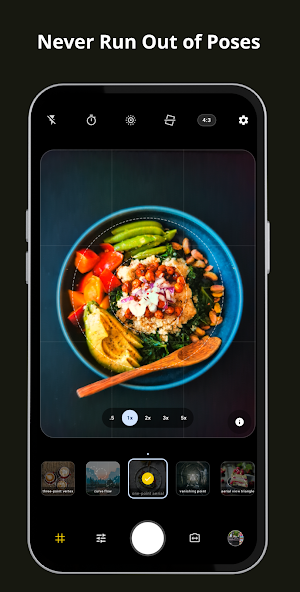
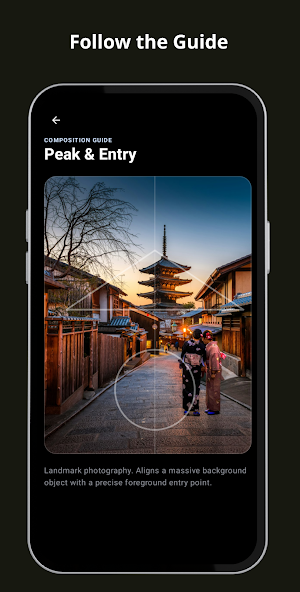
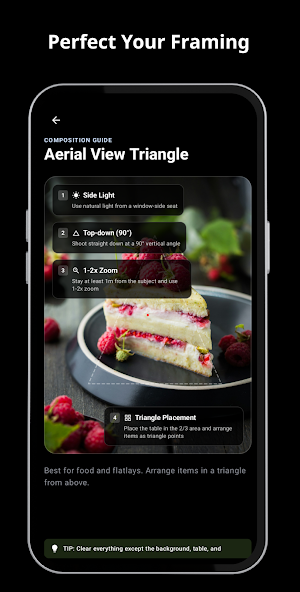


About Framia: Camera Composition
Framia: Photography Posing helps you find better poses and create better portrait photos — without complicated photography techniques.
Whether you're photographing yourself, a friend, a couple, or a model, Framia gives you simple visual posing guides that you can follow directly while taking photos.
STOP WONDERING HOW TO POSE
Don't know what to do with your hands?
Don't know where to stand?
Don't know how to position your body?
Framia turns posing ideas into simple visual guides, so you can spend less time thinking about the pose and more time taking great photos.
VISUAL POSING GUIDES
Choose a guide and follow it through the camera preview. Position your subject according to the guide and capture the shot when everything looks right.
Designed to be simple enough for beginners and useful enough for everyday portrait photography.
POSE FOR DIFFERENT SITUATIONS
Explore guides for different shooting situations:
• Portrait
• Full Body
• Standing
• Sitting
• Walking
• Looking Away
• Close-up
• Couple
• Hands & Body
• Creative Poses
More posing guides can be added over time.
COMPOSE WHILE YOU SHOOT
Framia isn't just a collection of static pose examples. Guides are designed to work directly with your camera preview, helping you understand where the subject should be positioned inside the frame.
Use the camera as your live reference:
Choose a posing guide.
Position your subject.
Match the pose with the guide.
Adjust the framing.
Take the photo.
MADE FOR REAL-WORLD PHOTOGRAPHY
Framia is useful for:
• Portrait photography
• Self portraits
• Couple photography
• Street photography
• Travel photos
• Social media photos
• Casual photos with friends
• Photography practice
You don't need to be a professional photographer. Framia is designed to give you a visual starting point whenever you don't know how to pose.
SIMPLE BY DESIGN
Framia focuses on one thing: helping you create better-looking photos.
No complicated camera controls.
No technical photography lessons.
No overwhelming settings.
Just choose a guide, follow the visual reference, and shoot.
BUILD YOUR PHOTOGRAPHY SKILLS
Posing is more than simply copying a position. With regular use, you'll begin to understand body placement, angles, spacing, balance, and how different poses change the feeling of a photograph.
Use Framia as a practical reference while shooting and gradually develop your own posing style.
YOUR POCKET POSING GUIDE
Keep Framia with you whenever you need a quick photography idea. Open the camera, choose a guide, and start shooting.
Framia — Pose better. Shoot better.
Whether you're photographing yourself, a friend, a couple, or a model, Framia gives you simple visual posing guides that you can follow directly while taking photos.
STOP WONDERING HOW TO POSE
Don't know what to do with your hands?
Don't know where to stand?
Don't know how to position your body?
Framia turns posing ideas into simple visual guides, so you can spend less time thinking about the pose and more time taking great photos.
VISUAL POSING GUIDES
Choose a guide and follow it through the camera preview. Position your subject according to the guide and capture the shot when everything looks right.
Designed to be simple enough for beginners and useful enough for everyday portrait photography.
POSE FOR DIFFERENT SITUATIONS
Explore guides for different shooting situations:
• Portrait
• Full Body
• Standing
• Sitting
• Walking
• Looking Away
• Close-up
• Couple
• Hands & Body
• Creative Poses
More posing guides can be added over time.
COMPOSE WHILE YOU SHOOT
Framia isn't just a collection of static pose examples. Guides are designed to work directly with your camera preview, helping you understand where the subject should be positioned inside the frame.
Use the camera as your live reference:
Choose a posing guide.
Position your subject.
Match the pose with the guide.
Adjust the framing.
Take the photo.
MADE FOR REAL-WORLD PHOTOGRAPHY
Framia is useful for:
• Portrait photography
• Self portraits
• Couple photography
• Street photography
• Travel photos
• Social media photos
• Casual photos with friends
• Photography practice
You don't need to be a professional photographer. Framia is designed to give you a visual starting point whenever you don't know how to pose.
SIMPLE BY DESIGN
Framia focuses on one thing: helping you create better-looking photos.
No complicated camera controls.
No technical photography lessons.
No overwhelming settings.
Just choose a guide, follow the visual reference, and shoot.
BUILD YOUR PHOTOGRAPHY SKILLS
Posing is more than simply copying a position. With regular use, you'll begin to understand body placement, angles, spacing, balance, and how different poses change the feeling of a photograph.
Use Framia as a practical reference while shooting and gradually develop your own posing style.
YOUR POCKET POSING GUIDE
Keep Framia with you whenever you need a quick photography idea. Open the camera, choose a guide, and start shooting.
Framia — Pose better. Shoot better.
What’s new
Version 1.0.2 · Updated September 16, 2026
- More Colors: 12 vibrant options for your composition guide lines. - Smooth Experience: Background processing for complex tasks and overall stability fixes.
Alternatives to Framia: Camera Composition
Looking for apps like Framia: Camera Composition? Here are 6 similar Android apps on Google Play. All of them are free to download.
-
Darkmagic Camera: Pro Manual
-
Doodlecam: Pro Manual Camera
-
Learn Languages - Snapic
-
Dual Camera & PiP - DualView
-
EverLog – Event Timeline Log
-
Fieldly: GPS Timestamp Camera
| App | Rating | Price | Installs | Last updated | Compare |
|---|---|---|---|---|---|
| Framia: Camera Composition | – | Free | 100+ | Sep 16, 2026 | |
| Darkmagic Camera: Pro Manual | – | Free | 100+ | Sep 7, 2026 | Compare |
| Doodlecam: Pro Manual Camera | – | Free | 100+ | Aug 19, 2026 | Compare |
| Learn Languages - Snapic | – | Free | 5+ | Aug 9, 2026 | Compare |
| Dual Camera & PiP - DualView | – | Free | 5,000+ | Oct 20, 2026 | Compare |
| EverLog – Event Timeline Log | – | Free | 50+ | Jul 29, 2026 | Compare |
| Fieldly: GPS Timestamp Camera | – | Free | 10+ | Aug 2, 2026 | Compare |