
Eye Exercises - Improve Vision
Khobta App Health & Fitness In-app purchases Contains ads
15 Eye Exercises to Reduce Eye Strain and Strengthen Eye Muscles
- Rating
- 3.9
- 286 ratings
- Downloads
- 114K+
- on Google Play
- Price
- Free
- In-app purchases
- Updated
- Apr 7
- 2026 · v1.999
Screenshots
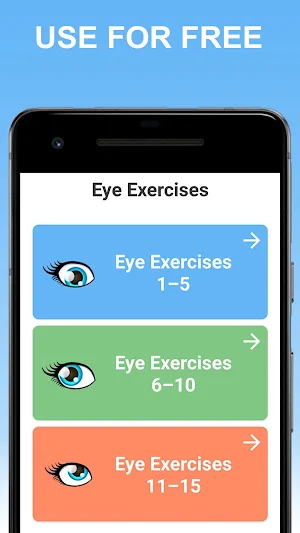
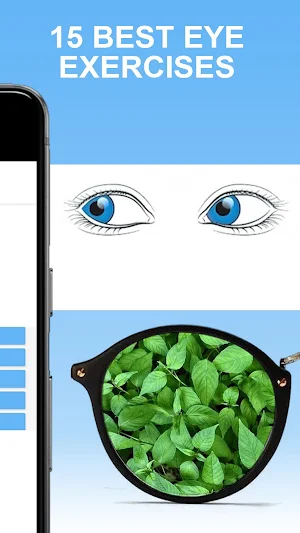


About Eye Exercises - Improve Vision
Exercising your eyes is just like exercising your arms and legs. Your muscles will get stronger, you’ll have more stamina, and you’ll be less likely to develop further vision impairment due to eye strain. Our eyes also need regular exercise just like the rest of our body.
We live in an era where we are staring at text and images on computer screens, televisions and mobile phones which leads to eye strain and possible age related eye disorders.
Regular eye exercises can help you to improve eyesight and prevent eye diseases such as nearsightedness and farsightedness. They only take a couple of minutes, can be done anywhere and at any time, and can also help you to concentrate better when working at your computer.
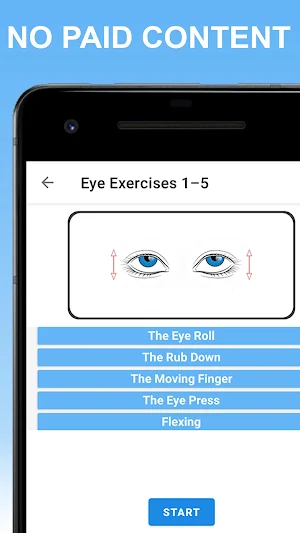
Application Contains 15 Eye Exercises That You Can Do At Home On a Daily Basis:
✓ The Eye Roll
✓ The Rub Down
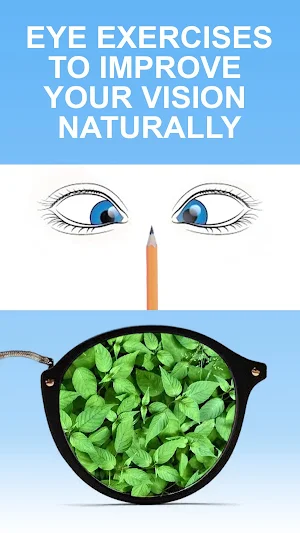
✓ The Moving Finger
✓ The Eye Press
✓ Flexing
✓ Blink
✓ Eye Massage
✓ Focusing
✓ The Eye Bounce
✓ Palming
✓ Trace-An-Eight
✓ The Sidelong Glance
✓ Writing Messages
✓ The Double Thumbs Up
✓ Treat The Eyelids
Note: If you're experiencing blurry or double vision, more headaches than usual, or it's been more than a year since your last eye appointment, visit your optometrist.
We live in an era where we are staring at text and images on computer screens, televisions and mobile phones which leads to eye strain and possible age related eye disorders.
Regular eye exercises can help you to improve eyesight and prevent eye diseases such as nearsightedness and farsightedness. They only take a couple of minutes, can be done anywhere and at any time, and can also help you to concentrate better when working at your computer.
Application Contains 15 Eye Exercises That You Can Do At Home On a Daily Basis:
✓ The Eye Roll
✓ The Rub Down
✓ The Moving Finger
✓ The Eye Press
✓ Flexing
✓ Blink
✓ Eye Massage
✓ Focusing
✓ The Eye Bounce
✓ Palming
✓ Trace-An-Eight
✓ The Sidelong Glance
✓ Writing Messages
✓ The Double Thumbs Up
✓ Treat The Eyelids
Note: If you're experiencing blurry or double vision, more headaches than usual, or it's been more than a year since your last eye appointment, visit your optometrist.
What’s new
Version 1.999 · Updated April 7, 2026
👋 New update for your vision health! We are constantly improving the app to help you relieve eye strain and improve eyesight. In this version: ✅ Optimized Eye Exercises & Performance. ✅ Fixed minor bugs for smoother Vision Therapy. 🚀 Update now and keep your eyes healthy!
Frequently asked questions
Why do we need to exercise our eyes?
Just like the rest of our body, our eyes need regular exercise to improve vision, prevent eye diseases, and reduce eye strain.
What are the benefits of eye exercises?
Eye exercises can help improve eyesight, prevent nearsightedness and farsightedness, increase concentration when using electronic devices, and reduce the risk of age-related eye disorders.
How long does it take to do eye exercises?
Eye exercises only take a couple of minutes and can be done anywhere and at any time.
What are some examples of eye exercises?
Some examples of eye exercises include the eye roll, rub down, moving finger, eye press, flexing, blink, eye massage, focusing, eye bounce, palming, trace-an-eight, sidelong glance, writing messages, double thumbs up, and treating the eyelids.
When should I visit an optometrist?
If you are experiencing blurry or double vision, more headaches than usual, or it has been more than a year since your last eye appointment, it is recommended to visit your optometrist.
Alternatives to Eye Exercises - Improve Vision
Looking for apps like Eye Exercises - Improve Vision? Here are 6 similar Android apps on Google Play. The highest rated is Daily Catholic Prayers (4.6/5), and all 6 are free to download.
-
Daily Catholic Prayers 4.6
-
Daily Prayer and Blessings App 4.2
-
Back Pain Relief Exercises 4.3
-
True or False: Trivia Quiz
-
Daily Jewish Prayers 4.1
-
Fruits and Vegetables - Quiz
| App | Rating | Price | Installs | Last updated | Compare |
|---|---|---|---|---|---|
| Eye Exercises - Improve Vision | 3.9 / 5 | Free | 100,000+ | Apr 7, 2026 | |
| Daily Catholic Prayers | 4.6 / 5 | Free | 100,000+ | Sep 6, 2026 | Compare |
| Daily Prayer and Blessings App | 4.2 / 5 | Free | 10,000+ | – | Compare |
| Back Pain Relief Exercises | 4.3 / 5 | Free | 100,000+ | Aug 24, 2026 | Compare |
| True or False: Trivia Quiz | – | Free | 10,000+ | Aug 24, 2026 | Compare |
| Daily Jewish Prayers | 4.1 / 5 | Free | 10,000+ | – | Compare |
| Fruits and Vegetables - Quiz | – | Free | 10,000+ | Dec 20, 2025 | Compare |
Similar apps on Google Play
- Daily Catholic Prayers
- Daily Prayer and Blessings App
- Back Pain Relief Exercises
- True or False: Trivia Quiz
- Daily Jewish Prayers
- Fruits and Vegetables - Quiz
- Knee Pain Relieving Exercises
- Daily Christian Prayers
- Facial Yoga Exercises
- Kegel Exercises for Women
- Chicken Breed
- Positive Affirmations
- Trivia Quiz Questions Answers
- Dumbbell Workout Exercises
- Hair Care App for Women
- Stretching Exercises
- Lose Weight at Home in 30 days
- Keto Diet
- Paper Formats: ISO & American
- Yoga Poses For Beginners
- Home Workout no Equipment
- Vitamins: Sources, Health Tips
- Flashcards For Kids
- Animal Learning For Toddlers