About Mobile Paint
Mobile Paint is a useful and user-friendly drawing app.
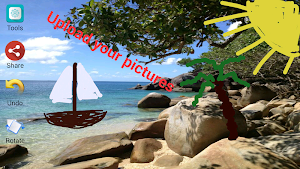
You can pick your own images from the galery and set them as background in Mobile Paint.
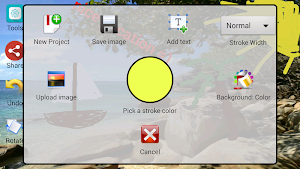
Furthermore you can insert custom texts in Mobile Paint. These texts can later be edited, deleted or moved (drag and drop).
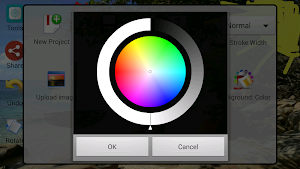
In Mobile Paint you can create your own color creation and use them for your texts, background or stroke.
After you are finished with your Mobile Paint artwork, you can share it with your friends or save it in the galery.
Functions:
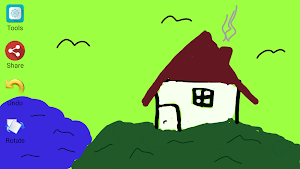
- Draw with your fingers or a pen (different colors and stroke widths)
- Use own pictures as background
- Insert, edit, move, rotate and delete your custom texts
- Custom colors for texts, strokes and background
- Undo function
- Share function
- Save function
Mobile Paint details
Mobile Paint is a free Tools app for Android with 10,000+ installs on Google Play and a 3.0/5 average rating from 86 ratings. It was released on October 7, 2014 and last updated on October 7, 2014. It requires Android 2.2 or later. The app contains ads.
- Category
- Tools
- Rating
- 3.0 / 5 (86 ratings)
- Installs
- 10,000+
- Price
- Free
- Ads
- Contains ads
- Current version
- 1.0
- Requires Android
- 2.2 and up
- Content rating
- Everyone
- Released
- October 7, 2014
- Last updated
- October 7, 2014
Similar Apps

FiiNote, note everything
FiiNote is the most convenient note app for android.It is designed for...

Hypernotes
Hypernotes is intuitive knowledge management for teams. Create a collective ‘second brain’...

Master Note - Handwriting
Key Features◽ Create handwritten notebooks◽ Organize notebooks inside libraries◽ Put hot accessed...

UpNote - notes, diary, journal
UpNote is an elegant and powerful note app that works seamlessly across...

Nimbus Note - Useful notepad
Nimbus Notes is a powerful notes app and organizer that helps you...

Notepad: notes, to do & diary
STAY ORGANIZED WITH SIMPLE NOTES CHECKLIST APP Are you looking for a...