Photopea: Desktop PSD Editor
Full desktop editor: layers, masks, blending options, stylus & PSD open/export
About Photopea: Desktop PSD Editor
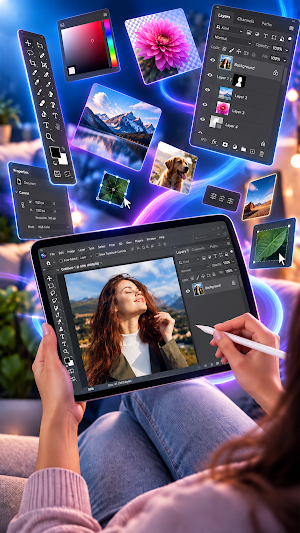
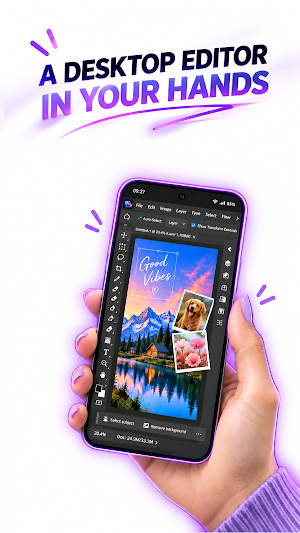
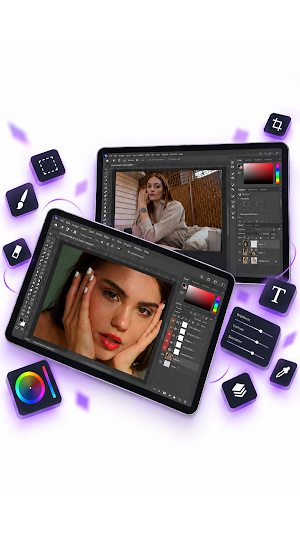
Photo Studio brings the real desktop editing workflow to Android — layers, masks, blend modes and full PSD support — so you can finally edit the way you do on a computer, anywhere.
Tired of "pro" editors with no layers, no masks and no PSD files? This is the app you have been looking for.
REAL LAYERS, REAL CONTROL
• Unlimited layers, groups, opacity & fill
• Layer masks — hide and reveal without erasing a pixel
• 25+ blend modes (Multiply, Screen, Overlay, Soft Light and more)
• Clipping masks, locks and colour labels
OPEN, EDIT & EXPORT PSD
• Open layered PSD files and edit every layer
• Export back to PSD with layers, masks and effects intact
• Import PNG, JPG, PDF and PSD as new layers
LAYER STYLES THAT WORK
• Drop Shadow & Inner Shadow
• Outer & Inner Glow
• Stroke, Color & Gradient Overlay
• Bevel & Emboss, Satin
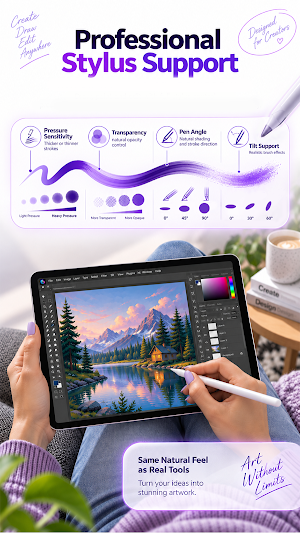
DRAW WITH A STYLUS
• Real pressure, tilt and rotation
• Stylus-only mode ignores your palm
• Many brush and pencil types
A DESKTOP-STYLE WORKSPACE
• Movable, dockable panels
• Rulers, guides and smart snapping
• Non-destructive adjustments (Levels, Curves, Hue/Saturation)
• Pen tool and vector paths
• Fast native rendering engine
YOUR WORK IS SAFE
• Auto-saved as you go — reopen exactly where you left off
• Export to PSD, PNG or JPG anytime
PRIVATE BY DESIGN
No account. No ads. No tracking. No internet needed. Everything stays on your device.
Whether you are a designer, illustrator, photographer or student, Photo Studio gives you the tools you actually asked for — real layers, real masks, real PSD editing — on the device that is always with you.
Download Photo Studio and start creating like a pro.
Photopea: Desktop PSD Editor details
Photopea: Desktop PSD Editor is a paid Art & Design app for Android with 0+ installs on Google Play. It was released on September 16, 2026 and last updated on September 20, 2026. It requires Android 7.0 or later.
- Category
- Art & Design
- Installs
- 0+
- Price
- $6.49
- In-app purchases
- No
- Ads
- No ads
- Current version
- 5.0
- Requires Android
- 7.0
- Content rating
- Everyone
- Released
- September 16, 2026
- Last updated
- September 20, 2026
Alternatives to Photopea: Desktop PSD Editor
Looking for apps like Photopea: Desktop PSD Editor? Here are 6 similar Android apps on Google Play. The highest rated is GRBL CNC Controller (1.4/5), and 2 of the 6 are free to download.
CAD Studio - 3D Print & CNC
CAD, CAM, CNC & 3D Printing. Design 3D Models and Generate G-code.
Mobile Ide Arduino & esp32
Code & compile for Arduino, ESP32, STM32 & microcontrollers
Mobile To Pc File Transfer
Manage, upload, and download your Android files from any PC browser
GRBL CNC Controller: PocketCNC
GRBL CNC Controller , G-Code Sender and 3d Toolpath viewer
GRBL CNC Controller
Wireless CNC control: jog, send G-code & probe. GRBL, FluidNC, Marlin & more

GRBL CNC Controller
CNC Mobile Control for GRBL (USB)
| App | Rating | Price | Installs | Last updated |
|---|---|---|---|---|
| Photopea: Desktop PSD Editor | – | $6.49 | 0+ | Sep 20, 2026 |
| CAD Studio - 3D Print & CNC | – | 7.49 USD | 100+ | – |
| Mobile Ide Arduino & esp32 | – | 6.49 USD | 100+ | Jun 16, 2026 |
| Mobile To Pc File Transfer | – | Free | 100+ | May 4, 2026 |
| GRBL CNC Controller: PocketCNC | – | 15.99 USD | 50+ | – |
| GRBL CNC Controller | – | 7.99 USD | 500+ | Jul 31, 2026 |
| GRBL CNC Controller | 1.4 / 5 | Free | 500+ | – |
