
Remote For Samsung TV Control
Tools Contains ads
Samsung universal remote – control Samsung Smartthings TV, never lose remote.
- Downloads
- 881+
- on Google Play
- Price
- Free
- No in-app purchases
- Updated
- Jun 29
- 2026 · v1.1.5
Screenshots
About Remote For Samsung TV Control
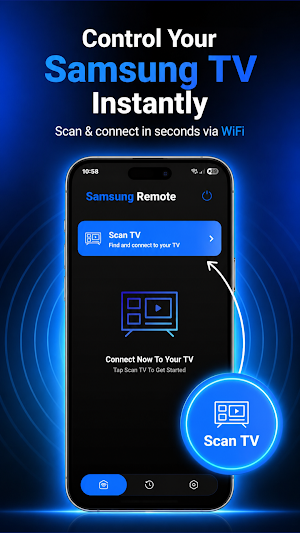
Remote for Samsung TV Control turns your Android phone into a powerful Samsung universal remote and Smart TV controller. Control your Samsung Smart TV effortlessly over Wi-Fi, no batteries needed, no more searching for your lost remote control.
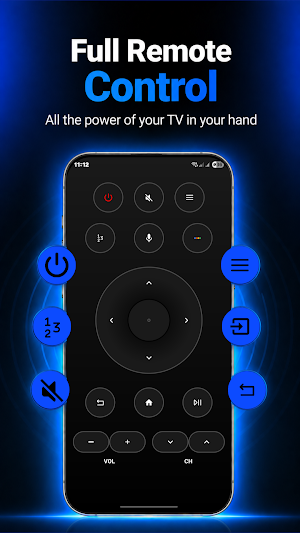
With Remote for Samsung TV Control, you can control your Samsung TV from anywhere on the same Wi-Fi network. This Samsung universal remote lets you adjust volume, switch channels, change source, and access all Samsung Smart TV features directly from your phone, just like a genuine Smart TV controller.
This Samsung remote app supports Samsung Smartthings and is compatible with Samsung Tizen K-series TVs (2016+) and a wide range of Samsung Smart TV models. Simply connect your phone and Samsung Smart TV to the same Wi-Fi network and start using your Samsung universal remote instantly.
Key Features:
Samsung universal remote control Samsung TV via Wi-Fi
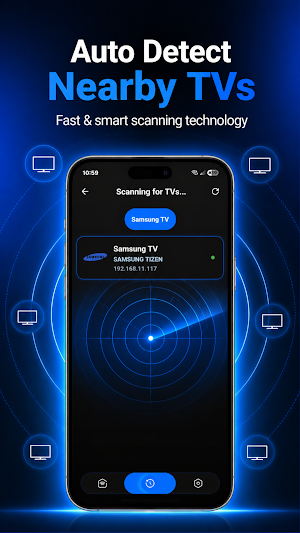
Smart TV controller with Samsung Smartthings auto-detect
Quick access to Netflix, YouTube, Prime Video & more
Power on/off, volume, channels & navigation control
Keyboard for easy text input on Samsung Smart TV
No batteries needed replace your physical remote control
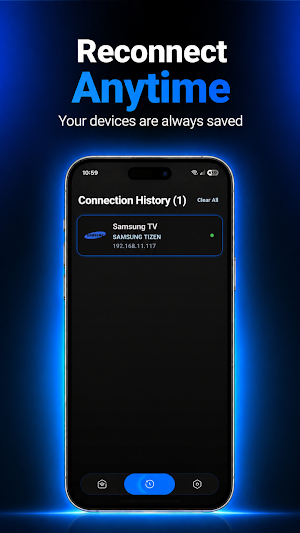
Auto connect every time you open the Samsung remote app
Compatible with Samsung Tizen, K-series, C, D, E, F series
Change source HDMI, PC, AV & more
Light vibration feedback when pressing buttons
Remote for Samsung TV Control gives you complete control over your Samsung Smart TV launching apps, navigating menus, and adjusting settings all from one Smart TV controller app. Use this Samsung universal remote to connect your phone to the same Wi-Fi network and enjoy seamless Samsung TV control today.
Note:
This app requires your phone and Samsung Smart TV to be connected to the same Wi-Fi network. Disable VPN before connecting. Compatible with most Samsung Smart TV models. Performance may vary depending on network strength and TV model.
Disclaimer:
This app is an independent remote control utility and has no partnership or affiliation with Samsung Electronics. All Samsung brand names and trademarks including SmartThings and Tizen are the property of Samsung Electronics and are referenced solely for compatibility description purposes.
With Remote for Samsung TV Control, you can control your Samsung TV from anywhere on the same Wi-Fi network. This Samsung universal remote lets you adjust volume, switch channels, change source, and access all Samsung Smart TV features directly from your phone, just like a genuine Smart TV controller.
This Samsung remote app supports Samsung Smartthings and is compatible with Samsung Tizen K-series TVs (2016+) and a wide range of Samsung Smart TV models. Simply connect your phone and Samsung Smart TV to the same Wi-Fi network and start using your Samsung universal remote instantly.
Key Features:
Samsung universal remote control Samsung TV via Wi-Fi
Smart TV controller with Samsung Smartthings auto-detect
Quick access to Netflix, YouTube, Prime Video & more
Power on/off, volume, channels & navigation control
Keyboard for easy text input on Samsung Smart TV
No batteries needed replace your physical remote control
Auto connect every time you open the Samsung remote app
Compatible with Samsung Tizen, K-series, C, D, E, F series
Change source HDMI, PC, AV & more
Light vibration feedback when pressing buttons
Remote for Samsung TV Control gives you complete control over your Samsung Smart TV launching apps, navigating menus, and adjusting settings all from one Smart TV controller app. Use this Samsung universal remote to connect your phone to the same Wi-Fi network and enjoy seamless Samsung TV control today.
Note:
This app requires your phone and Samsung Smart TV to be connected to the same Wi-Fi network. Disable VPN before connecting. Compatible with most Samsung Smart TV models. Performance may vary depending on network strength and TV model.
Disclaimer:
This app is an independent remote control utility and has no partnership or affiliation with Samsung Electronics. All Samsung brand names and trademarks including SmartThings and Tizen are the property of Samsung Electronics and are referenced solely for compatibility description purposes.
Alternatives to Remote For Samsung TV Control
Looking for apps like Remote For Samsung TV Control? Here are 6 similar Android apps on Google Play. The highest rated is Smart Remote Control for Xbox (4.0/5), and all 6 are free to download.
-
Projector USB Screen Mirroring 1.5
-
Smart Remote Control for Xbox 4.0
-
Remote for Vios TV
-
Reverse Video Editor - RewindR
-
Change Video Speed Slow Editor
-
Remote For Haier TV Smart
| App | Rating | Price | Installs | Last updated | Compare |
|---|---|---|---|---|---|
| Remote For Samsung TV Control | – | Free | 500+ | Jun 29, 2026 | |
| Projector USB Screen Mirroring | 1.5 / 5 | Free | 10,000+ | Oct 13, 2026 | Compare |
| Smart Remote Control for Xbox | 4.0 / 5 | Free | 10,000+ | May 13, 2026 | Compare |
| Remote for Vios TV | – | Free | 100+ | Sep 12, 2026 | Compare |
| Reverse Video Editor - RewindR | – | Free | 500+ | Oct 19, 2026 | Compare |
| Change Video Speed Slow Editor | – | Free | 100+ | Sep 4, 2026 | Compare |
| Remote For Haier TV Smart | – | Free | 1,000+ | Aug 24, 2026 | Compare |