Volume Control Music Equalizer
Volume control with equalizer, bass boost for headphones and Bluetooth devices.
About Volume Control Music Equalizer
Volume Control Music Equalizer is a utility app that gives you easy access to your Android device's audio settings. It allows you to adjust volume levels and apply equalizer settings if your device supports these audio controls.
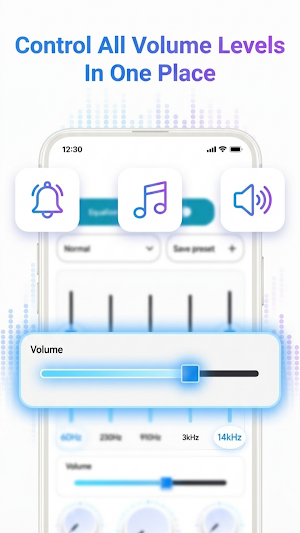
With this app, you can manage media volume, ringtone volume, notification volume, and Bluetooth volume from one place. The app provides controls for the audio features already available on your device, it does not modify hardware or bypass system limitations.
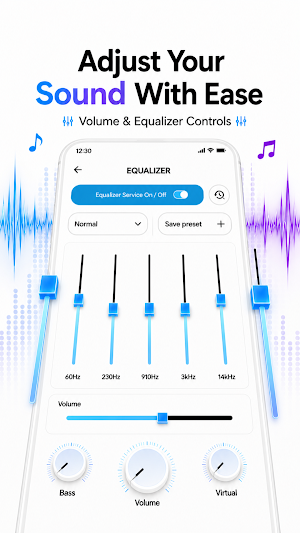
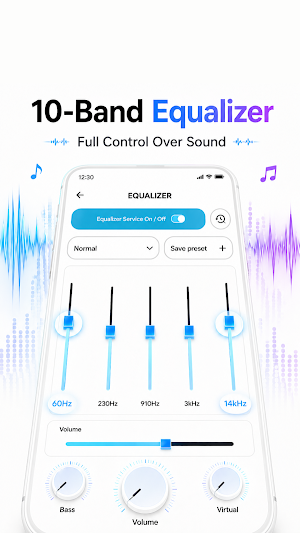
The app includes a 10-band equalizer interface that lets you adjust audio frequencies within the range supported by your device. You can also apply bass boost, treble control, virtualizer, and reverb effects if your Android device supports these audio features through the standard Android audio API.
Key Features:
•10-band equalizer for audio frequency adjustment
•Bass boost for low frequency control
•Treble control for high frequency adjustment
•Virtualizer & reverb effects for supported devices
•Sound presets, Rock, Jazz, Pop, Hip Hop, Classical & more
•Custom presets, save your own equalizer settings
•Media, ringtone, notification & Bluetooth volume control
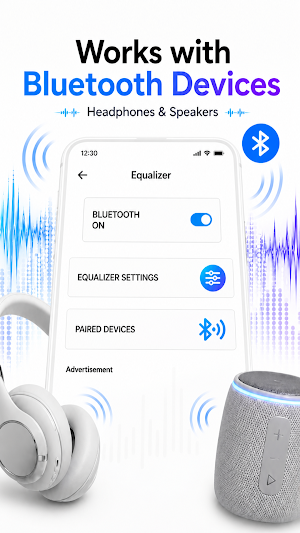
•Bluetooth volume control for wireless devices
•Sound enhancement for headphones & speakers
•Notification volume control
This app includes a music equalizer for Bluetooth devices, allowing you to adjust bass, treble, and equalizer settings when using Bluetooth headphones or speakers depending on your device's Bluetooth audio support.
Volume control with equalizer settings are available in one place, so you do not need to switch between multiple apps to manage your sound preferences. You can save custom presets and switch between them based on your listening preference.
The app also includes bass boost for headphones, which adjusts low frequency levels through the Android audio system. Results depend on your device's hardware and the headphones or speakers you are using.
Note:
This app uses the standard Android audio API to provide volume control and equalizer functionality. Audio results may vary depending on your device model, Android version, and hardware capabilities. This app does not modify device hardware or guarantee specific audio output. Some features may not be available on all devices.
Similar Apps
Projector USB Screen Mirroring
USB connector screen mirroring to projector & connect phone to projector cast.
Smart Remote Control for Xbox
Control your Xbox One or Series X/S with ease. A smart WiFi remote for consoles.
Remote for Vios TV
Control your compatible Vios TV from your phone over the same Wi-Fi network.

Reverse Video Editor - RewindR
Play video backwards with reverse audio, flip, trim & no watermark.

Change Video Speed Slow Editor
Speed up and slow down video - fast motion, slow motion, no watermark.
Remote For Haier TV Smart
Control your Haier Smart TV via Wi-Fi. Simple, and no IR needed.
