Remote for Vios TV
Control your compatible Vios TV from your phone over the same Wi-Fi network.
About Remote for Vios TV
Take control of your compatible Vios TV directly from your smartphone.
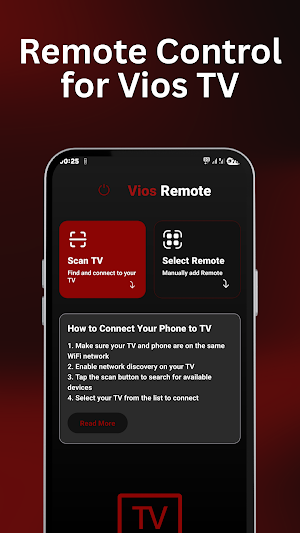
Remote for Vios TV provides a convenient way to interact with your TV using your home Wi-Fi network. Instead of relying on an infrared sensor, the app communicates with compatible TVs through the network.
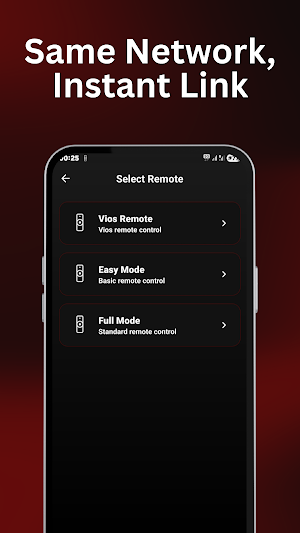
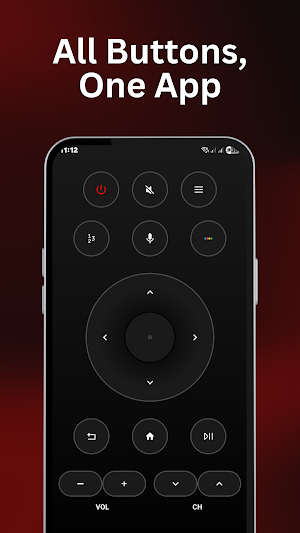
It is designed for everyday TV control with a clean interface and easy-to-access buttons, making it simple to navigate and manage your TV from your phone.
Key Features
• Control compatible Vios TVs over Wi-Fi
• No infrared (IR) sensor required
• Simple and clean remote interface
• Quick connection on the same network
• Responsive control experience
• Convenient navigation controls
• Easy access to commonly used TV functions
• Lightweight and easy to use
• Designed for compatible network-enabled Vios TVs
Getting Started
Using the app is straightforward:
1. Connect your phone and Vios TV to the same Wi-Fi network.
2. Open Remote for Vios TV.
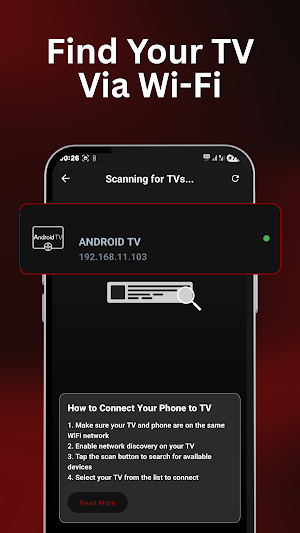
3. Allow the app to discover compatible devices on your network.
4. Select your TV when it appears.
5. Start using your phone as a remote.
Before You Connect
The app communicates with your TV through Wi-Fi, so both devices need to be connected to the same local network.
Your Vios TV must support the network features required by the app. Compatibility can vary depending on the TV model and software version.
An infrared sensor is not required on your phone.
If your TV does not appear, check that both devices are connected to the same Wi-Fi network and that your TV supports network-based remote control.
Important Information
Remote for Vios TV is an independent application created for controlling compatible Vios TV devices through a Wi-Fi network.
It is not an official Vios product and is not affiliated with, endorsed by, or sponsored by Vios.
Vios is a trademark of its respective owner. This application is intended only to provide compatibility with supported devices.
Similar Apps
Projector USB Screen Mirroring
USB connector screen mirroring to projector & connect phone to projector cast.
Smart Remote Control for Xbox
Control your Xbox One or Series X/S with ease. A smart WiFi remote for consoles.
Remote for Vios TV
Control your compatible Vios TV from your phone over the same Wi-Fi network.
Reverse Video Editor - RewindR
Play video backwards with reverse audio, flip, trim & no watermark.
Change Video Speed Slow Editor
Speed up and slow down video - fast motion, slow motion, no watermark.
Remote For Haier TV Smart
Control your Haier Smart TV via Wi-Fi. Simple, and no IR needed.
