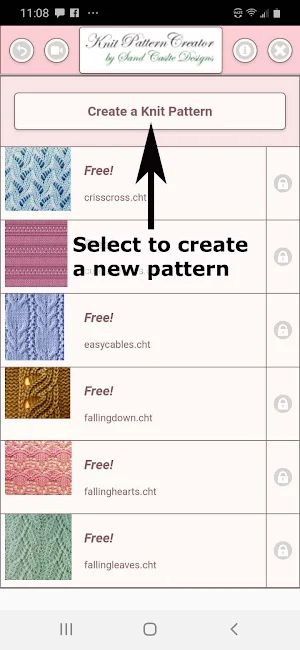
About Knit Pattern Creator
Create your onw knitting patterns with Knit Pattern Creator.
Save and share your patterns.
Activation is $2.99
List of options:
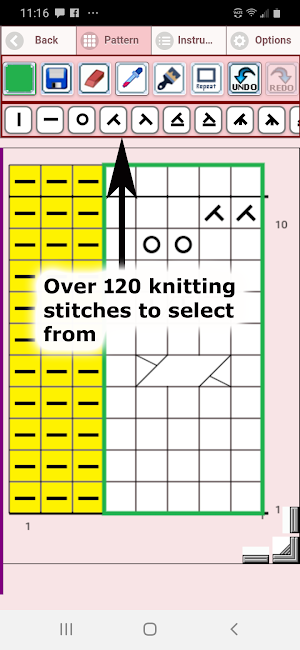
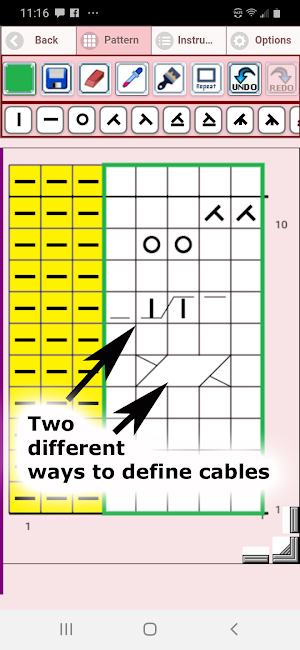
1. Select any stitch you want and place on the graph (includes cable symbols)
2. Change the color of any square on the grid
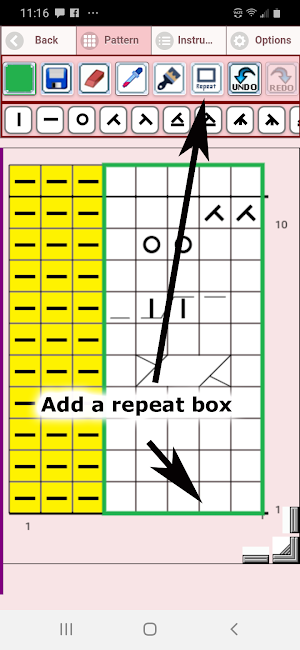
3. Add a repeat box
4. Cut/copy/paste stitches on your graph
5. Undo/Redo feature
6. Zoom in/Zoom out feature
7. Resize your pattern.
8. Share your pattern to yourself and others using, text, email etc.
9. Save your pattern
Similar Apps
Crochet Graphghan Creator
Crochet Graphghan Pattern Creator for your mobile device.Comes with 4 free Crochet...
Bead Pattern Creator
Bead Pattern Creator for your mobile device.Comes with 5 free patterns. Download...
Filet Crochet Pattern Creator
Filet Crochet Pattern Creator for your mobile device.Comes with 4 free Filet...
Quilt Creator
Create quilts using over 200 quilt blocks to select from. You can...
Bead Loom Pattern Creator
Bead Loom Pattern Creator for your mobile device.Comes with 4 free patterns....
Cross Stitch Pattern Creator
Cross Stitch Pattern CreatorComes with 4 sample patterns. Download is free. To...
Frequently Asked Questions (FAQ)
