

ipynb Viewer Offline (Jupyter)
Absurd_Human Tools In-app purchases Contains ads
View Jupyter Notebooks offline. Open, read & export .ipynb files to PDF & HTML.
- Downloads
- 1.2K+
- on Google Play
- Price
- Free
- In-app purchases
- Updated
- Aug 3
- 2026 · v1.2.1
Screenshots


About ipynb Viewer Offline (Jupyter)
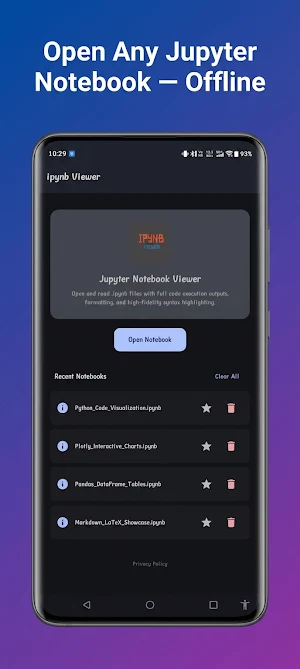
ipynb Viewer - Jupyter Reader is the ultimate lightweight utility to open, view, and read Jupyter Notebook (.ipynb) files directly on your Android device.
Whether you are a Data Scientist, Machine Learning Engineer, Student, or Software Developer, this app lets you inspect your Jupyter notebooks offline with high-fidelity rendering, syntax highlighting, and seamless conversion tools.
Key Features:
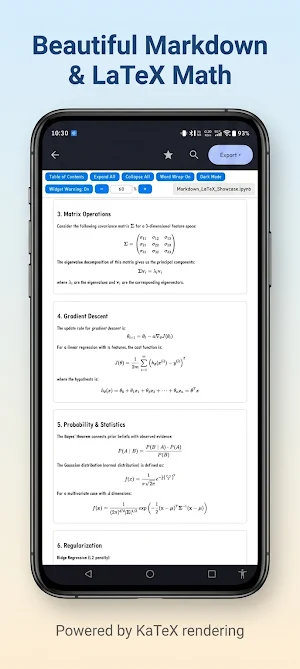
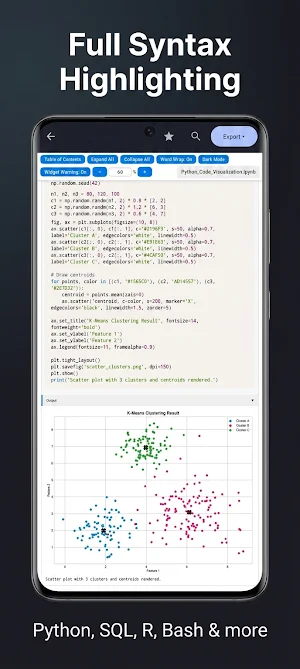
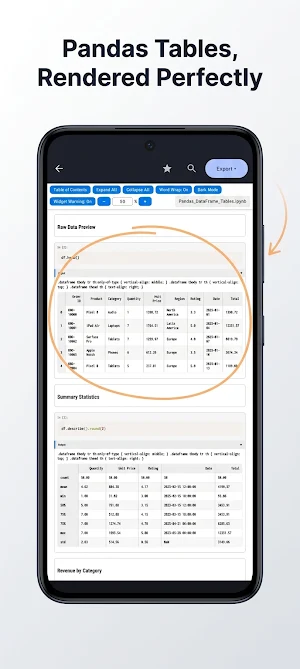
• High-Fidelity Rendering: View your notebooks exactly as they are meant to look. Full support for styled Markdown, rich text, tables, graphs, images, and code execution outputs.
• 100% Offline & Private: Open files directly from your local storage. No internet connection is required, meaning your code, private data, and files never leave your device.
• Multi-Format Export Options: Need to share or document your work? Cleanly export your Jupyter Notebooks into multiple formats:
- Print / Save to PDF: Custom print settings including word-wrap toggle, zoom control, and theme selector (Light/Dark).
- Export as HTML: High-fidelity conversion retaining the original output style.
- Export to Python (.py): Extracts raw Python code cells.
- Export to Markdown (.md): Extracts text and code cell blocks.
• System-Wide File Integration: Easily open .ipynb files from any file manager (such as Google Files, Solid Explorer, or ZArchiver), email attachments, Google Drive, or Chrome downloads using "Open with".
• In-Notebook Text Search: Instantly find classes, functions, variables, or specific text strings within large notebooks with interactive Next/Previous navigation and match counts.
• Favorites & Recents: Quickly resume work. Access recently opened notebooks or star your most important projects for one-tap access from the dashboard.
• OOM Crash Protection for Large Files: Optimized with memory-efficient parsing to smoothly handle notebooks of up to 100+ MB without crashing the app.
Who is this app for?
• Data Scientists & AI Practitioners: Keep track of your models, charts, and analysis results on the go.
• Students: Open and study school Jupyter notebooks, homework files, and programming lectures on your phone or tablet.
• Developers: Quickly read and review raw python code files and repository documentations.
Download ipynb Viewer - Jupyter Reader today to keep your work and code workspace accessible in your pocket!
Whether you are a Data Scientist, Machine Learning Engineer, Student, or Software Developer, this app lets you inspect your Jupyter notebooks offline with high-fidelity rendering, syntax highlighting, and seamless conversion tools.
Key Features:
• High-Fidelity Rendering: View your notebooks exactly as they are meant to look. Full support for styled Markdown, rich text, tables, graphs, images, and code execution outputs.
• 100% Offline & Private: Open files directly from your local storage. No internet connection is required, meaning your code, private data, and files never leave your device.
• Multi-Format Export Options: Need to share or document your work? Cleanly export your Jupyter Notebooks into multiple formats:
- Print / Save to PDF: Custom print settings including word-wrap toggle, zoom control, and theme selector (Light/Dark).
- Export as HTML: High-fidelity conversion retaining the original output style.
- Export to Python (.py): Extracts raw Python code cells.
- Export to Markdown (.md): Extracts text and code cell blocks.
• System-Wide File Integration: Easily open .ipynb files from any file manager (such as Google Files, Solid Explorer, or ZArchiver), email attachments, Google Drive, or Chrome downloads using "Open with".
• In-Notebook Text Search: Instantly find classes, functions, variables, or specific text strings within large notebooks with interactive Next/Previous navigation and match counts.
• Favorites & Recents: Quickly resume work. Access recently opened notebooks or star your most important projects for one-tap access from the dashboard.
• OOM Crash Protection for Large Files: Optimized with memory-efficient parsing to smoothly handle notebooks of up to 100+ MB without crashing the app.
Who is this app for?
• Data Scientists & AI Practitioners: Keep track of your models, charts, and analysis results on the go.
• Students: Open and study school Jupyter notebooks, homework files, and programming lectures on your phone or tablet.
• Developers: Quickly read and review raw python code files and repository documentations.
Download ipynb Viewer - Jupyter Reader today to keep your work and code workspace accessible in your pocket!
What’s new
Version 1.2.1 · Updated August 3, 2026
May Chaos Take The World !!! 🔥
Alternatives to ipynb Viewer Offline (Jupyter)
Looking for apps like ipynb Viewer Offline (Jupyter)? Here are 6 similar Android apps on Google Play. All of them are free to download.
-
PDF Compressor : Reduce Size
-
PDF to Image Converter
-
Color Pick & Gradient Creator
-
Volume Booster
-
ScreenLighT
-
FlashLighT
| App | Rating | Price | Installs | Last updated | Compare |
|---|---|---|---|---|---|
| ipynb Viewer Offline (Jupyter) | – | Free | 1,000+ | Aug 3, 2026 | |
| PDF Compressor : Reduce Size | – | Free | 100+ | – | Compare |
| PDF to Image Converter | – | Free | 1+ | Aug 3, 2026 | Compare |
| Color Pick & Gradient Creator | – | Free | 10+ | Aug 8, 2026 | Compare |
| Volume Booster | – | Free | 100+ | – | Compare |
| ScreenLighT | – | Free | 10+ | – | Compare |
| FlashLighT | – | Free | 10+ | May 28, 2026 | Compare |