PDF to Image Converter
Convert PDFs to PNG, JPG or WebP images offline. High quality batch converter.
About PDF to Image Converter
Convert your PDF documents into high-quality images instantly and securely with PDF to Image Converter.
Whether you need to convert a single page or batch-process multiple large PDF files, this app handles everything entirely offline on your device, ensuring maximum speed and total privacy for your documents.
KEY FEATURES:
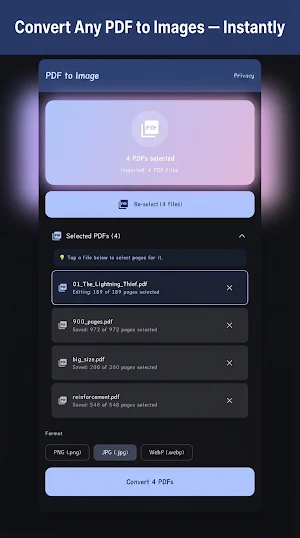
• Batch Conversion: Load multiple PDF files at once and convert them in a single tap.
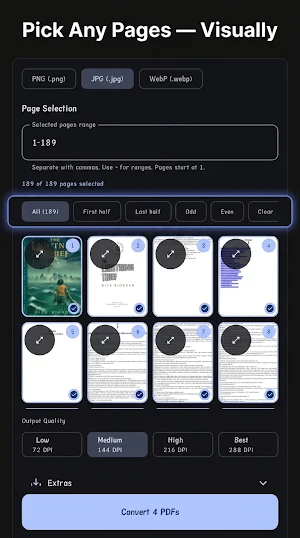
• Visual Page Selection: Don't guess by page numbers. Preview pages in a grid, and easily pick exactly which ones you want to convert (All, Odd, Even, or custom ranges).
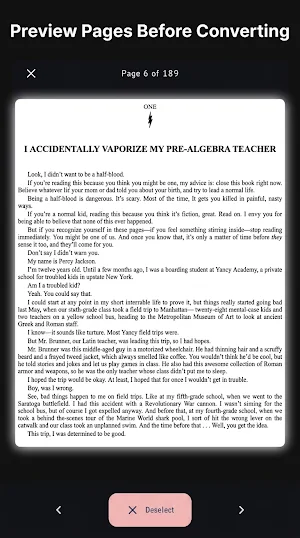
• Full-Screen HD Preview: Zoom in and read page contents before starting the conversion.
• Format Flexibility: Save your output as PNG, JPG, or WebP.
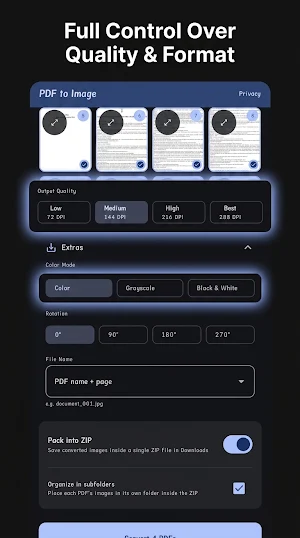
• Custom Output Quality (DPI): Select from Low (72 DPI) up to Ultra-Sharp Best quality (288 DPI) for professional-grade images.
• Image Enhancements: Convert to Grayscale, Black & White (with high-contrast thresholding), or rotate pages (90°, 180°, 270°) on the fly.
• Organized ZIP Export: Choose to save images directly to your gallery or pack them neatly into structured ZIP folders in your Downloads directory.
🔒 PRIVACY FIRST:
No internet connection required. All conversions are executed locally on your mobile device. Your private documents are never uploaded to any remote servers or cloud databases.
