PDF Compressor : Reduce Size
Reduce PDF file size instantly — batch compress, target size, no signup.
About PDF Compressor : Reduce Size
PDF Compressor helps you reduce PDF file size quickly and easily — perfect for emailing large documents, uploading to portals, or saving storage space.
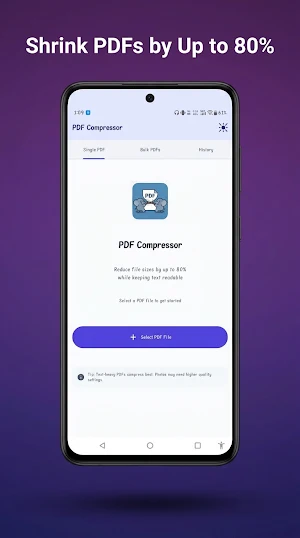
📉 SHRINK PDFs BY UP TO 80%
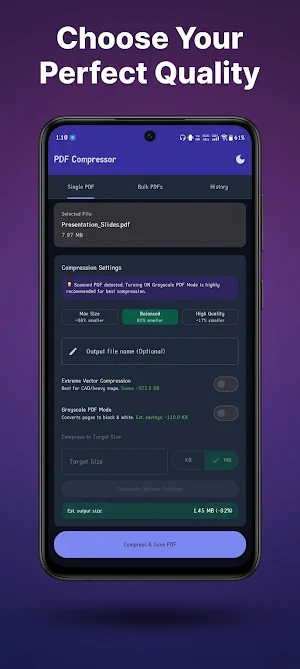
Compress PDF files without losing readability. Choose from Max Size, Balanced, or High Quality presets depending on your needs.
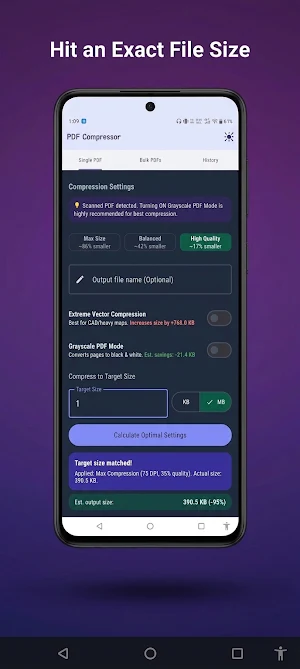
🎯 COMPRESS TO AN EXACT TARGET SIZE
Need your PDF under 2MB for a job application or government portal? Set your target size in KB or MB and let PDF Compressor calculate the optimal settings automatically.
📚 BATCH COMPRESS MULTIPLE PDFs AT ONCE
Select multiple files and compress them all in one go. Set individual quality levels per file, or apply bulk settings across your entire batch.
🖤 GRAYSCALE PDF MODE
Convert scanned color PDFs to black & white for even smaller file sizes — ideal for text documents and scanned forms.
⚡ EXTREME VECTOR COMPRESSION
Advanced rasterization controls for CAD files, heavy maps, and vector-heavy PDFs that need aggressive compression.
📊 SEE YOUR SAVINGS INSTANTLY
Real-time compression estimates before you commit. Compare original vs. compressed size side-by-side.
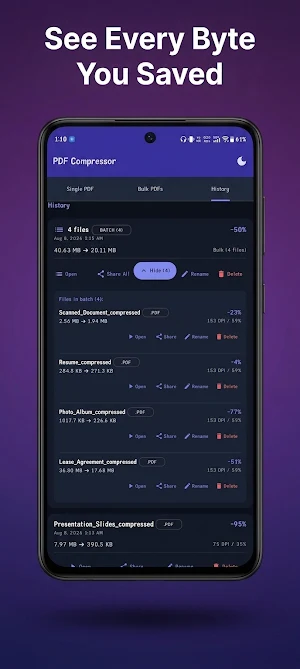
🕘 COMPRESSION HISTORY
Track every file you've compressed, reopen results, rename, share, or delete — all from one organized history tab.
WHO IS THIS FOR?
- Students compressing scanned assignments and thesis PDFs
- Professionals shrinking reports, resumes, and contracts for email
- Anyone uploading PDFs to portals with strict file size limits
- Users compressing scanned documents, photo-heavy PDFs, and lease agreements
KEY FEATURES
✓ Single PDF and Bulk PDF compression modes
✓ Target file size compression (KB/MB)
✓ Grayscale mode for scanned documents
✓ Extreme Vector Compression for CAD/vector files
✓ Compression history with quick re-share
✓ Dark mode and light mode support
✓ No internet required — compress files offline
✓ No file size limits, no watermarks
Whether you need to compress a PDF for email, reduce a PDF file size for upload, or shrink scanned documents, PDF Compressor gets it done in seconds — right on your device, no upload to external servers required.
Download PDF Compressor today and never worry about "file too large" errors again.
