
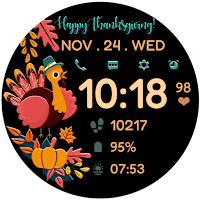
Thanksgiving Watchface
Personalization
Stylish Digital Watchface (Please read below before purchasing)
- Downloads
- 303+
- on Google Play
- Price
- $0.99
- No in-app purchases
- Updated
- Nov 1
- 2023 · v1.5
Screenshots


About Thanksgiving Watchface
Happy Thanksgiving Watch Face for WEAR OS
IMPORTANT INSTALLATION NOTES!
* Watchface won't automatically install on watch. Make sure the watch is properly connected to the phone.(Strong and same Wifi for both device is recommended) Wait for a few minutes for the watchface to be transferred on watch. Then open the playstore app on your watch and search for the watchface and hit install button.After successfully installing, go back to HOME, hold display and scroll to select the watchface from the watchfaces menu.
* If you are having synchronization problems between your phone and Play Store, install the app directly from watch: search "ThanksgivingWatchFace" from Play Store ON WATCH and hit on install button.
* For device incompatibility / "This app is not available for your device", use Play Store on a WEB browser (CHROME) from PC or Laptop instead of using the playstore app on phone.
Copy and paste the watch face link on a WEB browser (CHROME) and install.
* Enable all permissions from settings -> applications -> permissions.
* This watch face was developed with Samsung's "Watch Face Studio" tool for devices based on the new Wear OS Google / One UI Samsung operating system like Samsung Galaxy Watch 4.
Features:
-12/24hr digital time (auto-sync, based on phone settings)
-Date (Multi-language)
-6 Preset App Shortcuts (Single tap to open)
Settings, Alarm, Calendar, Music, Messages & Phone
-2 customizable shortcuts (changeable)
Different complications to choose from; weather, steps, time zone, unread notification sound, sunset/sunrise, barometer, next appointment and more.
(Touch and hold display. Tap on customize option and change preferred display)
***Some complications data may not appear immediately on display. Display depends on the installed apps on your watch.
-Always-On (AOD)
-Changeable LCD styles and font color palette (Touch and hold display. Tap on customize option)
*some features may not be available on some watches.
Full Collection: https://play.google.com/store/apps/developer?id=Bloomfield+Watchfaces
Contact us at: [email protected]
Facebook Page: https://www.facebook.com/bloomfieldwatchfaces
Galaxy Store: https://galaxy.store/ALwatches
https://www.youtube.com/watch?v=IIi7s0Uio8Q
IMPORTANT INSTALLATION NOTES!
* Watchface won't automatically install on watch. Make sure the watch is properly connected to the phone.(Strong and same Wifi for both device is recommended) Wait for a few minutes for the watchface to be transferred on watch. Then open the playstore app on your watch and search for the watchface and hit install button.After successfully installing, go back to HOME, hold display and scroll to select the watchface from the watchfaces menu.
* If you are having synchronization problems between your phone and Play Store, install the app directly from watch: search "ThanksgivingWatchFace" from Play Store ON WATCH and hit on install button.
* For device incompatibility / "This app is not available for your device", use Play Store on a WEB browser (CHROME) from PC or Laptop instead of using the playstore app on phone.
Copy and paste the watch face link on a WEB browser (CHROME) and install.
* Enable all permissions from settings -> applications -> permissions.
* This watch face was developed with Samsung's "Watch Face Studio" tool for devices based on the new Wear OS Google / One UI Samsung operating system like Samsung Galaxy Watch 4.
Features:
-12/24hr digital time (auto-sync, based on phone settings)
-Date (Multi-language)
-6 Preset App Shortcuts (Single tap to open)
Settings, Alarm, Calendar, Music, Messages & Phone
-2 customizable shortcuts (changeable)
Different complications to choose from; weather, steps, time zone, unread notification sound, sunset/sunrise, barometer, next appointment and more.
(Touch and hold display. Tap on customize option and change preferred display)
***Some complications data may not appear immediately on display. Display depends on the installed apps on your watch.
-Always-On (AOD)
-Changeable LCD styles and font color palette (Touch and hold display. Tap on customize option)
*some features may not be available on some watches.
Full Collection: https://play.google.com/store/apps/developer?id=Bloomfield+Watchfaces
Contact us at: [email protected]
Facebook Page: https://www.facebook.com/bloomfieldwatchfaces
Galaxy Store: https://galaxy.store/ALwatches
https://www.youtube.com/watch?v=IIi7s0Uio8Q
Alternatives to Thanksgiving Watchface
Looking for apps like Thanksgiving Watchface? Here are 6 similar Android apps on Google Play.
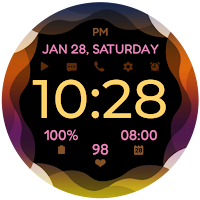
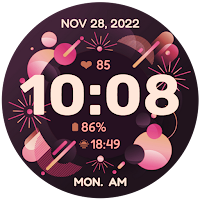
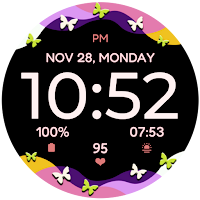
| App | Rating | Price | Installs | Last updated | Compare |
|---|---|---|---|---|---|
| Thanksgiving Watchface | – | $0.99 | 100+ | Nov 1, 2023 | |
| Waves | – | 0.99 USD | 100+ | Jul 17, 2025 | Compare |
| NewYear Watchface | – | 0.99 USD | 10+ | Dec 30, 2022 | Compare |
| Butterfly Waves | – | 0.99 USD | 100+ | Oct 18, 2024 | Compare |
| Pearls | – | 0.99 USD | 100+ | Dec 7, 2022 | Compare |
| Christmas Watch Face | – | 0.99 USD | 1,000+ | Jan 14, 2026 | Compare |
| Daisy and Pearls | – | 0.99 USD | 1,000+ | Oct 16, 2024 | Compare |
Similar apps on Google Play
- Waves
- NewYear Watchface
- Butterfly Waves
- Pearls
- Christmas Watch Face
- Daisy and Pearls
- Flowers and Pearls
- Thanksgiving Watchface
- Autumn Watchface 2
- Halloween 3
- Halloween 2
- Flower Heart Watchface
- Flower Watchface
- Digital Colors Watchface
- Autumn Watchface
- Halloween Watchface
- Digital Watchface
- Vibrant Bloom Watchface
- Daisy Simple Watchface
- Summer Bloom Analog
- Digital Flowers Watchface
- Splatter Bloom Watchface
- Summer Bloom Watchface
- Mandala 3 Bloom
- Butterfly Analog Bloom
- Paint Bloom
- Cat Bloom
- Butterfly Bloom 2
- Flower FLy Bloom 2
- Flowers Fly Bloom
- Flowers Bloom 2
- Colorfly Bloom
- Spring Bloom 2
- Spring Bloom
- Mandala 2 Bloom
- Flower Frame Bloom
- Galaxy Heart Bloom
- Flower Heart Bloom Black
- Flower Heart Bloom
- Sakura Color Bloom
- Flamingo Bloom Analog
- Leaves Bloom
- Flamingo Bloom
- Daisy Vibrant Bloom Watch Face
- Daisy Color Bloom
- Fly Bloom
- Starry Bloom
- Heart Bloom
- Hope Bloom
- Ring Bloom
- Daisy Bloom 3
- Pet Love Bloom
- Daisy Bloom 2 Watch Face
- Tropical Bloom
- Garland Bloom
- Mandala Bloom
- Butterfly Bloom Watch Face
- Gradient Bloom
- Sakura Bloom
- Star Bloom