

Digital Watchface
Personalization
Modern digital watch face
- Downloads
- 148+
- on Google Play
- Price
- $0.99
- No in-app purchases
- Updated
- Nov 2
- 2023 · v1.10
Screenshots


About Digital Watchface
INSTALLATION NOTES!
NOTE: Watchfaces dont automatically install.
* Make sure the watch is properly connected to the phone. WAIT for a few minutes for the watchface to be transferred on watch, OPEN the playstore app on your watch and search for the watchface then hit INSTALL button.
* If you are having synchronization problems between your phone and Play Store, install the app directly from watch: search "FlowersBloom2" from Play Store ON WATCH and hit on install button.
* For device incompatibility / "This app is not available for your device", use Play Store on a WEB browser (CHROME) from PC or Laptop instead of using the playstore app on phone.
Copy and paste the watch face link on a WEB browser (CHROME) and install.
* Enable all permissions from settings -> applications -> permissions.
* This watch face was developed with Samsung's "Watch Face Studio" tool for devices based on the new Wear OS Google / One UI Samsung operating system like Samsung Galaxy Watch 4.
Features:
-12/24hr digital time (auto-sync, based on phone settings)
-Date (Multi-language)
-5 Preset App Shortcuts (Single tap to open)
Settings, Alarm, Calendar, Messages & Phone
-2 customizable shortcuts (changeable)
Different complications to choose from; weather, steps, time zone, unread notification sound, sunset/sunrise, barometer, next appointment and more.
(Touch and hold display. Tap on customize option and change preferred display)
***Some complications data may not appear immediately on display. Display depends on the installed apps on your watch.
-Always-On (AOD)
-Changeable LCD styles and font color palette (Touch and hold display. Tap on customize option)
*some features may not be available on some watches.
Full Collection: https://play.google.com/store/apps/developer?id=Bloomfield+Watchfaces
Contact us at: [email protected]
Facebook Page: https://www.facebook.com/bloomfieldwatchfaces
Galaxy Store: https://galaxy.store/ALwatches
NOTE: Watchfaces dont automatically install.
* Make sure the watch is properly connected to the phone. WAIT for a few minutes for the watchface to be transferred on watch, OPEN the playstore app on your watch and search for the watchface then hit INSTALL button.
* If you are having synchronization problems between your phone and Play Store, install the app directly from watch: search "FlowersBloom2" from Play Store ON WATCH and hit on install button.
* For device incompatibility / "This app is not available for your device", use Play Store on a WEB browser (CHROME) from PC or Laptop instead of using the playstore app on phone.
Copy and paste the watch face link on a WEB browser (CHROME) and install.
* Enable all permissions from settings -> applications -> permissions.
* This watch face was developed with Samsung's "Watch Face Studio" tool for devices based on the new Wear OS Google / One UI Samsung operating system like Samsung Galaxy Watch 4.
Features:
-12/24hr digital time (auto-sync, based on phone settings)
-Date (Multi-language)
-5 Preset App Shortcuts (Single tap to open)
Settings, Alarm, Calendar, Messages & Phone
-2 customizable shortcuts (changeable)
Different complications to choose from; weather, steps, time zone, unread notification sound, sunset/sunrise, barometer, next appointment and more.
(Touch and hold display. Tap on customize option and change preferred display)
***Some complications data may not appear immediately on display. Display depends on the installed apps on your watch.
-Always-On (AOD)
-Changeable LCD styles and font color palette (Touch and hold display. Tap on customize option)
*some features may not be available on some watches.
Full Collection: https://play.google.com/store/apps/developer?id=Bloomfield+Watchfaces
Contact us at: [email protected]
Facebook Page: https://www.facebook.com/bloomfieldwatchfaces
Galaxy Store: https://galaxy.store/ALwatches
Alternatives to Digital Watchface
Looking for apps like Digital Watchface? Here are 6 similar Android apps on Google Play.
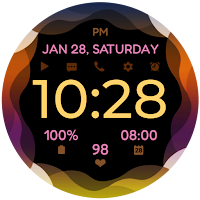
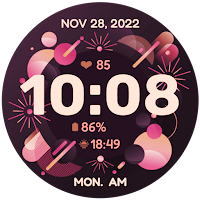
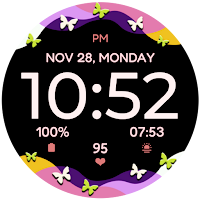
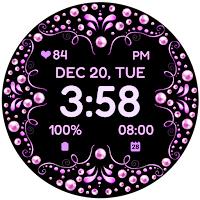
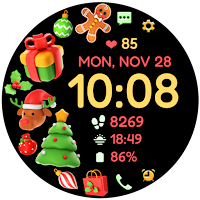
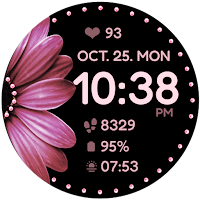
| App | Rating | Price | Installs | Last updated | Compare |
|---|---|---|---|---|---|
| Digital Watchface | – | $0.99 | 100+ | Nov 2, 2023 | |
| Waves | – | 0.99 USD | 100+ | Jul 17, 2025 | Compare |
| NewYear Watchface | – | 0.99 USD | 10+ | Dec 30, 2022 | Compare |
| Butterfly Waves | – | 0.99 USD | 100+ | Oct 18, 2024 | Compare |
| Pearls | – | 0.99 USD | 100+ | Dec 7, 2022 | Compare |
| Christmas Watch Face | – | 0.99 USD | 1,000+ | Jan 14, 2026 | Compare |
| Daisy and Pearls | – | 0.99 USD | 1,000+ | Oct 16, 2024 | Compare |
Compare Digital Watchface with the top alternatives: ratings, updates, ASO score and keyword gaps →
Similar apps on Google Play
- Waves
- NewYear Watchface
- Butterfly Waves
- Pearls
- Christmas Watch Face
- Daisy and Pearls
- Flowers and Pearls
- Thanksgiving Watchface
- Autumn Watchface 2
- Halloween 3
- Halloween 2
- Flower Heart Watchface
- Flower Watchface
- Digital Colors Watchface
- Autumn Watchface
- Halloween Watchface
- Digital Watchface
- Vibrant Bloom Watchface
- Daisy Simple Watchface
- Summer Bloom Analog
- Digital Flowers Watchface
- Splatter Bloom Watchface
- Summer Bloom Watchface
- Mandala 3 Bloom
- Butterfly Analog Bloom
- Paint Bloom
- Cat Bloom
- Butterfly Bloom 2
- Flower FLy Bloom 2
- Flowers Fly Bloom
- Flowers Bloom 2
- Colorfly Bloom
- Spring Bloom 2
- Spring Bloom
- Mandala 2 Bloom
- Flower Frame Bloom
- Galaxy Heart Bloom
- Flower Heart Bloom Black
- Flower Heart Bloom
- Sakura Color Bloom
- Flamingo Bloom Analog
- Leaves Bloom
- Flamingo Bloom
- Daisy Vibrant Bloom Watch Face
- Daisy Color Bloom
- Fly Bloom
- Starry Bloom
- Heart Bloom
- Hope Bloom
- Ring Bloom
- Daisy Bloom 3
- Pet Love Bloom
- Daisy Bloom 2 Watch Face
- Tropical Bloom
- Garland Bloom
- Mandala Bloom
- Butterfly Bloom Watch Face
- Gradient Bloom
- Sakura Bloom
- Star Bloom