

Foredge: PDF Reader & Signer
Tools
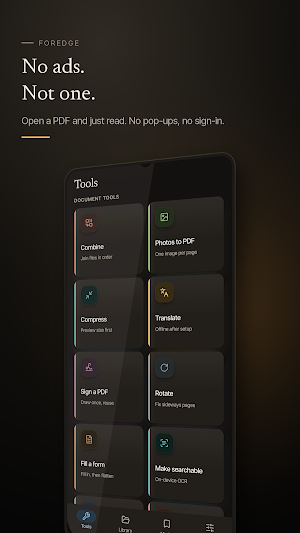
Read, sign, fill and edit PDFs. It all happens on your phone, not a server.
- Downloads
- 515+
- on Google Play
- Price
- Free
- No in-app purchases
- Updated
- Oct 16
- 2026 · v0.3.0
Screenshots
About Foredge: PDF Reader & Signer
Foredge is a PDF reader, editor and signer that does its work on your phone. Open a document, mark it up, sign it, fill in a form, save it back — nothing is uploaded and there is no account to create.
READ
• Every PDF already on this phone in one library — downloads, chat attachments, mail, scans
• Fore-edge rail: drag the edge of the page to move through a long document
• Full-text search across your whole library
• Paper, sepia and dark page themes, set separately from the app theme
• Read aloud, with the page following along
• Ask a question about a document, or get a summary, on the device
MARK AND SIGN
• Draw your signature once and reuse it anywhere
• Highlight, underline, strike through and write in ink
• Fill in PDF forms and flatten them so they open the same way everywhere
• Marks and bookmarks collected on their own tab
TOOLS
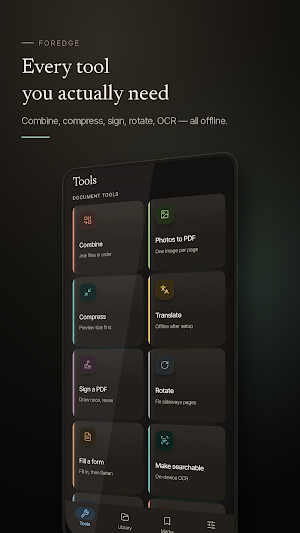
• Combine several PDFs into one
• Split out a page range
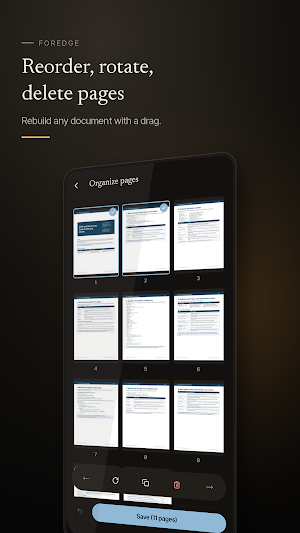
• Reorder, rotate and delete pages
• Photos to PDF, one image per page
• Compress, with the new size shown before you save
• OCR — turn a scan into real, searchable text on the device
• Translate a document, offline once its language pack is downloaded
PRIVACY
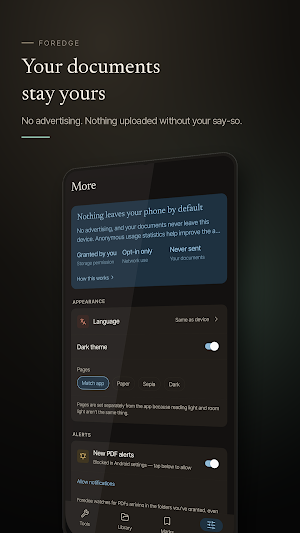
Your documents stay on this phone. Reading, marking, signing, form filling, OCR and text-to-speech all run on the device, no document is ever uploaded, and there is no account to sign in to. Foredge shows no ads. The storage permission is granted by you and used only to list PDFs and to save your changes back where the original came from. The app uses the network for two things only: anonymous usage statistics — counts, feature names and outcomes, never your documents or anything you typed — and the translation language pack, downloaded only when you ask for it.
READ
• Every PDF already on this phone in one library — downloads, chat attachments, mail, scans
• Fore-edge rail: drag the edge of the page to move through a long document
• Full-text search across your whole library
• Paper, sepia and dark page themes, set separately from the app theme
• Read aloud, with the page following along
• Ask a question about a document, or get a summary, on the device
MARK AND SIGN
• Draw your signature once and reuse it anywhere
• Highlight, underline, strike through and write in ink
• Fill in PDF forms and flatten them so they open the same way everywhere
• Marks and bookmarks collected on their own tab
TOOLS
• Combine several PDFs into one
• Split out a page range
• Reorder, rotate and delete pages
• Photos to PDF, one image per page
• Compress, with the new size shown before you save
• OCR — turn a scan into real, searchable text on the device
• Translate a document, offline once its language pack is downloaded
PRIVACY
Your documents stay on this phone. Reading, marking, signing, form filling, OCR and text-to-speech all run on the device, no document is ever uploaded, and there is no account to sign in to. Foredge shows no ads. The storage permission is granted by you and used only to list PDFs and to save your changes back where the original came from. The app uses the network for two things only: anonymous usage statistics — counts, feature names and outcomes, never your documents or anything you typed — and the translation language pack, downloaded only when you ask for it.
What’s new
Version 0.3.0 · Updated October 16, 2026
Foredge now speaks 29 languages, including Tamil, Telugu, Marathi, Gujarati, Urdu, Japanese, Korean and Chinese. Clearer privacy wording in Settings.
User reviews

i love this app. It hlep me combined 2 pdf and more usefully things for pdf

very nice and useful app
Alternatives to Foredge: PDF Reader & Signer
Looking for apps like Foredge: PDF Reader & Signer? Here are 6 similar Android apps on Google Play. The highest rated is Photo to PDF Maker & Converter (4.6/5), and all 6 are free to download.
-
PDF Reader Zone 3.9
-
pdfFiller Edit, fill, sign PDF 3.9
-
Photo to PDF Maker & Converter 4.6
-
Samsung Print Service Plugin 3.7
-
PhotoScan by Google Photos 4.1
-
DOCX Editor: PDF, DOC, XLSX 3.0
| App | Rating | Price | Installs | Last updated | Compare |
|---|---|---|---|---|---|
| Foredge: PDF Reader & Signer | – | Free | 500+ | Oct 16, 2026 | |
| PDF Reader Zone | 3.9 / 5 | Free | 10,000,000+ | Sep 11, 2026 | Compare |
| pdfFiller Edit, fill, sign PDF | 3.9 / 5 | Free | 5,000,000+ | Oct 22, 2026 | Compare |
| Photo to PDF Maker & Converter | 4.6 / 5 | Free | 10,000,000+ | Sep 24, 2025 | Compare |
| Samsung Print Service Plugin | 3.7 / 5 | Free | 1,000,000,000+ | May 6, 2026 | Compare |
| PhotoScan by Google Photos | 4.1 / 5 | Free | 50,000,000+ | Jul 24, 2023 | Compare |
| DOCX Editor: PDF, DOC, XLSX | 3.0 / 5 | Free | 5,000,000+ | Mar 4, 2026 | Compare |
Similar apps on Google Play
- PDF Reader Zone
- pdfFiller Edit, fill, sign PDF
- Photo to PDF Maker & Converter
- Samsung Print Service Plugin
- PhotoScan by Google Photos
- DOCX Editor: PDF, DOC, XLSX
- PDF Scanner - Document Scanner
- Polaris Office: Edit&View, PDF
- PDF Reader - PDF Editor
- Clear Scan - PDF Scanner App
- PDF AI: Podcast, Notes, Slides
- iScanner - PDF Scanner App
- Mobi PDF・Editor・Scanner・Reader
- Docusign - Upload & Sign Docs
- MobiOffice: Word, Sheets, PDF
- All Document Reader: PDF, Word
- PDF Reader App: Read All PDF
- Fill and Sign Easy PDF Editor
- Jotform - Form, Sign & Survey
- PDF Editor – Edit Everything!
- SignNow: Sign & Fill PDF Docs
- Resume Builder - CV Engineer
- Mobile Scanner App - Scan PDF
- PDFelement-PDF Editor & Reader
- AI Email, Reply Writer: Xemail
- PDF Scanner - Document Scanner
- Image to PDF - PDF Maker
- iLovePDF: PDF Editor & Scanner
- UPDF - AI-Powered PDF Editor
- ACE Scanner - PDF Scanner App
- PDF Merge: Scan, Sign & Edit
- PDF Scanner app - TapScanner
- SCRIBZEE®
- Falcon PDF - Editor & Tools
- vFlat Scan - PDF Scanner, OCR
- Genius Scan - PDF Scanner
- PDF Scanner Plus - Doc Scanner
- PDF Reader(KDAN PDF): Edit PDF
- PDF Reader App - PDF Viewer
- Tiny Scanner - PDF Scanner App
- Rocketbook
- CSV File Viewer - Smart CSV
- Regula Document Reader
- ONLYOFFICE Documents
- Document Reader - PDF Editor
- CS PDF Reader - PDF Editor
- Foxit PDF Editor
- PDF Reader & Editor: Xodo
- Smallpdf: Scanner & PDF Editor
- FastField: Field Service Forms
- Office Reader - PDF,Word,Excel
- Photo Scan App by Photomyne
- WPS Office Lite
- Jolly Classroom
- Inkpad Notepad & To do list
- Krisp AI Meeting Note Taker
- Flexcil Notes & PDF Reader
- MYCPE ONE
- Notesnook Secure Private Notes
- Notepad - Notes and Tasks
- Quotation Maker
- Easy Invoice & Quotation Maker
- Memento Database
- Jadens Printer
- Dext: Receipt Tracker
- HiNotes by HiDock
- GPA Calculator & Planner
- Smartsheet: Projects & Teams
- Total Drive - Cloud Storage
- AI Resume Builder CV Maker PDF
- HP Print Service Plugin
- MeisterTask - Task Management
- MobiDrive Cloud Storage & Sync
- Table Notes - Mobile Excel