

DashTV: Car Video & Mirroring
EverInfinite Entertainment iPhoneiPadiPod touch
DashTV: Car Video & Mirroring is a free Entertainment app for iPhone and iPad by EverInfinite. Rated 5.0/5 from 1 ratings. Requires iOS 17.0.
- Rating
- 5.0
- 1 ratings
- Price
- Free
- on the App Store
- Size
- 8 MB
- Age 17+
- Updated
- Oct 28
- 2026 · v1.3
Screenshots
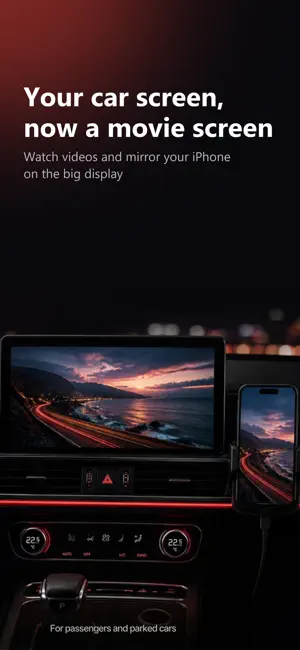
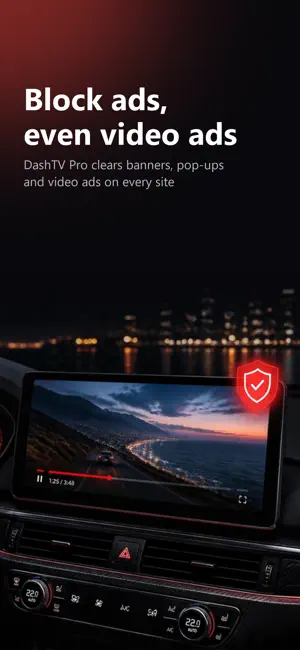

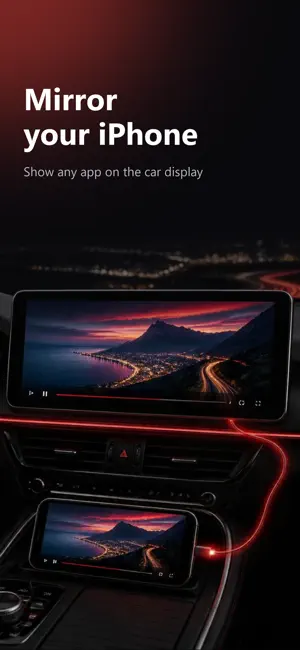
About DashTV: Car Video & Mirroring
DashTV puts web video on your car's CarPlay screen. Find something on your iPhone, tap Play on Car, and your phone becomes the remote. It's meant for time spent parked, like charging or waiting for someone to come out of the store. DashTV Pro also blocks ads on every site, including the ones that play before and during a video. How it works 1. Connect CarPlay, wired or wireless. 2. Open DashTV on the car screen. 3. Find a video on your iPhone and tap Play on Car, or tap a favorite on the car screen. Ad blocking with Pro Pro blocks banners, pop-ups and the ads that play before and during videos, on every site you open in DashTV. If a site breaks, tap the shield on your iPhone or Block Ads in the car menu, and blocking goes off for that site only. It stays off there until you turn it back on. Your iPhone is the remote While a video plays in the car, your phone shows play and pause, 10-second skips and a seek bar. Pro adds Loop. Tap Open on iPhone when you want the page back on your phone. Your steering wheel buttons work too, and the title and artwork show up in Now Playing. Browsing on the car screen You can also browse on the car itself. It starts with a couple of favorites, and you can add your own. Type on a big on-screen keyboard, or use voice typing, which runs on your iPhone and only asks for microphone access. There's a Back button and a menu with Home, Reload and Add to Favorites. Pages load in their full desktop layout, which fits a wide car screen better than the mobile site does. Picture size Full screen video and mirroring have four picture settings. Auto shows the whole video and pushes out the black bars a lot of films have baked in. Fit, Fill and Stretch do what they say. Mirror Screen Your whole iPhone screen shows on the car display, so any app works, held upright or sideways. Start it from the Mirror tab in DashTV or from Control Center. Share to DashTV In another app, tap Share and pick DashTV. The page opens ready to play, and if the car is connected it goes straight there. Free and Pro The free version gives you 30 minutes a day of video and mirroring on the car screen, and the clock resets at midnight. DashTV Pro removes the limit and adds ad blocking, Loop, and sound that keeps playing when your iPhone is locked. Pay monthly, yearly (with a 1-week free trial), or once for Lifetime. Privacy There's no account to make, no analytics and no tracking, and DashTV shows no ads of its own. It doesn't collect what you watch. Voice typing is turned into text on your iPhone, and your voice isn't kept or uploaded. Requirements Video and mirroring on the car screen need iOS 26.4 or later. Your car decides when video can show, which usually means only when you're parked. Until then you still hear the sound. On iOS 27.2, most cars can no longer show video on the car screen, following a change in iOS itself. The sound still plays in the car, and the video plays on your iPhone. Terms of Use: https://www.apple.com/legal/internet-services/itunes/dev/stdeula/ Available in 19 languages. Safety Video on the car screen is for passengers and parked cars. Never watch while you're driving.
What’s new
Version 1.3 · Updated October 28, 2026
Fixes a crash that could close DashTV when opening it on CarPlay.
App privacy
The developer, EverInfinite, reported these privacy practices to Apple.
Data Not Collected
The developer does not collect any data from this app.
Alternatives to DashTV: Car Video & Mirroring
Looking for apps like DashTV: Car Video & Mirroring? Here are 6 similar apps on the App Store.
-
 Carvia - Car M3U IPTV Player
-
 CarCast - Video on Car Display
-
 AutoPlay: Car Screen Video
-
 NextVibe
-
 CarPlayer: Video & TV for Car
-
 AutoTV: IPTV Player
| App | Rating | Price | Last updated | Compare |
|---|---|---|---|---|
| DashTV: Car Video & Mirroring | 5.0 / 5 (1 rating) | Free | October 28, 2026 | |
| Carvia - Car M3U IPTV Player | – | Free | Oct 24, 2026 | Compare |
| CarCast - Video on Car Display | – | Free | Oct 22, 2026 | Compare |
| AutoPlay: Car Screen Video | – | Free | Oct 22, 2026 | Compare |
| NextVibe | – | Free | Oct 23, 2026 | Compare |
| CarPlayer: Video & TV for Car | – | Free | Oct 23, 2026 | Compare |
| AutoTV: IPTV Player | – | Free | Oct 17, 2026 | Compare |