

Dimly: Screen Time App Blocker
Yaysoft LTD Productivity iPhoneiPadiPod touch
Dimly: Screen Time App Blocker is a free Productivity app for iPhone and iPad by Yaysoft LTD. Requires iOS 17.0. Updated October 7, 2026.
- Price
- Free
- on the App Store
- Size
- 36 MB
- Age 4+
- Updated
- Oct 7
- 2026 · v1.0.0
Screenshots

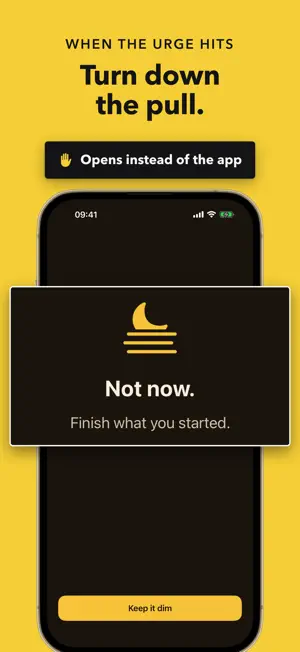


About Dimly: Screen Time App Blocker
Your phone is too bright. Not the screen, the pull. Dimly turns it down. Pick the apps, categories and websites that take your hours. When you open one, Dimly's shield appears instead, with a note you wrote to yourself. The app stays closed until your time is up. DIM IN ONE TAP Choose 5, 15, 25, 45 or 60 minutes, or any length up to 8 hours, and start. Ending early is always possible, but Dimly asks first and shows how far you got, because the moment you want out is exactly when one tap is too easy. PLANS THAT RUN ON THEIR OWN Set the hours when the pull is strongest: weekday mornings, deep work, after dinner, in bed. Plans switch on and off by themselves on the days you pick, even when Dimly is closed, and can run past midnight. STRICT MODE Turn it on and, while a session or plan is running, no app can be deleted from your device, Dimly included. No easy way out. WEBSITES TOO Type any address and it is blocked in Safari and other browsers whenever Dimly is dimming. HOURS BACK, EVERY WEEK History shows the time you protected, the sessions you saw through and every time you reached for something paused, so you can watch the pull fade week by week. SEE WHERE THE TIME GOES Screen Time reports show your daily total, pickups, notifications and the apps that took the most, right inside Dimly. YOUR SHIELD, YOUR WORDS Change the shield's title, message, icon and colors, so the note you see is the one that works on you. ALWAYS WITHIN REACH Widgets show what is paused today, a Control Center control starts a session from anywhere, and on iPhone a Live Activity counts down on the Lock Screen and in the Dynamic Island, with an End button. PRIVATE BY DESIGN Dimly works through Apple's Screen Time. The apps you pick stay on your device and Dimly never learns which ones they are. No account needed. iCloud sync of plans and history is optional and off by default. SUBSCRIPTION Dimly Plus unlocks sessions, plans, websites, strict mode and the custom shield. It is available as an auto-renewing subscription (weekly or yearly; a free trial is available to new subscribers on the yearly plan) or as a one-time Lifetime purchase. The price is shown in the app before you confirm. Payment is charged to your Apple Account at confirmation of purchase, or when the free trial ends. A subscription renews automatically unless auto-renewal is turned off at least 24 hours before the end of the current period. You can manage or cancel it anytime in your Apple Account settings. The Lifetime purchase is a single payment and never renews. Privacy Policy: https://dimlyfocus.app/privacy Terms of Use: https://dimlyfocus.app/terms Apple EULA: https://www.apple.com/legal/internet-services/itunes/dev/stdeula/
App privacy
The developer, Yaysoft LTD, reported these privacy practices to Apple.
Data Not Collected
The developer does not collect any data from this app.
Alternatives to Dimly: Screen Time App Blocker
Looking for apps like Dimly: Screen Time App Blocker? Here are 6 similar apps on the App Store. The highest rated is PACE_APP (5.0/5), and all 6 are free to download.
-
 PACE_APP
5.0
PACE_APP
5.0
-
 why? – screen time control
-
 DuoDashㅤ
1.0
DuoDashㅤ
1.0
-
 Deadbolt: Lock In, Dumb Phone
-
 Limit screen time, apps locker
5.0
Limit screen time, apps locker
5.0
-
 Frogged - Screen Time Control
3.0
Frogged - Screen Time Control
3.0
| App | Rating | Price | Last updated | Compare |
|---|---|---|---|---|
| Dimly: Screen Time App Blocker | – | Free | October 7, 2026 | |
| PACE_APP | 5.0 / 5 (4) | Free | Oct 3, 2026 | Compare |
| why? – screen time control | – | Free | Aug 31, 2026 | Compare |
| DuoDashㅤ | 1.0 / 5 (1) | Free | Oct 11, 2026 | Compare |
| Deadbolt: Lock In, Dumb Phone | – | Free | Oct 24, 2026 | Compare |
| Limit screen time, apps locker | 5.0 / 5 (1) | Free | Sep 25, 2026 | Compare |
| Frogged - Screen Time Control | 3.0 / 5 (2) | Free | Aug 18, 2026 | Compare |