

KaranScan: PDF Scanner
Karan Solutions s.r.o. Productivity iPhoneiPadiPod touch
KaranScan: PDF Scanner is a free Productivity app for iPhone and iPad by Karan Solutions s.r.o. Requires iOS 16.4. Updated October 19, 2026.
- Price
- Free
- on the App Store
- Size
- 33 MB
- Age 4+
- Updated
- Oct 19
- 2026 · v1.2.1
Screenshots



About KaranScan: PDF Scanner
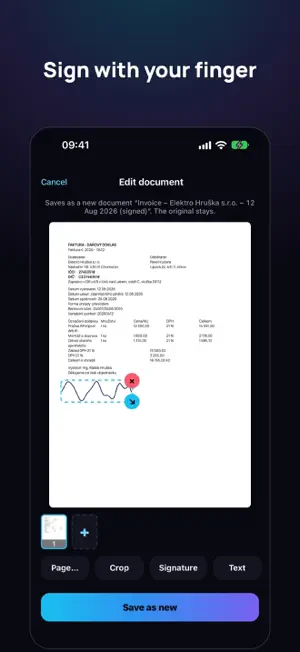
KaranScan is a document scanner that thinks for you. Snap the paper and it crops it, names it by its content and keeps it only on your phone — no account, no cloud. Later you find it by what's written inside. WHY KARANSCAN • No cloud, no sign-up: your documents stay on your phone • Names each document by its content — no more "Scan 2026-10-10" • Find it by the text inside: a name, an invoice number, a street • Handles folded corners and keeps the whole page • Translates whole documents into 5 languages and converts them to Word SCANNING • Finds the edges of the page and takes the shot as soon as you hold still • Straightens perspective; Original keeps the colours as in the photo, Enhanced whitens the paper and sharpens the text • Folded paper: when part of the page sticks out, it crops that part in too • Rotate and adjust corners right in the preview, multi-page PDFs • Import from Photos and Files, including existing PDFs TEXT IN YOUR DOCUMENTS • Search document names and the text of every document • Select and copy text right on the page • Text in shared PDFs is searchable and copyable • Convert to Word SMART FEATURES (you turn them on) • Names by content, e.g. "Invoice – Elektro Novák – 3 Sep 2026" • An overview of what matters — amount, due date, reference, account number — copied with one tap • Translation into English, Czech, German, Polish and Ukrainian, also as a bilingual PDF They are processed by AI; only the recognised text is sent, never images or signatures. EDITING AND ORGANISING • Sign with your finger and add your own text anywhere on the page • Crop, rotate and reorder pages; the original always stays untouched • Folders, share several documents at once, smaller PDFs for email • Face ID or Touch ID lock PREMIUM Scanning, editing, enhanced scan, Live Text and one custom folder are free. Premium adds documents without a watermark, smart features, import, signature and custom text, search inside documents, unlimited folders, sharing several documents at once, smaller PDFs and Word. • KaranScan Premium subscription, monthly or yearly, first 14 days free • Payment is charged to your Apple ID account at confirmation of purchase. The subscription renews automatically unless cancelled at least 24 hours before the end of the current period. Manage or cancel it in your Apple ID account settings. Terms of Use: https://www.apple.com/legal/internet-services/itunes/dev/stdeula/ Privacy Policy: https://karan-solutions.cz/karanscan/soukromi/ Available in English, Czech, German, Polish and Ukrainian.
What’s new
Version 1.2.1 · Updated October 19, 2026
• A second sheet lying next to your document is no longer mistaken for a folded corner.
App privacy
The developer, Karan Solutions s.r.o., reported these privacy practices to Apple.
Data Linked to You
The following data, which may be collected and linked to your identity, may be used for the following purposes:
- User Content: Other User Content
Used for: App Functionality
Alternatives to KaranScan: PDF Scanner
Looking for apps like KaranScan: PDF Scanner? Here are 6 similar apps on the App Store.
-
 ScanOwl: PDF Document Scanner
-
 ScanNgai: Scan, Sign & Send
-
 Doc Scanner To PDF
-
 PDF Watermark & Stamp
-
 Scanner PDF: Doc Scan & OCR
-
 Teleprompter — Read Scripts
| App | Rating | Price | Last updated | Compare |
|---|---|---|---|---|
| KaranScan: PDF Scanner | – | Free | October 19, 2026 | |
| ScanOwl: PDF Document Scanner | – | Free | Oct 17, 2026 | Compare |
| ScanNgai: Scan, Sign & Send | – | Free | Oct 15, 2026 | Compare |
| Doc Scanner To PDF | – | Free | Sep 26, 2026 | Compare |
| PDF Watermark & Stamp | – | Free | Oct 24, 2026 | Compare |
| Scanner PDF: Doc Scan & OCR | – | Free | Sep 14, 2026 | Compare |
| Teleprompter — Read Scripts | – | Free | Jun 8, 2026 | Compare |