

ScanOwl: PDF Document Scanner
小飞 刘 Productivity iPhoneiPadiPod touch
ScanOwl: PDF Document Scanner is a free Productivity app for iPhone and iPad by 小飞 刘. Requires iOS 15.5. Updated October 17, 2026.
- Price
- Free
- on the App Store
- Size
- 46 MB
- Age 4+
- Updated
- Oct 17
- 2026 · v1.0.238
Screenshots


About ScanOwl: PDF Document Scanner
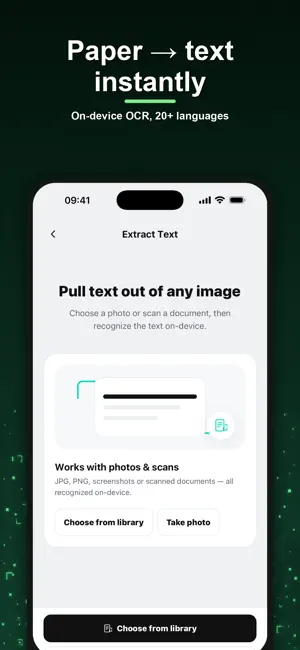
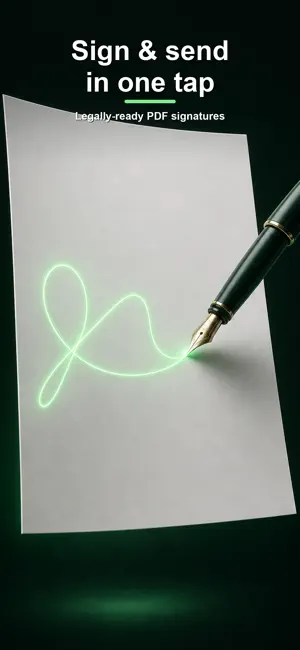
ScanOwl is a private document workspace for scanning documents and IDs, importing PDFs and images, adding signatures and watermarks, extracting text, organizing pages, and exporting clean files. Every scan comes out flat and straight: tilted shots square themselves up, page edges snap precisely into place, and crease shadows or uneven lighting lift away for a clean, copier-white page — with a quick corner check before you save. Merge, split, compress, reorder, convert, or protect documents from one app. Document contents, scans, signatures, and OCR text are processed on your device and are not uploaded to our servers. With your permission, ScanOwl sends optional usage, diagnostic, and subscription analytics with random app identifiers to its Cloudflare-hosted operations service and RevenueCat. You can turn this off at any time in More settings; declining does not affect scanning or purchasing. Apple processes payments. RevenueCat processes the subscription identifiers, purchase history, and access status needed to validate and restore purchases. ScanOwl Pro is available through auto-renewable subscriptions. Available plans, billing periods, local prices, and any eligible free trial are shown in the app and confirmed in the App Store purchase sheet. A trial is available only when your Apple ID and selected plan qualify. Payment is charged to your Apple ID. Subscriptions renew automatically unless canceled at least 24 hours before the end of the current period. You can manage or cancel subscriptions in App Store account settings. Pro includes multipage scanning, OCR, unlimited exports, and a clean ad-free document workflow. Terms of Use (EULA): https://www.apple.com/legal/internet-services/itunes/dev/stdeula/ Privacy Policy: https://scanowl-ops.pauley-apps.workers.dev/privacy?lang=en
What’s new
Version 1.0.238 · Updated October 17, 2026
• Your first scan is saved and opens directly in the editing and export flow. • Subscription choices reflect available plans, current prices, and your free-trial eligibility. • Canceled exports and failed operations no longer use a free allowance. OCR and tools count a use only after producing a result. • Restoring an active Pro subscription lets you continue the export that prompted the upgrade.
App privacy
The developer, 小飞 刘, reported these privacy practices to Apple.
Data Not Collected
The developer does not collect any data from this app.
Alternatives to ScanOwl: PDF Document Scanner
Looking for apps like ScanOwl: PDF Document Scanner? Here are 6 similar apps on the App Store. The highest rated is PDF Scanner - Sign & OCR (4.5/5), and all 6 are free to download.
-
 KaranScan: PDF Scanner
-
 ScanNgai: Scan, Sign & Send
-
 Doc Scanner To PDF
-
 PDF Watermark & Stamp
-
 Scanner PDF: Doc Scan & OCR
-
 PDF Scanner - Sign & OCR
4.5
PDF Scanner - Sign & OCR
4.5
| App | Rating | Price | Last updated | Compare |
|---|---|---|---|---|
| ScanOwl: PDF Document Scanner | – | Free | October 17, 2026 | |
| KaranScan: PDF Scanner | – | Free | Oct 19, 2026 | Compare |
| ScanNgai: Scan, Sign & Send | – | Free | Oct 15, 2026 | Compare |
| Doc Scanner To PDF | – | Free | Sep 26, 2026 | Compare |
| PDF Watermark & Stamp | – | Free | Oct 12, 2026 | Compare |
| Scanner PDF: Doc Scan & OCR | – | Free | Sep 14, 2026 | Compare |
| PDF Scanner - Sign & OCR | 4.5 / 5 (2) | Free | Aug 28, 2026 | Compare |