

Should You Sign It?
Djordje Janjic Productivity iPhoneiPadiPod touch
Should You Sign It? is a free Productivity app for iPhone and iPad by Djordje Janjic. Requires iOS 27.0. Updated October 20, 2026.
- Price
- Free
- on the App Store
- Size
- 3 MB
- Age 4+
- Updated
- Oct 20
- 2026 · v1.1
Screenshots



About Should You Sign It?
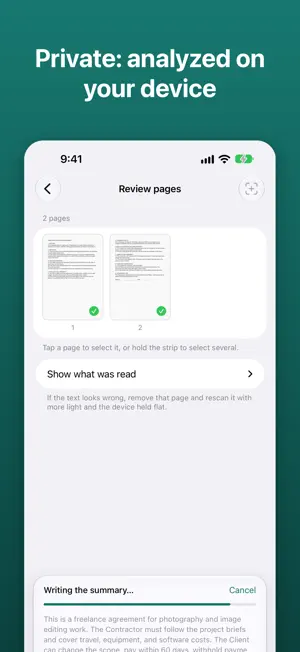
Before you sign a lease, a job offer, a gym membership or a freelance contract, scan it. Should You Sign It? reads the document and explains in plain language what you are agreeing to, which clauses deserve a second look, and what to ask before you sign. WHAT YOU GET • A short summary of what the document does and what you commit to • The key points: dates, amounts, notice periods, renewals • Things to check: clauses such as automatic renewal, cancellation fees, arbitration, non-compete, indemnity or broad data sharing, each quoted word for word from your document with a note on why it matters • Questions to ask the other party, ready to copy • A clear caution level: looks routine, worth a question, or get advice first PRIVATE BY DEFAULT Documents are read with Apple's Vision framework and analyzed by Apple's on-device language model, so by default nothing leaves your device and it works in airplane mode. For long contracts you can choose Apple's Private Cloud Compute in Settings: the text is analyzed on Apple's servers, where Apple states it is not stored or accessible to anyone, and page images stay on your device. No account, no server of our own, no analytics, no ads. BUILT TO BE TRUSTWORTHY • Every quoted clause is checked against the scanned text. Quotes that can't be found are dropped. • A keyword scan for known risky clause types backs up the model in eight languages. • If what you scanned isn't something you would sign, such as a recipe or an article, the app tells you instead of treating it as a contract. HOW IT WORKS 1. Scan pages with the camera, or import a PDF or photos. 2. Remove the pages you don't need and extract the text. 3. Analyze, then read the report, share it, or keep it in your history. LANGUAGES Reads documents in the languages Apple Intelligence supports, including English, German, French, Spanish, Italian, Portuguese, Chinese and Japanese. The app is available in English, German, French, Spanish, Italian and Chinese. PRICING Your first two analyses are free. One purchase unlocks unlimited analyses. No subscription. REQUIREMENTS Needs Apple Intelligence turned on: iPhone 15 Pro or later, or an iPad with an A17 Pro or M1 chip or later, on iOS 27 or later. NOT LEGAL ADVICE Should You Sign It? helps you notice what to check and what to ask. It never tells you whether to sign and is not a substitute for a lawyer. For decisions that matter, have a qualified professional review the document.
What’s new
Version 1.1 · Updated October 20, 2026
• Private Cloud Compute: for long contracts, you can now choose Apple's larger cloud model in Settings. It reads more of the document at once and finishes faster. The on-device model stays the default. • Small improvements and fixes.
App privacy
The developer, Djordje Janjic, reported these privacy practices to Apple.
Data Not Collected
The developer does not collect any data from this app.
Alternatives to Should You Sign It?
Looking for apps like Should You Sign It?? Here are 6 similar apps on the App Store. The highest rated is Stellata: Visual Bookmarks (5.0/5), and 5 of the 6 are free to download.
-
 Bookmark Manager: Nemor
-
 Stellata: Visual Bookmarks
5.0
Stellata: Visual Bookmarks
5.0
-
 WishNote: Notes & To-Do
-
 Streakr – Habit Tracker
4.0
Streakr – Habit Tracker
4.0
-
 WhisperAct: Voice Task Planner
5.0
WhisperAct: Voice Task Planner
5.0
-
 Capture It
5.0
Capture It
5.0
| App | Rating | Price | Last updated | Compare |
|---|---|---|---|---|
| Should You Sign It? | – | Free | October 20, 2026 | |
| Bookmark Manager: Nemor | – | Free | Oct 11, 2026 | Compare |
| Stellata: Visual Bookmarks | 5.0 / 5 (4) | Free | Oct 15, 2026 | Compare |
| WishNote: Notes & To-Do | – | Free | Oct 19, 2026 | Compare |
| Streakr – Habit Tracker | 4.0 / 5 (1) | Free | Mar 21, 2026 | Compare |
| WhisperAct: Voice Task Planner | 5.0 / 5 (1) | Free | Oct 11, 2026 | Compare |
| Capture It | 5.0 / 5 (1) | 1.99 USD | Jul 23, 2026 | Compare |