

SpliceAI: AI Video Editor
Sprise SRL Photo & Video iPhoneiPadiPod touch
SpliceAI: AI Video Editor is a free Photo & Video app for iPhone and iPad by Sprise SRL. Requires iOS 17.0. Updated October 28, 2026.
- Price
- Free
- on the App Store
- Size
- 13 MB
- Age 4+
- Updated
- Oct 28
- 2026 · v1.4
Screenshots


About SpliceAI: AI Video Editor
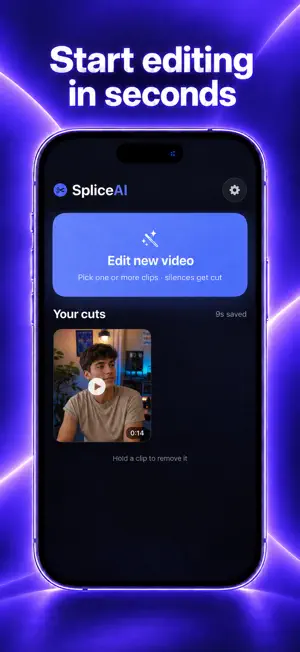
Stop wasting hours cutting the same pauses over and over. SpliceAI takes the videos you filmed on your phone, removes long silences and filler words, stitches multiple clips into one, and burns in clean captions. What used to take 40 minutes in a timeline now takes one tap. WHAT IT DOES Auto-cuts dead air — adaptive silence detection that follows your actual voice level, not a fixed threshold Removes filler words — um, uh, and the ones you don't notice you say Stitches multiple clips — import several takes, get one continuous video Auto captions — on-device transcription, three caption styles, fully editable before export Review before export — see every cut, keep or restore any segment Clean export — no watermark, ready for TikTok, Reels, Shorts, or YouTube BUILT FOR SPEED Three cutting presets — Gentle, Balanced, Tight — or take manual control with raw sensitivity sliders. Pick once, and every future video follows the same rhythm. PRIVATE BY DESIGN Every cut, every transcription, every export happens on your iPhone. Nothing is uploaded, nothing is stored on a server, no account needed. Your footage never leaves your device. MADE FOR Creators filming talking-head content. Podcasters cutting video clips. Coaches, founders, and anyone who records themselves and hates editing. SUBSCRIPTION SpliceAI Pro unlocks unlimited edits, captions, and watermark-free exports. Monthly or annual billing. Cancel anytime in your App Store settings. Subscription renews automatically unless cancelled at least 24 hours before the period ends. Terms of Use (EULA): https://www.apple.com/legal/internet-services/itunes/dev/stdeula/ Privacy Policy: https://sprise.ltd/pages/spliceai-privacy
What’s new
Version 1.4 · Updated October 28, 2026
New lower prices and creator codes: redeem a code from your favorite creator to unlock SpliceAI Pro.
App privacy
The developer, Sprise SRL, reported these privacy practices to Apple.
Data Used to Track You
The following data may be used to track you across apps and websites owned by other companies:
- Purchases: Purchase History
- Identifiers: Device ID
- Usage Data: Product Interaction
Data Linked to You
The following data, which may be collected and linked to your identity, may be used for the following purposes:
- Purchases: Purchase History
- Identifiers: Device ID
- Usage Data: Product Interaction
Used for: Third-Party Advertising, Developer’s Advertising or Marketing, Analytics
Alternatives to SpliceAI: AI Video Editor
Looking for apps like SpliceAI: AI Video Editor? Here are 6 similar apps on the App Store. The highest rated is AutoCut | AI Video Editor (5.0/5), and all 6 are free to download.
-
 TakeAssist
-
 VibeAd: AI UGC Video Generator
-
 AutoCut | AI Video Editor
5.0
-
 Refined: AI Video Editor
5.0
-
 NoStylist Ai: Virtual Try-On
-
 SilenceCut - Remove Silence
| App | Rating | Price | Last updated | Compare |
|---|---|---|---|---|
| SpliceAI: AI Video Editor | – | Free | October 28, 2026 | |
| TakeAssist | – | Free | Oct 13, 2026 | Compare |
| VibeAd: AI UGC Video Generator | – | Free | Jun 26, 2026 | Compare |
| AutoCut | AI Video Editor | 5.0 / 5 (2) | Free | Oct 26, 2026 | Compare |
| Refined: AI Video Editor | 5.0 / 5 (1) | Free | Oct 15, 2026 | Compare |
| NoStylist Ai: Virtual Try-On | – | Free | Mar 25, 2025 | Compare |
| SilenceCut - Remove Silence | – | Free | Oct 22, 2026 | Compare |