

ScreenDuo: Screen Recorder
JUDE OMONUWA EVBAKHAVBOKUN Photo & Video iPhoneiPadiPod touchMac
ScreenDuo: Screen Recorder is a free Photo & Video app for iPhone and iPad by JUDE OMONUWA EVBAKHAVBOKUN. Requires iOS 18.0. Updated October 4, 2026.
- Price
- Free
- on the App Store
- Size
- 16 MB
- Age 4+
- Updated
- Oct 4
- 2026 · v1.2
Screenshots

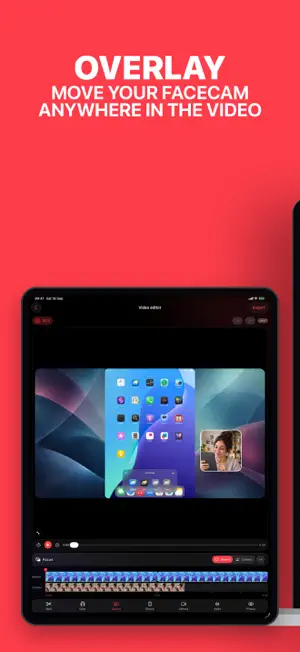


About ScreenDuo: Screen Recorder
Record your screen and your face as two separate layers you can still edit afterwards. Most recorders burn the camera bubble permanently into the video. ScreenDuo keeps the screen, the camera and your narration as independent tracks, so you can move, resize and re-layout them long after you stopped recording. READ WHILE YOU RECORD • Write a script and read it with a live teleprompter • Speech tracking keeps your place where supported; tap a line whenever you want to move it • Keep the teleprompter timing with the edit and choose whether it appears in the export CONNECT TWO DEVICES • Pair an iPhone or iPad with a second device: one captures the screen, the other records you • Get a clean screen capture and a clean camera take from a single session • See a live preview of both before you press record RECORD ON ONE DEVICE • System-wide screen capture with microphone and app audio • Add a camera layer as picture-in-picture • Or play any video from Photos or Files and record your camera over it RECORD ON MAC • Record a paired iPhone or iPad wirelessly, or one connected by USB • Works with USB and HDMI capture cards • Choose microphone and device audio separately, with live level meters EDIT WITHOUT REDOING THE TAKE • Drag, resize and snap screen and camera independently • Switch focus between screen and camera at any moment in the timeline • Find faces, emails, phone numbers and passwords on-device, then blur, pixelate or box them before you share • Add hide areas by hand and follow content as it moves through the video • Canvas proportions for 9:16, 16:9, 1:1, 4:5 and 4:3 • Trim, split at the playhead, reorder, and add more recordings • Undo and redo; drafts save automatically PRIVACY • Sensitive-content scans run on your device; recording content is not uploaded for this feature • Your source videos are never overwritten • No account is required EXPORT • Flattened MP4 with your audio mix preserved • Share it or save straight to Photos TRY IT FIRST Pairing, live preview and repeatable 30-second test recordings are free. Edit and export a test clip to check the whole workflow before you decide; the ScreenDuo watermark can be switched off in Edit. ScreenDuo Pro is a one-time purchase that removes the paired-capture time limit. There is no subscription and no automatic charge after a test. Works on iPhone, iPad and Mac with the same Apple Account.
What’s new
Version 1.2 · Updated October 4, 2026
What's new in 1.2 • Blur or remove your camera background in Edit on iPhone, iPad and Mac. • Improved device audio and video synchronization in paired recordings. • Recording reliability and editor improvements.
App privacy
The developer, JUDE OMONUWA EVBAKHAVBOKUN, reported these privacy practices to Apple.
Data Not Linked to You
The following data, which may be collected but is not linked to your identity, may be used for the following purposes:
- Purchases: Purchase History
- Usage Data: Product Interaction
Used for: Analytics
Alternatives to ScreenDuo: Screen Recorder
Looking for apps like ScreenDuo: Screen Recorder? Here are 6 similar apps on the App Store.
-
 REC: Screen Recorder & Capture
-
 Screen Recorder: Video & Voice
-
 Shred Video Capture
-
 ProDual Recorder: Vlog Cam
-
 HDMI Monitor for Tablet
-
 Recven - Screen Recorder
| App | Rating | Price | Last updated | Compare |
|---|---|---|---|---|
| ScreenDuo: Screen Recorder | – | Free | October 4, 2026 | |
| REC: Screen Recorder & Capture | – | Free | Aug 11, 2026 | Compare |
| Screen Recorder: Video & Voice | – | Free | Oct 1, 2026 | Compare |
| Shred Video Capture | – | Free | Dec 19, 2025 | Compare |
| ProDual Recorder: Vlog Cam | – | Free | Apr 18, 2026 | Compare |
| HDMI Monitor for Tablet | – | Free | Oct 12, 2026 | Compare |
| Recven - Screen Recorder | – | Free | Sep 24, 2026 | Compare |