

Mosaic / Blur Photo
Akio Nakashima Photo & Video iPhoneiPadiPod touch
Mosaic / Blur Photo is a free Photo & Video app for iPhone and iPad by Akio Nakashima. Requires iOS 18.0. Updated September 4, 2026.
- Price
- Free
- on the App Store
- Size
- 1 MB
- Age 4+
- Updated
- Sep 4
- 2026 · v1.1
Screenshots



About Mosaic / Blur Photo
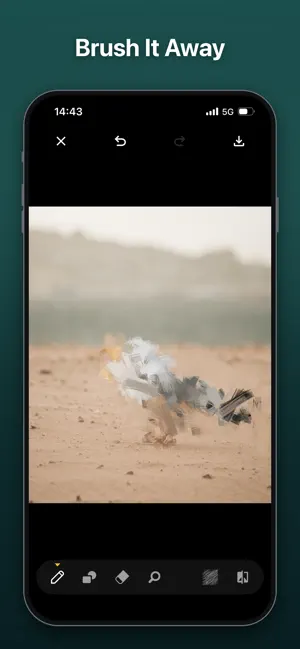
Mosaic covers the part of a photo you would rather not share. Trace it with a finger and it is gone: a face in the background, a plate, a name on an envelope, a number on a screen. Every edit happens on your device. There is no account to make, no sign-in, and no photo ever leaves your phone. 13 WAYS TO COVER SOMETHING Square, Blur, Frosted glass, Horizontal lines, Triangle, Right triangle, Diamond, Hexagon, Circle, Crystal, Colorful, Brush, and Solid color. Some hide quietly and are gone before you notice them. Others make the covered part the most interesting thing in the picture. DRAW IT HOWEVER YOU LIKE - Pen: trace freehand over anything, at whatever thickness suits it - Line, Rectangle, Oval: cover an edge or a whole region in one stroke - Eraser: take back part of a stroke without starting the photo over - Zoom: pinch in to work on something small, like an eye or a single digit - Undo, Redo, Clear all: nothing you draw is permanent TUNE THE RESULT - Mosaic size: from a grain you have to look for to blocks you can count - Line thickness and eraser size: match the stroke to the area - Smooth edge: soften the border where the mosaic meets the photo - Solid color: 12 colors, plus a crayon that fills with the photo's own color so the mark sits quietly in the picture - Compare with original: hold the button to see what is underneath, release to go back SAVED AT FULL SIZE The mosaic is rendered again at your photo's own resolution when you save, sized so the result matches the preview you approved. Everything you did not cover keeps the detail of the original. PRIVACY Mosaic does not collect any personal information. Photos you open stay on your device, every edit is processed on the device itself, and nothing is uploaded to a server. There is no account, no analytics, and no advertising. The app asks for permission only to add the finished photo to your library, and you can withdraw it at any time in the Settings app. Start from a photo in your library, or take a new one with the camera. Questions or requests: [email protected]
App privacy
The developer, Akio Nakashima, reported these privacy practices to Apple.
Data Not Collected
The developer does not collect any data from this app.
Alternatives to Mosaic / Blur Photo
Looking for apps like Mosaic / Blur Photo? Here are 6 similar apps on the App Store. The highest rated is Blur Face on Photo: BlurFace (4.0/5), and all 6 are free to download.
-
 PictBatch
-
 mincam - Low-Res Camera
-
 Mosaic - Blur Faces & Photos
-
 Blur Face on Photo: BlurFace
4.0
-
 Blur Kids - Face Blur
-
 Mosaic & Blur - Censor Faces
| App | Rating | Price | Last updated | Compare |
|---|---|---|---|---|
| Mosaic / Blur Photo | – | Free | September 4, 2026 | |
| PictBatch | – | Free | Sep 18, 2026 | Compare |
| mincam - Low-Res Camera | – | Free | Oct 9, 2026 | Compare |
| Mosaic - Blur Faces & Photos | – | Free | Nov 3, 2026 | Compare |
| Blur Face on Photo: BlurFace | 4.0 / 5 (1) | Free | May 27, 2026 | Compare |
| Blur Kids - Face Blur | – | Free | Oct 8, 2026 | Compare |
| Mosaic & Blur - Censor Faces | – | Free | Oct 12, 2026 | Compare |