

Dicta - AI Note Taker
TUNAHAN GOKCE Productivity iPhoneiPadiPod touch
Dicta - AI Note Taker is a free Productivity app for iPhone and iPad by TUNAHAN GOKCE. Requires iOS 18.0. Updated October 10, 2026.
- Price
- Free
- on the App Store
- Size
- 24 MB
- Age 4+
- Updated
- Oct 10
- 2026 · v1.1
Screenshots



About Dicta - AI Note Taker
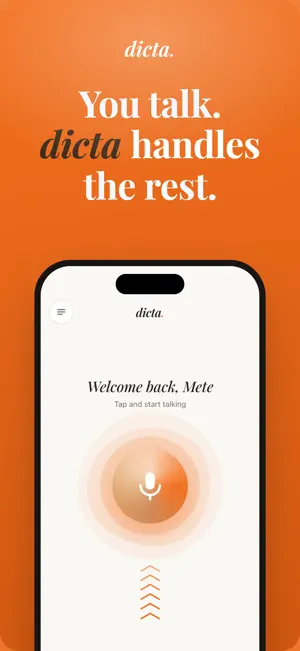
Talk. Dicta handles the rest. Tap once and start talking. Dicta turns what you said into text, then writes the summary for you. Walking out of a meeting, sitting through a lecture, or catching an idea before it disappears. Record it now, read it later. RECORD Starts with one tap. You can also import audio files and documents you already have. AI SUMMARY You don't have to sit through a forty minute recording again. Dicta breaks every note into three parts: - Overview: what it was about - Key Points: what you shouldn't miss - Action Items: what came out of it TRANSCRIPT Everything spoken gets written down. When more than one person is talking, Dicta separates the speakers so you can tell who said what. You name them yourself. AI CHAT Ask your recording a question. Say "what did we decide about the budget?" and the answer comes back with the timestamp underneath, so you can jump straight to that part and hear it. Chat with one recording or across all your notes at once. FOLDERS Sort by project, class, or client. A recording can live in more than one folder. Most people using Dicta are the ones who never get a free minute between meetings to write anything down, and students who record the lecture and study from the summary later. Privacy Policy: https://usedicta.app/privacy-policy/ Terms of Use: https://usedicta.app/terms/ Support: https://usedicta.app/contact/
What’s new
Version 1.1 · Updated October 10, 2026
Minor UI adjustments to improve user experience. Performance optimizations for a faster and smoother experience. Bug fixes and stability improvements for better reliability.
App privacy
The developer, TUNAHAN GOKCE, reported these privacy practices to Apple.
Data Used to Track You
The following data may be used to track you across apps and websites owned by other companies:
- Purchases: Purchase History
- Identifiers: Device ID
- Usage Data: Product Interaction
Data Linked to You
The following data, which may be collected and linked to your identity, may be used for the following purposes:
- Purchases: Purchase History
- Identifiers: User ID, Device ID
- Usage Data: Product Interaction
- Contact Info: Email Address, Name
- User Content: Audio Data, Other User Content
Used for: Analytics, App Functionality
Alternatives to Dicta - AI Note Taker
Looking for apps like Dicta - AI Note Taker? Here are 6 similar apps on the App Store.
-
 Turnote: AI Note Taker
-
 CrispRecord: Voice Notes
-
 Pocket Orbit: AI Note Taker
-
 LightNote-AI Note Taker
-
 Ouve - Texto em Áudio
-
 Meetings: AI Note Taker
| App | Rating | Price | Last updated | Compare |
|---|---|---|---|---|
| Dicta - AI Note Taker | – | Free | October 10, 2026 | |
| Turnote: AI Note Taker | – | Free | Oct 15, 2026 | Compare |
| CrispRecord: Voice Notes | – | Free | Oct 7, 2026 | Compare |
| Pocket Orbit: AI Note Taker | – | Free | Sep 13, 2026 | Compare |
| LightNote-AI Note Taker | – | Free | Apr 17, 2026 | Compare |
| Ouve - Texto em Áudio | – | Free | May 1, 2026 | Compare |
| Meetings: AI Note Taker | – | Free | Jul 18, 2026 | Compare |