

Painter's Toolkit: Color Match
IHSAN KAPLAN Graphics & Design iPhoneiPadiPod touch
Painter's Toolkit: Color Match is a free Graphics & Design app for iPhone and iPad by IHSAN KAPLAN. Requires iOS 15.1. Updated September 15, 2026.
- Price
- Free
- on the App Store
- Size
- 54 MB
- Age 12+
- Updated
- Sep 15
- 2026 · v1.1.0
Screenshots
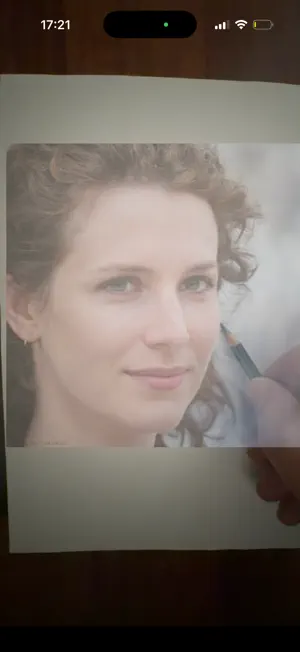


About Painter's Toolkit: Color Match
Painter's Toolkit is a complete digital workshop for painters: 21 tools that fit in your pocket and work entirely offline. Point it at a reference photo and it tells you which paints to mix. Study your values, plan your composition, transfer your drawing, and check your work — all in one place, no internet needed. COLOR • Color Picker — tap any pixel in your reference and match it against real pigments, ranked by perceptual difference • Paint Mixer — genuine Kubelka-Munk spectral mixing, so yellow and blue actually make green instead of mud. Two-point undertone model reproduces how a paint behaves pure and thinned out. • Mix Suggestion — give it a target color and it searches your pigments for the combination that gets there • Color Wheel & Harmony — six harmony types; send any result straight to the mixer • Your own pigment library — add paints by hex code, from your photo library, or by photographing a manufacturer swatch card • Limited Palette — repaint any photo using only the colors you actually own • White Balance and color blindness simulation VALUE & COMPOSITION • Value Analysis — grayscale with 2, 3, 5 or 9 tone steps • Simplify — squint blur that reveals the big shapes • Outline — edge detection with adjustable line weight, invertible for a chalkboard look • Warm/Cool Balance — a pixel-level temperature breakdown of your reference DRAWING AIDS • Grid — thirds, golden ratio, diagonals or custom rows and columns, with pinch to zoom • Perspective Correction — mark four corners and get a flat rectangle back • Vanishing Point — one, two or three point guide overlays • Proportion — sight-size measuring with a unit bar • AR Reference — see your reference on the canvas through the camera • Mirror, Compare, sketch layer and a practice timer WORKSHOP • Projects and a reference library, linked to your palettes • Browse public domain artworks from The Metropolitan Museum of Art and the Cleveland Museum of Art • Chain tools together: the output of one becomes the input of the next PRIVACY Everything runs on your device. No account, no analytics, no tracking. Your photos, projects and palettes never leave your phone. The only network requests are the optional museum archive browsing. Available in English, Turkish, Spanish, French, German and Arabic. SUBSCRIPTION TERMS Painter's Toolkit Pro annual subscription: 1 month free, then $4.99 per year (price may vary by region). Payment is charged to your Apple ID account at confirmation of purchase. The subscription renews automatically for the same period unless it is cancelled at least 24 hours before the end of the current period; the renewal charge is applied within the 24 hours before the period ends. You can manage or cancel your subscription in your App Store account settings. The lifetime unlock ($9.99) is a one-time purchase and does not renew. Privacy Policy: https://kapplanstudio.com/painters-toolkit/privacy.html Terms of Use: https://kapplanstudio.com/painters-toolkit/terms.html
What’s new
Version 1.1.0 · Updated September 15, 2026
• New welcome screen: see the color picker, value study, proportion and AR tools in action before you start • Your own photos are now kept in the app's permanent storage, so references, project covers and gallery images stay available after updates • New Library Cleanup in Profile: review images you no longer use and delete only the ones you choose • Various fixes and improvements
App privacy
The developer, IHSAN KAPLAN, reported these privacy practices to Apple.
Data Not Linked to You
The following data, which may be collected but is not linked to your identity, may be used for the following purposes:
- Purchases: Purchase History
- Identifiers: User ID
Used for: App Functionality
Alternatives to Painter's Toolkit: Color Match
Looking for apps like Painter's Toolkit: Color Match? Here are 6 similar apps on the App Store. The highest rated is The Master's Palette (5.0/5), and 5 of the 6 are free to download.
-
 The Master's Palette
5.0
The Master's Palette
5.0
-
 Painter's Tools: Value & Color
-
 Swatchy, Project Paint Planner
-
 Painted Mini Stories
-
 Pochade – Reference Photo Prep
-
 Pigment – Painting Studio
| App | Rating | Price | Last updated | Compare |
|---|---|---|---|---|
| Painter's Toolkit: Color Match | – | Free | September 15, 2026 | |
| The Master's Palette | 5.0 / 5 (1) | Free | Oct 13, 2026 | Compare |
| Painter's Tools: Value & Color | – | 4.99 USD | Oct 17, 2026 | Compare |
| Swatchy, Project Paint Planner | – | Free | Sep 19, 2026 | Compare |
| Painted Mini Stories | – | Free | Mar 27, 2026 | Compare |
| Pochade – Reference Photo Prep | – | Free | Oct 27, 2026 | Compare |
| Pigment – Painting Studio | – | Free | Oct 19, 2026 | Compare |